
Demo Models
Every realvirtual installation includes a demo project. Open it in the public demo without an account. Use this sandbox to try the drives, force signals or change the layout. Changes there do not affect your own work.
Each link below opens a model in a suitable workspace in the public demo. Switch modes as you would in any other document. See The Screen & Workspace Modes.
To keep changes to a demo model, open it and use Save into project… first. A later release may replace realvirtual’s demo folder. It does not replace your own project.
Laser Welding Assembly Station
Section titled “Laser Welding Assembly Station”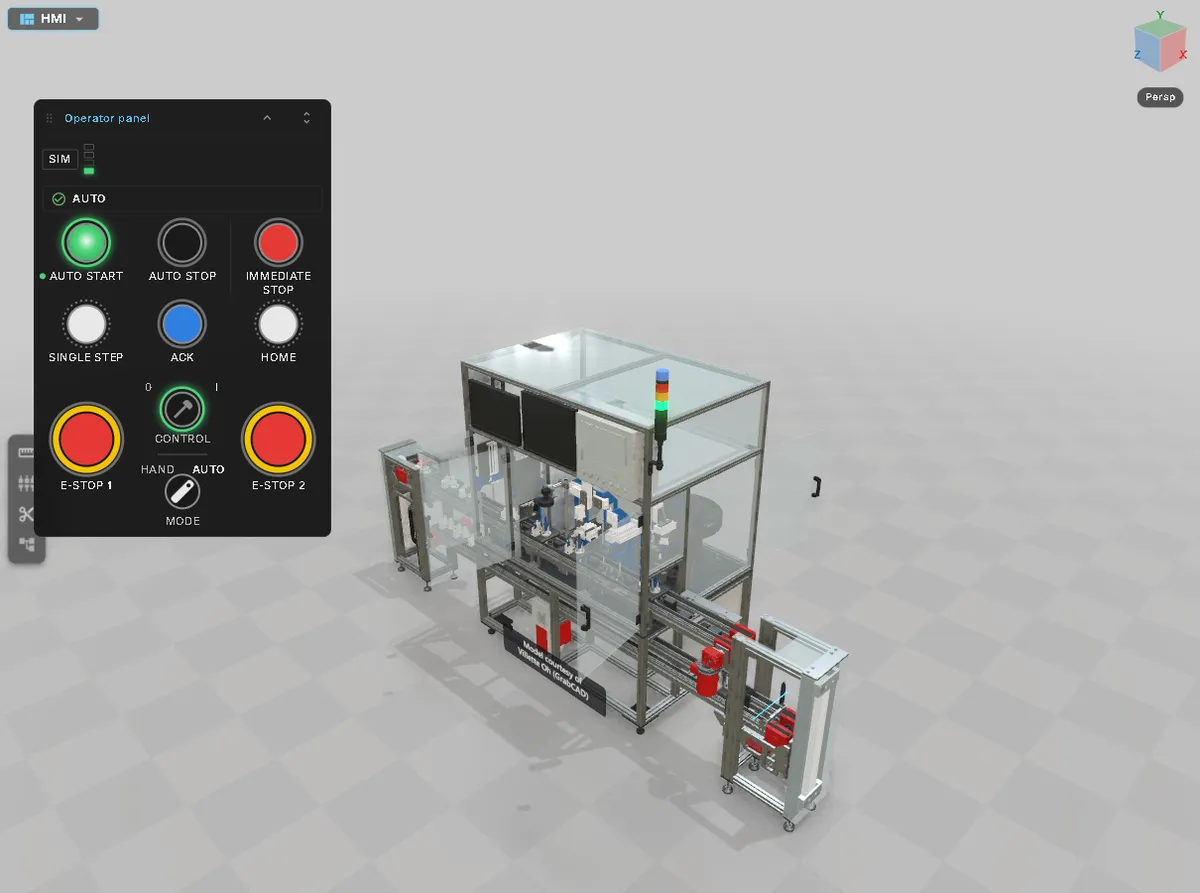
A complete pallet-circulating assembly line, built from CAD and made into a running twin in the browser. Fourteen workpiece pallets travel through five stations: laser welding, vision inspection, a turnover unit, a curling check and cap assembly. Two lifts return them to the start.
This virtual commissioning example includes:
- 193 PLC signals named like the TIA tag list of the real station. Every cylinder, sensor, stopper, belt, lamp and button is bound to them.
- A virtual PLC runs the station while no controller is connected. It switches off automatically when a controller connects. See Simulation or PLC.
- An Operator Panel stored in the model, with push buttons, lamps, the signal tower and two E-stops.
Open: HMI · Commissioning
The 3D model is used with permission from Villette Oh. The original is published on GrabCAD.
realvirtual Demo
Section titled “realvirtual Demo”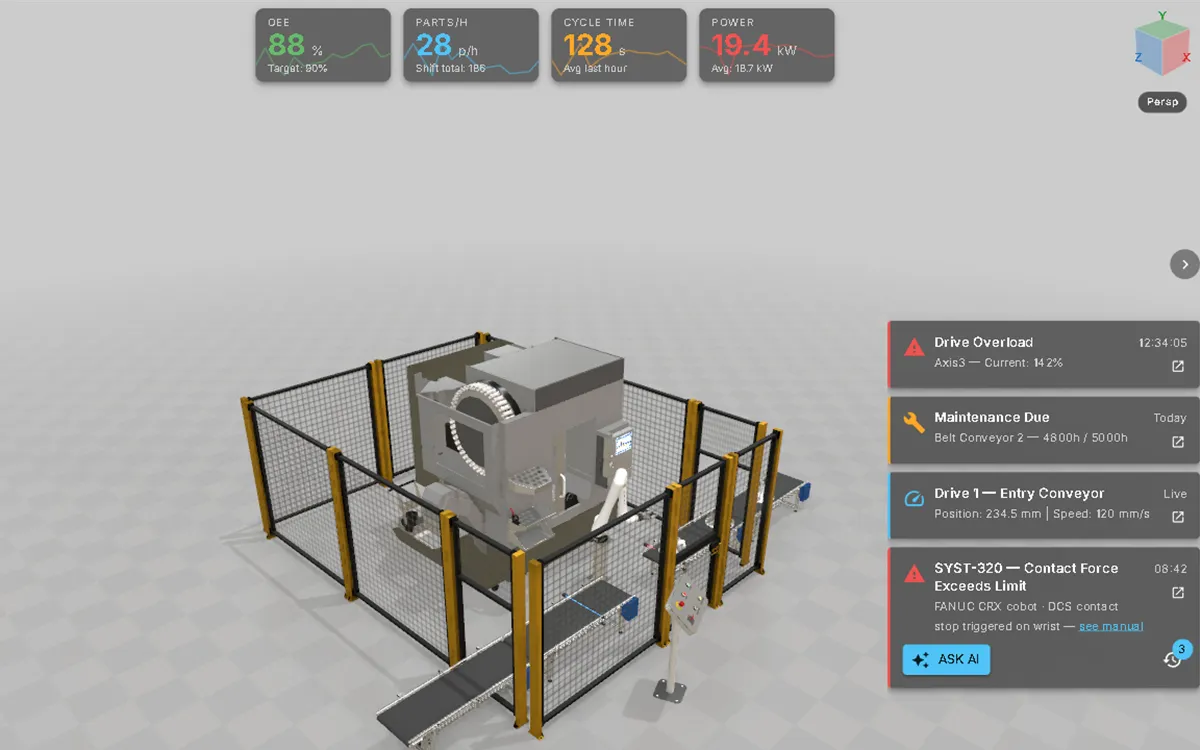
The demo opens this robot cell by default. It contains a CNC machine, a Fanuc CRX cobot with a Schunk gripper and two conveyors.
Its machine information system shows key figures along the top and alarms and maintenance notices on the right. Documents and AI diagnosis are attached to the relevant parts. A logic sequence runs the cell without an external PLC.
Open: HMI — see the Machine Information System.
Layout Planner Demo
Section titled “Layout Planner Demo”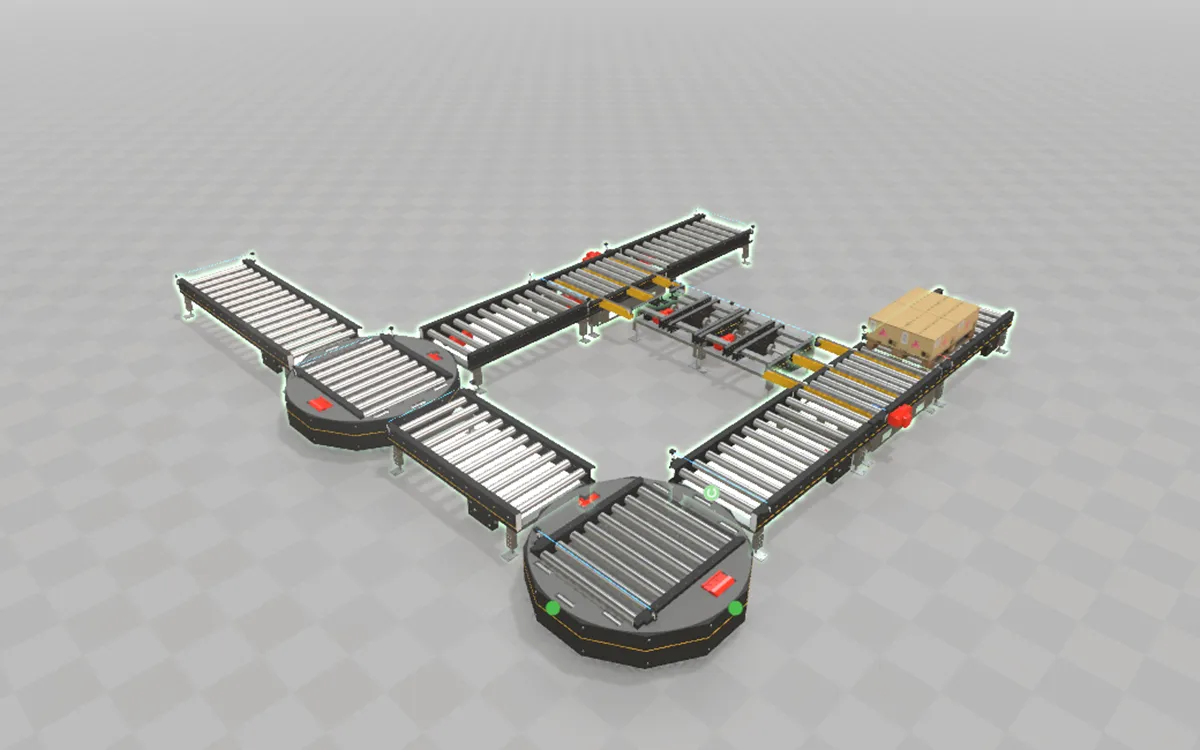
A conveyor loop built from library assets joined at their snap points. It uses roller conveyors, chain transfers, turntables and a loaded Europallet. Every element comes from the library; the document has no geometry of its own. Press Play to run the pallets around the loop.
Open: Planner — see the Layout Planner.
Autonox DELTA RL5-1900
Section titled “Autonox DELTA RL5-1900”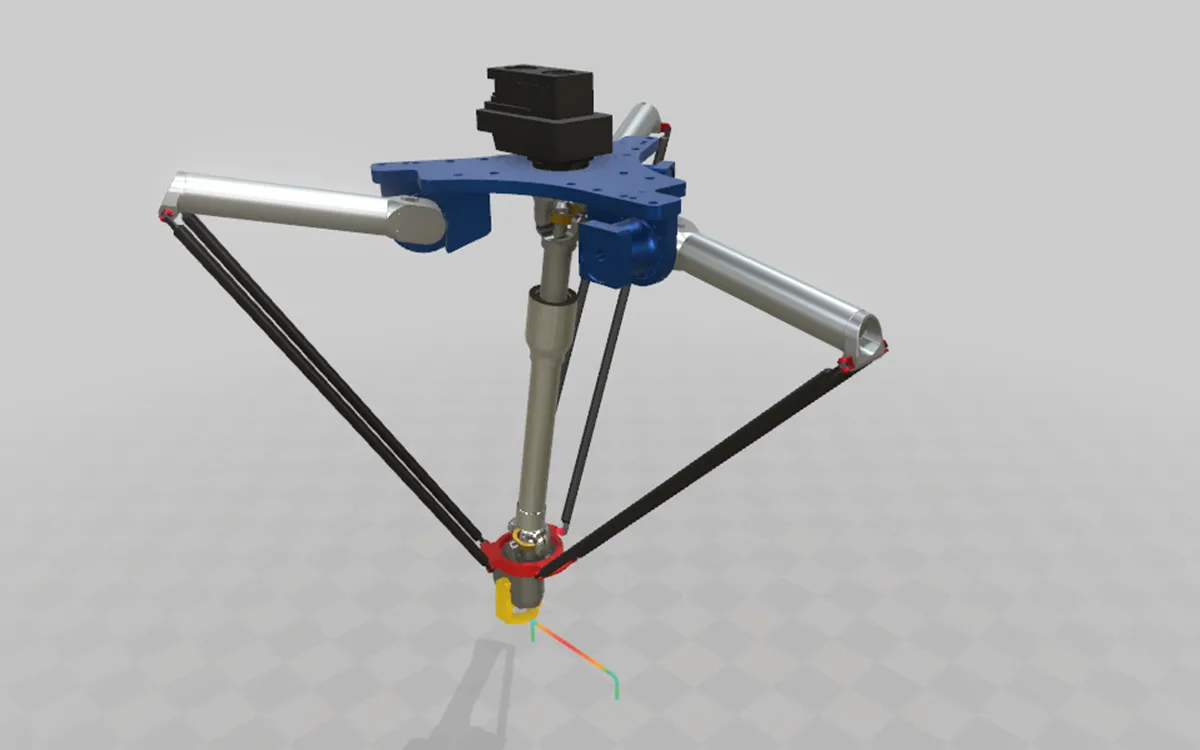
A delta robot configured as a closed-loop mechanism. It has three rotary drives on the upper arms, with joints and bodies for the parallelogram rods and travelling plate. The mechanism is solved as a whole at every step.
Press Play to run a sampled pick-and-place cycle. The path is drawn and coloured by speed. Notes on the nodes identify each axis.
Open: Viewer — see Rigid-Body Mechanisms. Its smaller sibling, the RL3-400, is the model built in Your First Twin from CAD.
FMU Demo (BouncingBall)
Section titled “FMU Demo (BouncingBall)”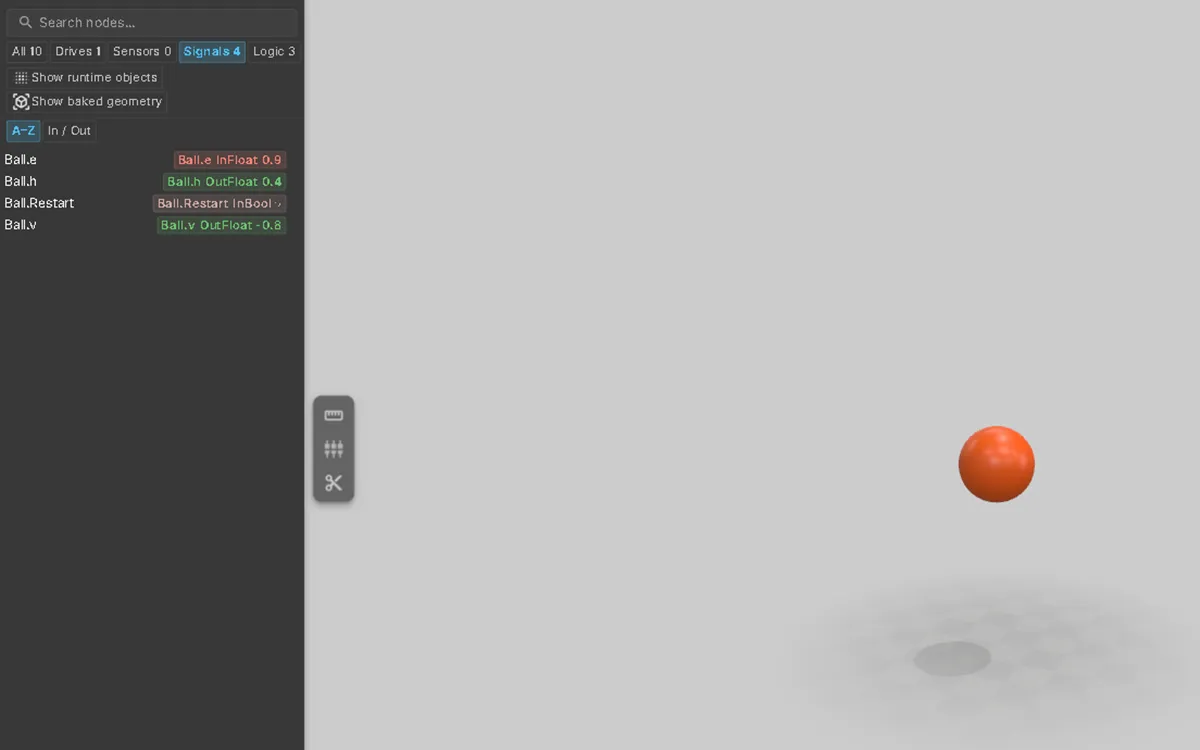
A simple FMI co-simulation. The ball’s height follows the h output of the unmodified BouncingBall reference FMU. A short sequence drops it again every twelve seconds.
Running the FMU requires realvirtual CONNECT on a Windows machine. Without CONNECT, the model loads and shows start values.
Open: Commissioning — see Attach and Run an FMU.
See also
Section titled “See also”- Opening a Twin — links, local files and the demo
- The Screen & Workspace Modes — switching between HMI, Commissioning, Planner and the others
- Documents — projects, documents and libraries