
Simulation Modes
Choose how the simulation advances to watch movement, reach results quickly or investigate individual events.
| Mode | When to use it |
|---|---|
| Animated | Watch at real-time speed (1x). Use this for exact timing of logic steps, PLC programs and IK paths. |
| Hybrid | Watch accelerated playback at the selected multiplier. |
| Fast Forward | Process events at maximum throughput without animation for material-flow analysis. |
| Step | Process one event at a time to inspect a sequence. |
Playback controls
Section titled “Playback controls”The DES toolbar combines Animated and Hybrid in the Play speed selector. Choose real-time or a time-lapse multiplier and use Play/Pause to run or pause.
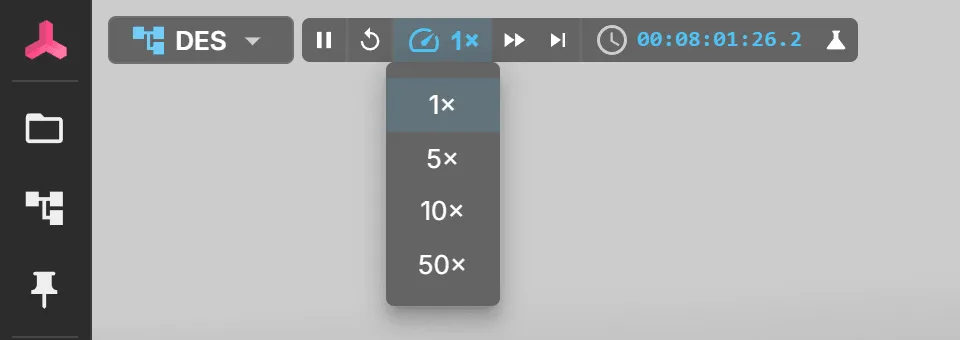
Fast Forward runs at maximum throughput without animation; click again to return to the previous speed. Pause takes effect before the next event and does not interrupt an event already being handled. A separate fast-forward run to a target time has Cancel Fast Forward; use that control to interrupt it.
Step (process one event) pauses continuous playback and advances one event per click.
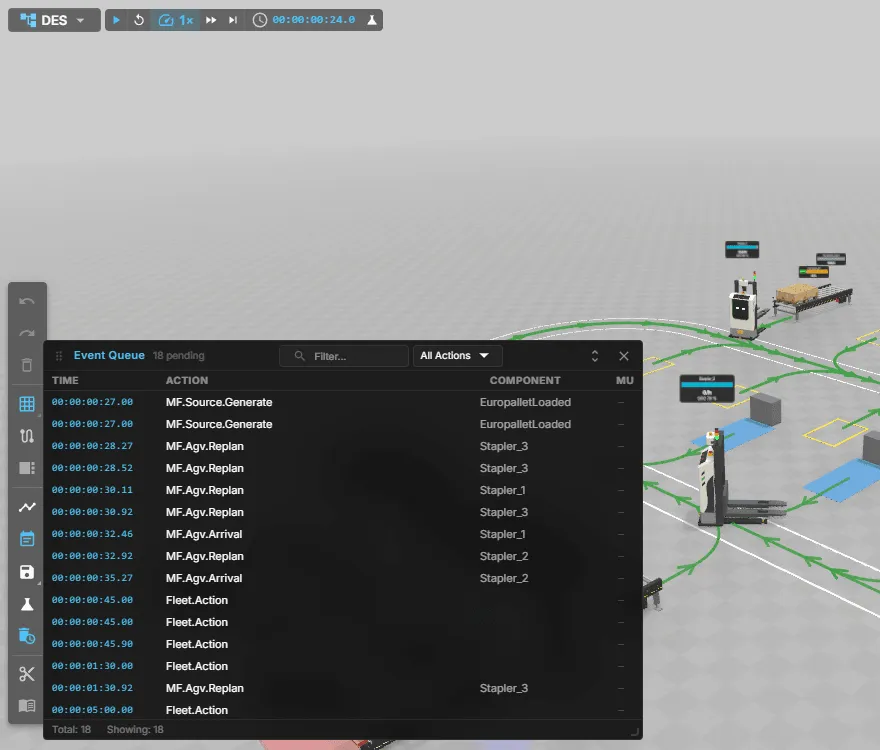
To see what the next step will process, open Event Queue from the side toolbar. It lists the pending events in time order with their action and component, and you can filter by text or action.
Warm-up and end time
Section titled “Warm-up and end time”In the Experiments window, set Start measuring after to exclude warm-up from the statistics, and Stop at simulation time to set the run length. Warm-up resets statistics at the scheduled simulated time, including in Step and Fast Forward. Changing playback speed does not replace these run settings. See Run controls and completion.
Models with logic
Section titled “Models with logic”Fast Forward and Hybrid count logic cycles incorrectly for models with logic steps, PLC programs or IK paths. A warning appears in Problems. Use Animated for exact logic timing. Experiment batches refuse these models because their logic would not advance during the batch; see Experiments and runs.