
CONNECT Overview
realvirtual CONNECT is the local gateway between controllers and realvirtual. It runs near the machine on a Windows IPC or edge PC and streams live signals to browsers. It uses the industrial protocol with controllers and the realvirtual WebSocket protocol with browsers. Unity is not required in this path.
Because the gateway runs at your site, machine and process data stay on the local network unless you enable AI diagnosis, which sends text to the configured embedding and language model services. The public download (realvirtual-Connect.exe) is a gateway only: REST, WebSocket and MCP on port 5100, with no viewer. CONNECT builds delivered with an embedded project/viewer also serve the viewer, model and signals locally on port 5100; the public download supplies signals to a hosted realvirtual deployment.
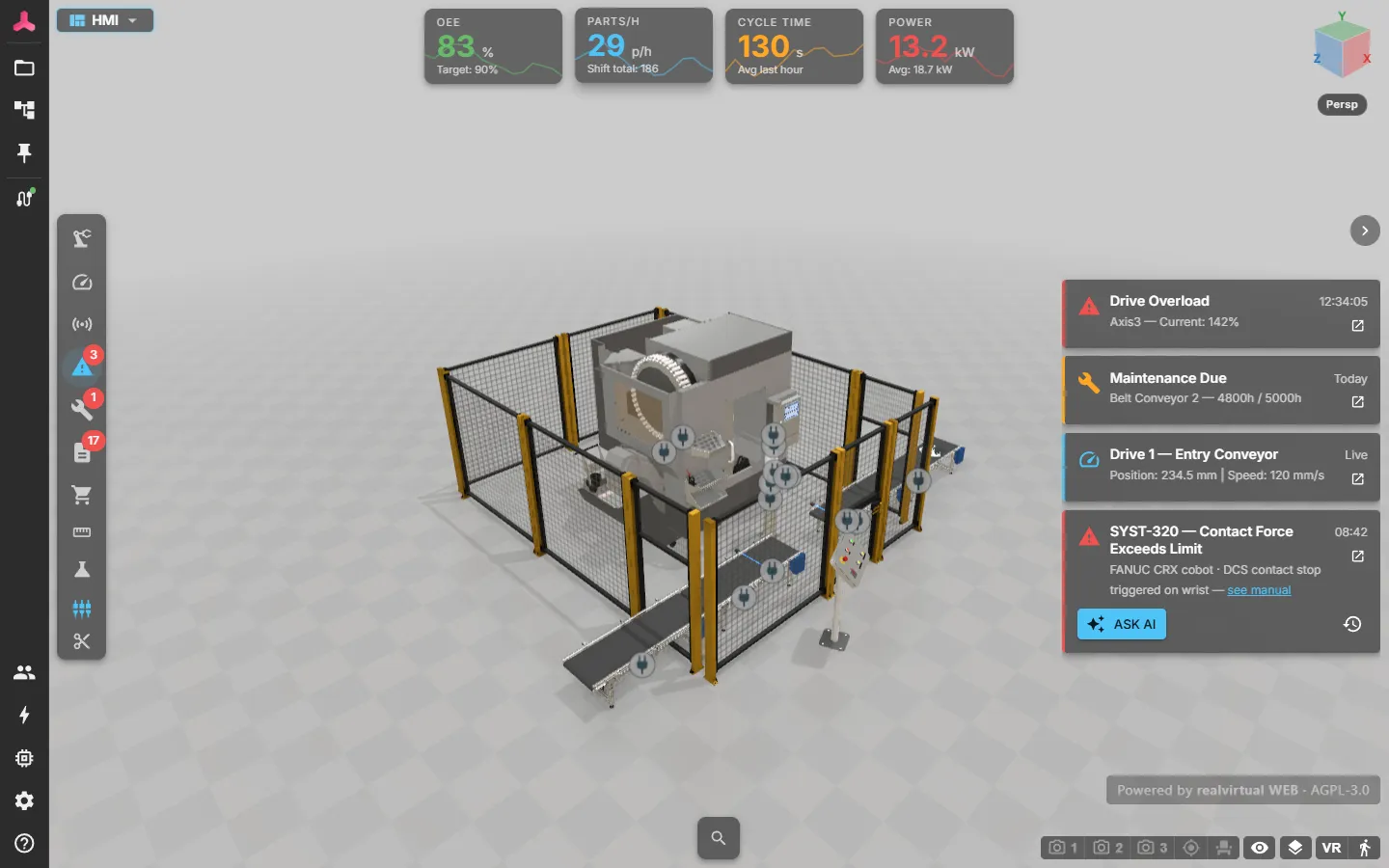
CONNECT works with named signals: Boolean, integer or floating point. Drives, sensors, kinematics and HMI logic run in realvirtual. This limits the gateway’s responsibilities and keeps every protocol bridge interchangeable.
What CONNECT does
Section titled “What CONNECT does”| Capability | Description |
|---|---|
| Virtual commissioning | Closes the loop between the digital twin and a real or simulated PLC: PLC outputs move the twin, the twin’s sensors and buttons are written back to the PLC inputs — see connecting a PLC |
| Protocol gateway | OPC UA, Siemens S7, MQTT, TwinCAT ADS, Modbus client and server, EtherNet/IP, Bosch Rexroth ctrlX, Keba, Festo AX / PLCnext, FANUC, Denso, ABB RobotStudio and SIMIT shared memory — see supported protocols |
| Bundled 3D HMI | Builds delivered with an embedded project/viewer serve the realvirtual viewer, model and signals on port 5100. With the public download, you point a hosted viewer at the gateway; see where the viewer comes from |
| CAD conversion | Large STEP and JT assemblies are tessellated locally and returned as GLB — see CAD conversion |
| Data recording | Selected signals are written to InfluxDB and shown as history charts — see data recording |
| AI error diagnosis | Answers “what does this alarm mean?” from your own machine PDFs — see AI diagnosis |
| MCP server | One endpoint through which an AI assistant reads signals and operates the running HMI — see AI clients |
| Self-update | The gateway replaces its own program file with a newer signed build after you confirm it — see updates |
Quick Start
Section titled “Quick Start”- Download and start the gateway on a PC in the controller network.
- Open a hosted viewer at
web.realvirtual.ioor on your own web server and connect it to the gateway. For a build with an embedded viewer, openhttp://localhost:5100. - Register once to activate the free tier.
- Add an interface and add its signals by browsing, importing or entering them.
- Load your model and confirm that live values arrive.
See also
Section titled “See also”- Connecting a PLC — CONNECT in virtual commissioning
- Virtual Commissioning — the commissioning functions of the viewer
- Installation — download, first start, updates
- Configuring interfaces — signals, direction and write access
- Remote access and security — API key, remote browsers, reverse proxy
- Signals and alarms — how those signals appear in the viewer