
Virtual Commissioning
realvirtual supports virtual commissioning in the browser. You connect a running digital twin to a real or simulated controller and test them before the machine is built. You do not need Unity installed or a separate simulation tool.
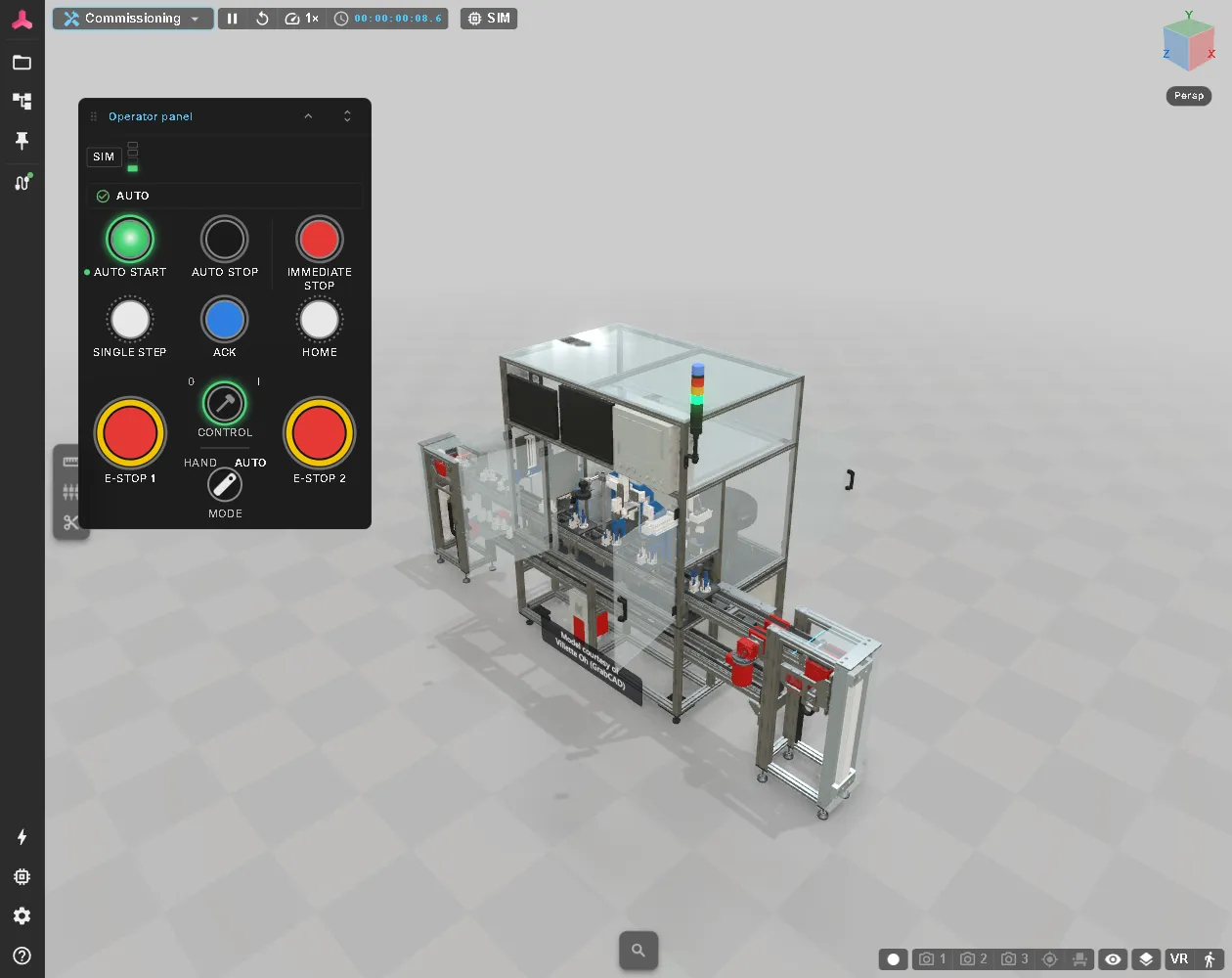
Virtual commissioning is one of the use cases of realvirtual. It starts from a twin built in the Editor or exported from Unity. For the full path in five steps, see From CAD to Virtual Commissioning.
Functions
Section titled “Functions”| Function | What it provides | Details |
|---|---|---|
| Commissioning workspace | Inspector, hierarchy, signals, CONNECT and the AI bridge in one workspace; can be opened or shared directly as a link | Screen and Modes, Sharing |
| PLC signals | Inputs and outputs of the twin, named like the PLC tags and bound to drives, sensors and lamps | Signals and Logic, Signal Binding |
| Controller connection | Connects the twin to a PLC, a PLC simulation such as PLCSIM Advanced, or a robot controller — over OPC UA, S7, TwinCAT ADS, Modbus, EtherNet/IP, MQTT and more | Connecting a PLC, Interfaces |
| Signal discovery | Reads signals from a live connection or a symbol table, such as a TIA .sdf export | Interface configuration |
| Simulation / PLC mode | Switches between the model’s own logic and the connected controller; a controller takes over automatically when it writes its first output | Signals & Alarms |
| Operator panel | Replaces the real machine HMI during commissioning: push buttons, selector switches, E-stops and stack light on the same PLC signals as the real panel | Operator Panel |
| Virtual PLC | Logic steps, or a Structured Text program in the browser, that run the twin without a controller | Logic steps, Virtual PLC (ST) |
| Forcing | Holds a signal at a fixed value to test a reaction | Signal Binding |
| Collision detection | Checks moving geometry for collisions while the simulation runs | Collision Detection |
| AI assistant | Reads and writes signals, drives and components of the running twin through the AI bridge | AI bridge |
Example
Section titled “Example”The Laser Welding Assembly Station uses these functions together: 193 PLC signals named like the station’s TIA tag list, a virtual PLC of eleven Structured Text programs, an operator panel and the Simulation / PLC mode.
See also
Section titled “See also”- Connecting a PLC — CONNECT between the twin and a real or simulated PLC
- Machine Information System — signals, alarms and documents in operation
- realvirtual CONNECT — the gateway between twin and controller
- Components — drives, sensors and material flow of the twin