
1. Build the twin
Import CAD in the Editor and add kinematics, drives, signals and snap points.
Deliver, operate and plan with your digital twin in the browser. The core of the platform is open source under AGPL, and the public demo requires no installation or account.
Getting started Try the live demo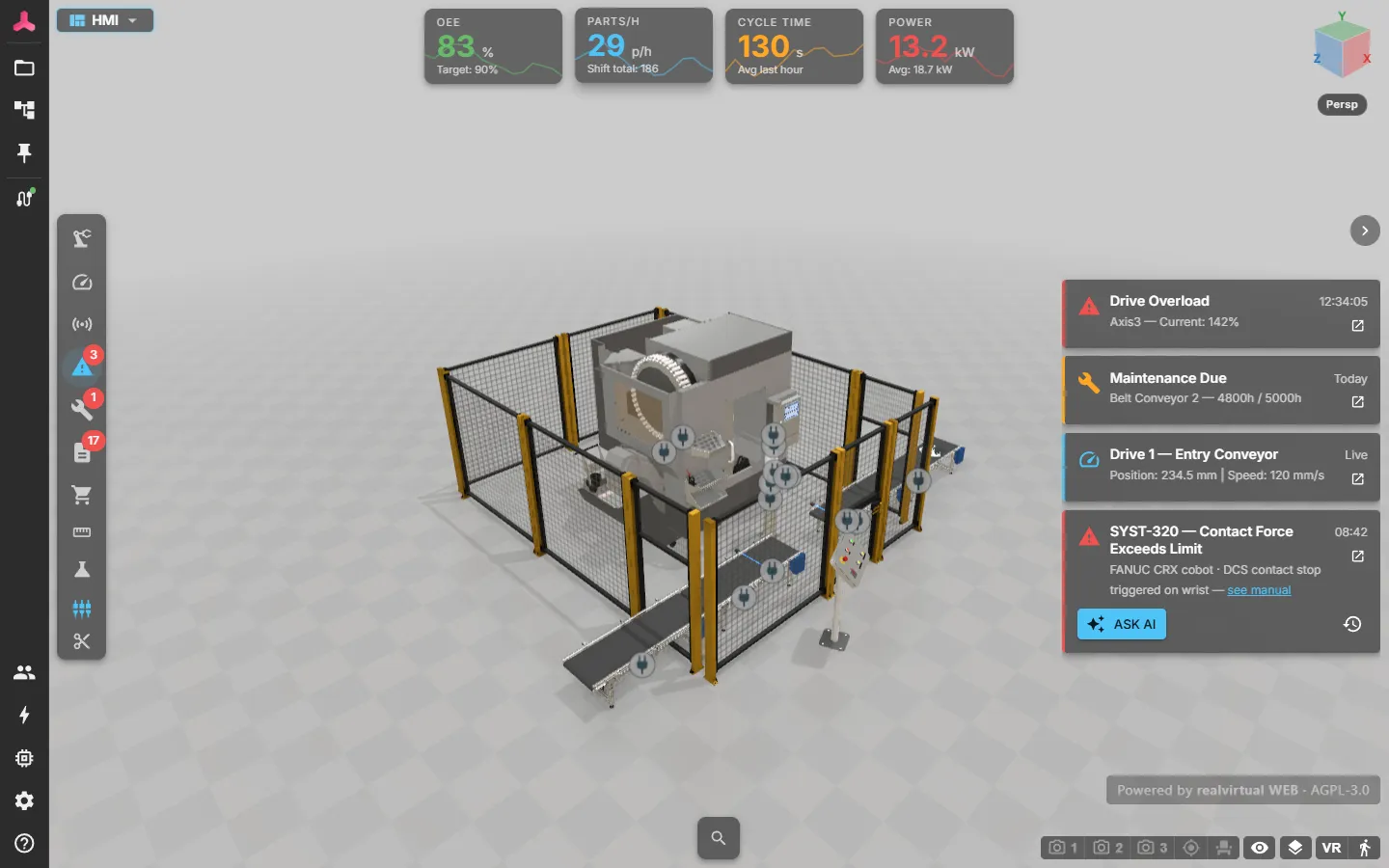
realvirtual provides a browser-based 3D viewer, HMI and machine information system for industrial digital twins. A prepared GLB keeps geometry and realvirtual metadata together. Operators, maintenance teams and planners can open the same delivered twin without learning Unity or installing a viewer.
Use it in standalone mode for an interactive model, or connect it to live controller data for machine monitoring. Discrete event simulation runs material-flow studies, and the Layout Planner (beta) assembles layouts.
The viewer, its simulation runtime and the Layout Planner are open source under AGPL-3.0. Opening, operating and planning with a delivered twin costs nothing. Commercial licences cover authoring tools (the Asset & Kinematics Editor and CAD import) and a few calculation kernels. These include robot IK and machining. The discrete event simulation core is open source as well; the experiment manager for studies is commercial. The public demo runs the full commercial feature set in your browser without a licence. You can try every feature before deciding. See what you get for the reasons behind the split and editions for the feature-by-feature comparison.
These pages document realvirtual, the browser platform. realvirtual for Unity, the Unity-based engineering platform with Starter and Professional editions, has separate documentation at doc.realvirtual.io.
1. Build the twin
Import CAD in the Editor and add kinematics, drives, signals and snap points.
2. Choose the use case
Layout planning, virtual commissioning, discrete event simulation or the machine information system (3D HMI).
3. Deliver and operate