
Saving and Restoring a Run
A snapshot saves a running simulation so you can continue it later from exactly the same point: same simulated time, same parts, same pending events and same random numbers. Use it to branch several what-if runs from one warmed-up state, or to keep a run you want to come back to.
A snapshot only continues the identical model. It is not a way to carry a run over to an edited layout.
Saving and loading
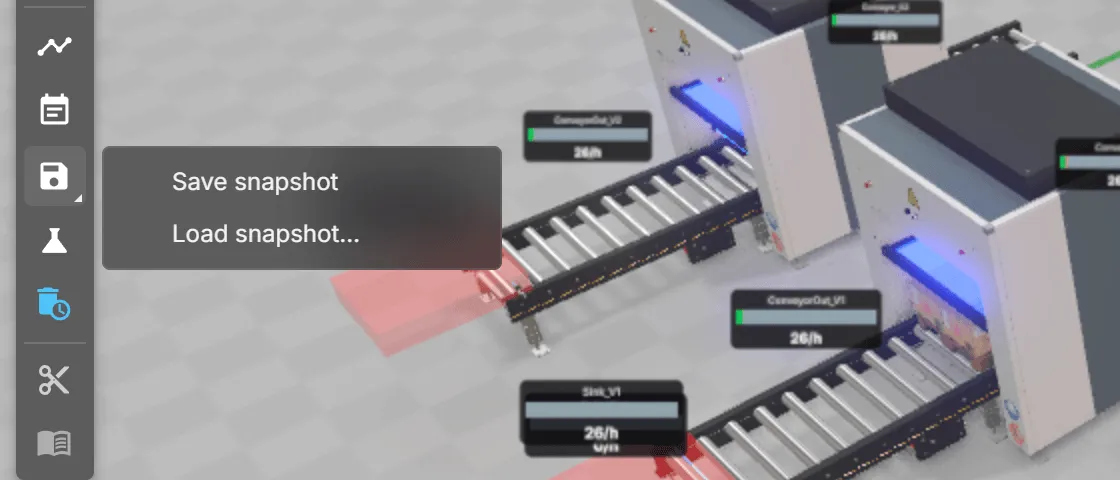
Section titled “Saving and loading”- Save snapshot and Load snapshot… are in the DES snapshot menu of the side toolbar. Saving downloads a file named
des-snapshot.json. - Snapshot now in the Experiments window stores a snapshot inside the running run. Checkpoint autosave stores them at regular simulated times; see Checkpoints.
What a snapshot contains
Section titled “What a snapshot contains”- the simulated time and all pending events
- every part (MU) with its position and state
- the state of stations, storages, conveyors, sources and other components, drives and signal values
- the position of the random number sequence
- the state of scripts that declare it, including their running timers (see Scripts)
- the state of fleet jobs, orders and zones for the supported fleet components
A snapshot does not contain the model itself. It is meant to be loaded into the model it was taken from.
When a snapshot is refused
Section titled “When a snapshot is refused”A snapshot is checked completely before anything changes. If it is refused, the running simulation stays as it was. Save snapshot and Load snapshot… show a message with the reason and what to do, and the Problems panel lists the same warning with its technical code in square brackets, for example [des-snapshot-fingerprint].
| Message (Problems panel title) | What it means and what to do |
|---|---|
Model changed (des-snapshot-fingerprint) | The model changed since this snapshot was taken. A snapshot matches the model exactly as it was when saved: model files, node positions and settings, components, script text and the path network; any edit makes it fail, including a planner move. A different realvirtual release and a different random generator version count as a changed model. Load the original model or start a new run. The same title appears when you try to save after the model changed since the run started: restart the run, then save. Right after loading a model, saving is refused until its content has been checked in the background; try again after a moment. |
Older snapshot format (des-snapshot-legacy) | The snapshot comes from an older format and cannot be converted. Start a new run. |
Missing component ID (des-snapshot-unaddressable) | A component, drive or script has no stable ID for saving. The technical detail names it. Assign stable IDs, then start a new run. |
Invalid snapshot data (des-snapshot-contract) | The snapshot contains events, parts or component states that the model cannot accept (a damaged snapshot). Take a new snapshot. |
Logic cannot be saved (des-snapshot-unsupported-component) | LogicSteps, PLC programs (ST), IK paths or a replay are running. Models with them cannot be saved or loaded in this version. Stop or remove them, or continue without saving. |
AGV is busy, Movement control is busy (des-snapshot-agv-busy, des-snapshot-authority-busy) | A fleet callback is running. Wait for it to finish, then try again. |
Invalid AGV state, Invalid movement state, AGV task cannot be saved (des-snapshot-agv-state, des-snapshot-authority-state, des-snapshot-agv-task-callbacks) | Fleet state refers to missing paths or zones, or a task uses callbacks that cannot be restored. Check the path configuration or start without saving. |
Placements changed (des-restore-scene-changed) | Placements were added or removed after the run was bound. Reset the simulation, then take a new snapshot. |
Component state not declared, Script state not declared (des-state-not-declared, des-script-undeclared-state) | A component or script has state that cannot be restored safely. Declare persistent state, for scripts with self.persist(...), then start a new run. |
These do not count: the DES manager’s End Time, Statistics Reset Time (warm-up) and Master Seed. You can change them and still restore a snapshot, for example to run a saved state longer.
If a snapshot passes the check but cannot be applied, the Problems panel shows Snapshot restore failed (des-restore-commit-failed) and the simulation is reset. There is no rollback at that point: load the snapshot again or start a new run.
Scripts: keeping state across a restore
Section titled “Scripts: keeping state across a restore”Keep changing script values in a single self.persist(...) object so they survive a restore. Pending script timers and the random sequence are restored too; do not restart timers after loading. See Scripting in DES for the complete example and code-check rules.
Known limits
Section titled “Known limits”| Limit | Detail |
|---|---|
| Logic, PLC, IK, replay | Models with LogicSteps, PLC programs (ST), IK paths or a replay cannot be saved in V1. The simulation reports this visibly (a problem entry) and refuses to save or load instead of continuing with wrong state. |
| Script statistics | The state-time statistics of scripts (KPIs) are not saved in a snapshot. |
| Overhead conveyor | It is not saved, by design. Its rigid circulating chain has no DES events and does not advance in a DES run, so there is no state to continue. |
| Script callbacks | Callbacks that a script registers after setup are not saved. Register them in setup. |
| Timing and size | On the reference machine, saving takes 4 to 40 ms, loading 6 to 103 ms, and files are 32 to 396 KB (n=1 to n=16; measured 2026-11-02). See Model size and limits. |
See also
Section titled “See also”- Experiments and runs: snapshots in experiments and checkpoints
- Reproducible and reliable runs: seeds, blockage checks, fast-forward