
Recorder
The recorders capture drive positions and position/orientation of moveable units (MUs). This is helpful when these parameters are controlled by connected PLCs. Recording allows for playback of the sequence without PLC connection. For drive tracking, free navigation in the recording is possible, but for MUs, this feature will be added in a future release.
Drives Recorder
Section titled “Drives Recorder”The Drive Recorder is a feature that records the position of a drive during runtime in GameMode. To use the Drive Recorder, you need to attach the “DrivesRecorder” component to a GameObject. You can choose to record all drives in the hierarchy below the game object where you added the recorder component or all drives within the scene.
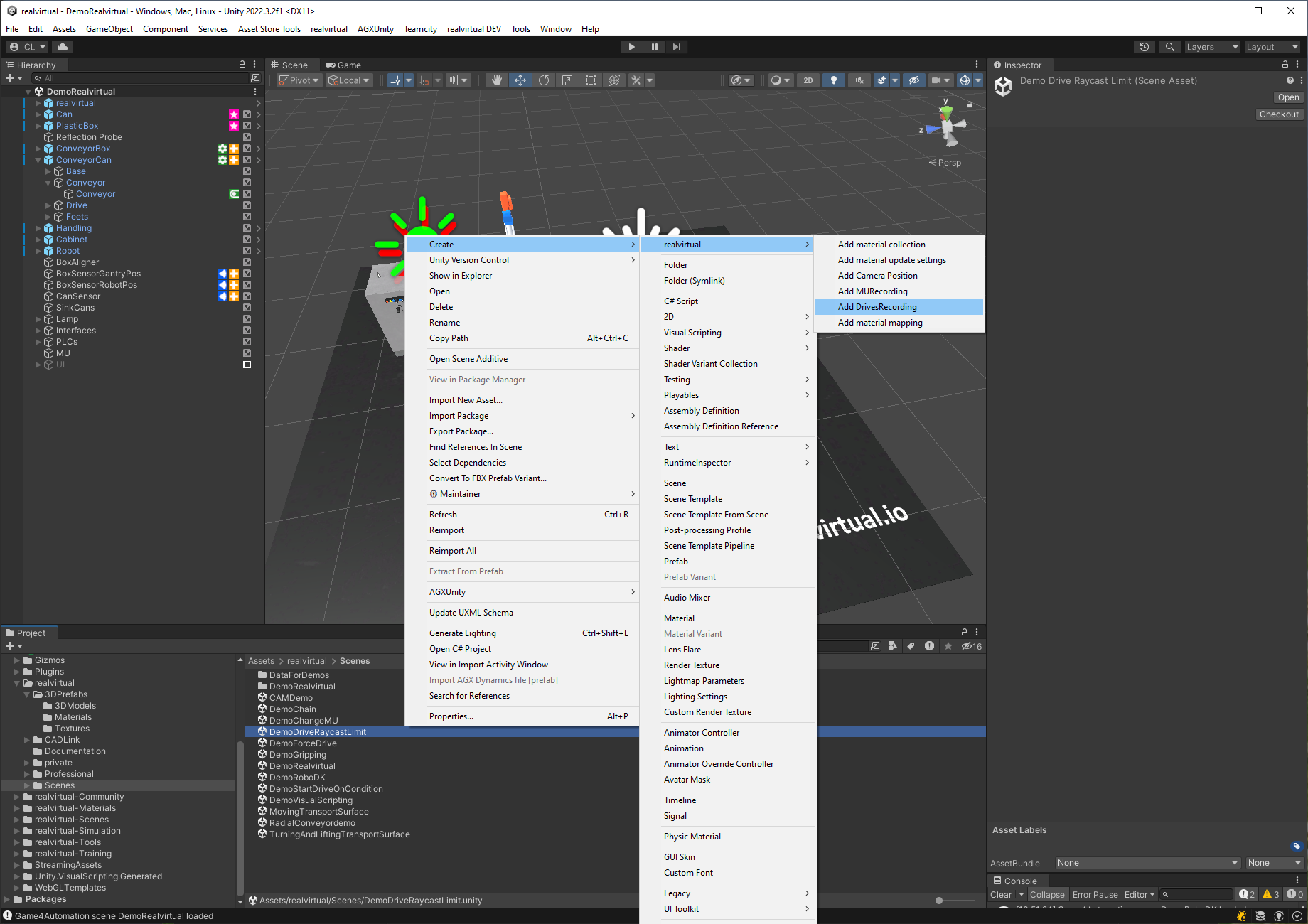
In addition to the DrivesRecorder component, you need to create a ScriptableObject DrivesRecording. Right mouse click in the folder where your scene is located. The image below illustrates how to create the DrivesRecording object.
The DrivesRecorder provides the following attributes:
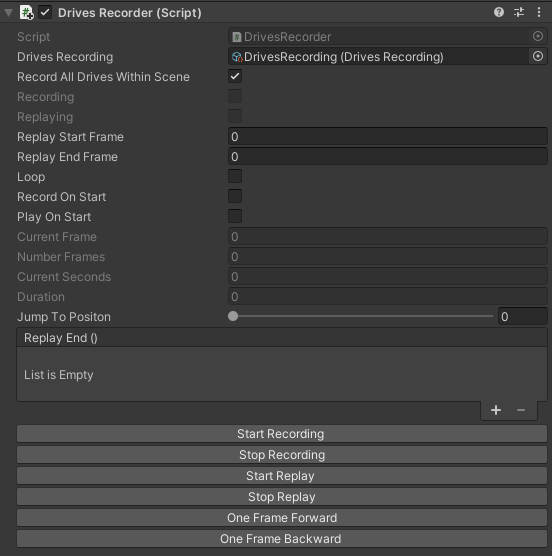
Attributes DrivesRecorder
| Attribute | Function | |
|---|---|---|
| Drives Recording | Recording object which stores the record | |
| Record all drives within the scene | boolean wether all drives in the scene should be recorded | |
| Recording / Replaying | Information which mode is currently active | |
| Replay Start Frame | Frame at which the replay starts | |
| Replay End Frame | Frame at which the replay ends | |
| Loop | loops the current replay | |
| Record On Start | boolean: true -> record starts with the start of the game mode | |
| Play On Start | boolean: true -> replay starts with the start of the game mode | |
| Current Frame/ Number Frames/ Current Seconds/ Duration | Information about the current the current recording or replay | |
| Jump To Position | jump to a certain frame | |
| Replay End | subscribe an event which is called when the replay ends | |
| Buttons | the buttons are used during runtime to start and stop the recording or the replay |
Mu Recorder
Section titled “Mu Recorder”The MUrecorder is a tool that captures the location and orientation of MUs (Mobile Units) in a scene. It automatically starts recording when the runtime mode is initiated, and it captures MUs that are already present in the scene as well as those that are created by sources during runtime.
To utilize the MUrecorder, the MUrecording component must be added to all sources that require MUs to be recorded. Additionally, an instance of the scriptable object MUrecording must be created and assigned to the MUrecording component. The image below illustrates the process of creating the MUrecording in the project.
The MUrecorder provides the following attributes:
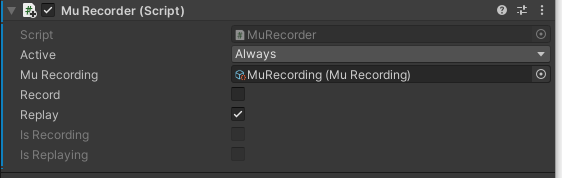
| Attribute | Function | |
|---|---|---|
| MUrecording | Recording object which stores the record | |
| Record | boolean: true -> Recording is active | |
| Replay | boolean: true -> Replay is active | |
| Is Recording/ Is Replaying | Information which mode is currently active |
© 2025 realvirtual GmbH https://realvirtual.io - All rights reserved. No part of this publication may be reproduced, distributed, or transmitted in any form or by any means, including printing, saving, photocopying, recording, or other electronic or mechanical methods, without the prior written permission of the publisher.