
Demo Scenes Browser
Overview
Section titled “Overview”The Demo Scenes Browser provides categorized access to all sample scenes included with realvirtual Starter and Professional.
Opening the Browser
Section titled “Opening the Browser”- Menu: Tools > realvirtual > Demo Scenes
- Or via the realvirtual toolbar dropdown in the editor toolbar
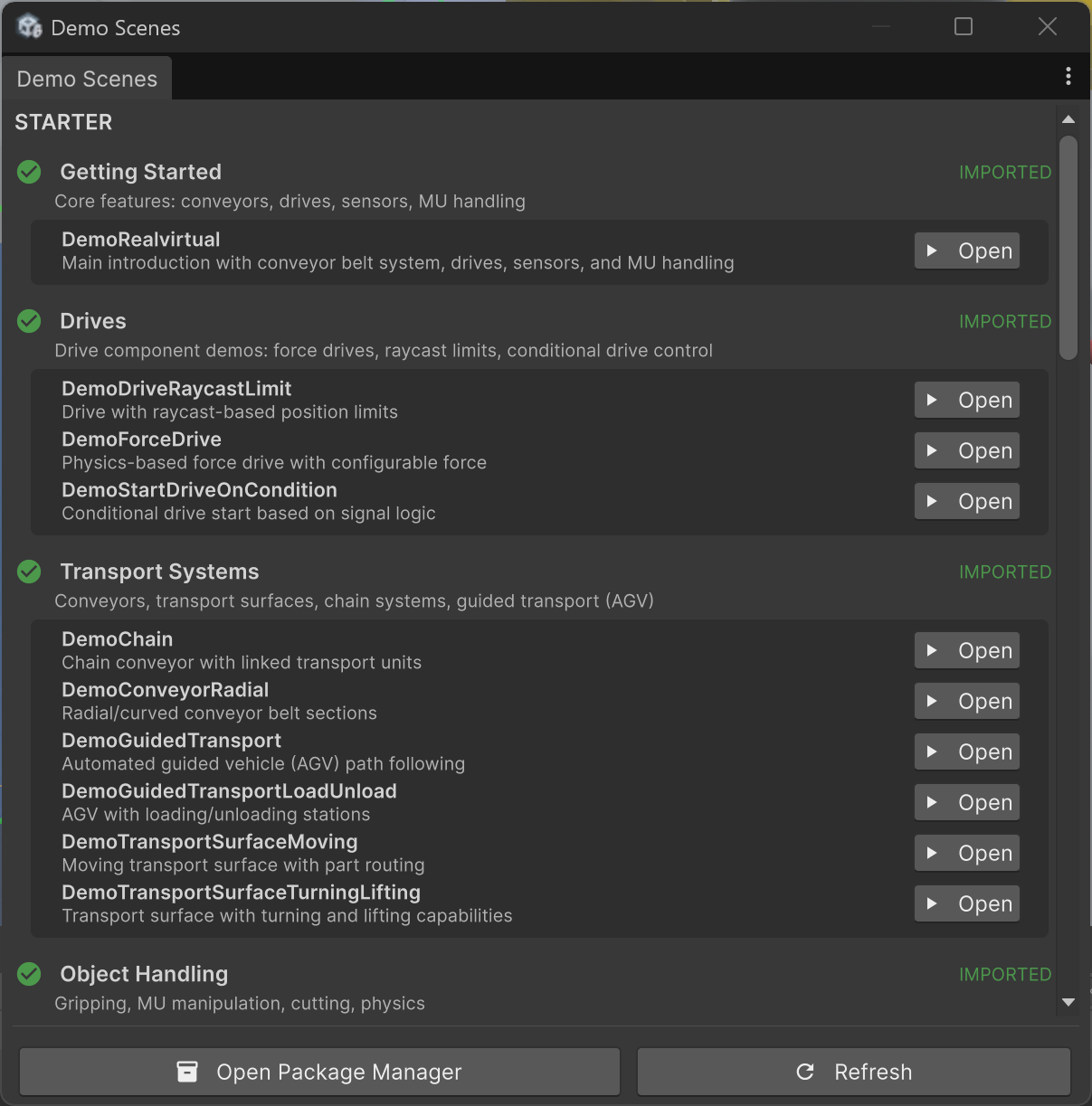
Demo Scenes Browser
Categories
Section titled “Categories”Starter
Section titled “Starter”| Category | Scenes |
|---|---|
| Getting Started | Main introduction scene with conveyor belt system, drives, sensors, and MU handling |
| Drives | Drive types: raycast-based position limits, force drive, conditional start |
| Transport Systems | Conveyors, chains, guided transport, radial conveyors, surface transfer |
| Object Handling | Gripping, MU cutting, physics, MU changes |
Professional
Section titled “Professional”| Category | Scenes |
|---|---|
| PLC Interfaces | Protocol demos: OPC-UA, TwinCAT, S7, Modbus, MQTT, and more |
| Robotics | IK robots, target blending, kinematic MU |
| Robot Interfaces | Real controller interfaces: KUKA, Universal Robots, Fanuc, Denso, and more |
| Advanced Features | Multiplayer, statistics, volume tracking |
Importing Demo Scenes
Section titled “Importing Demo Scenes”Click Import next to any scene. This uses Unity’s Package Manager Samples import system. Scenes are imported to:
Assets/Samples/realvirtual Starter/6.3.0/Demo Scenes/Assets/Samples/realvirtual Professional/6.3.0/Demo Scenes (Pro)/
You can also click Open Package Manager at the bottom to access the standard Unity Package Manager for manual sample import.