The MCP Server includes 90+ tools organized by category. All tools are available to any MCP-compatible AI agent.
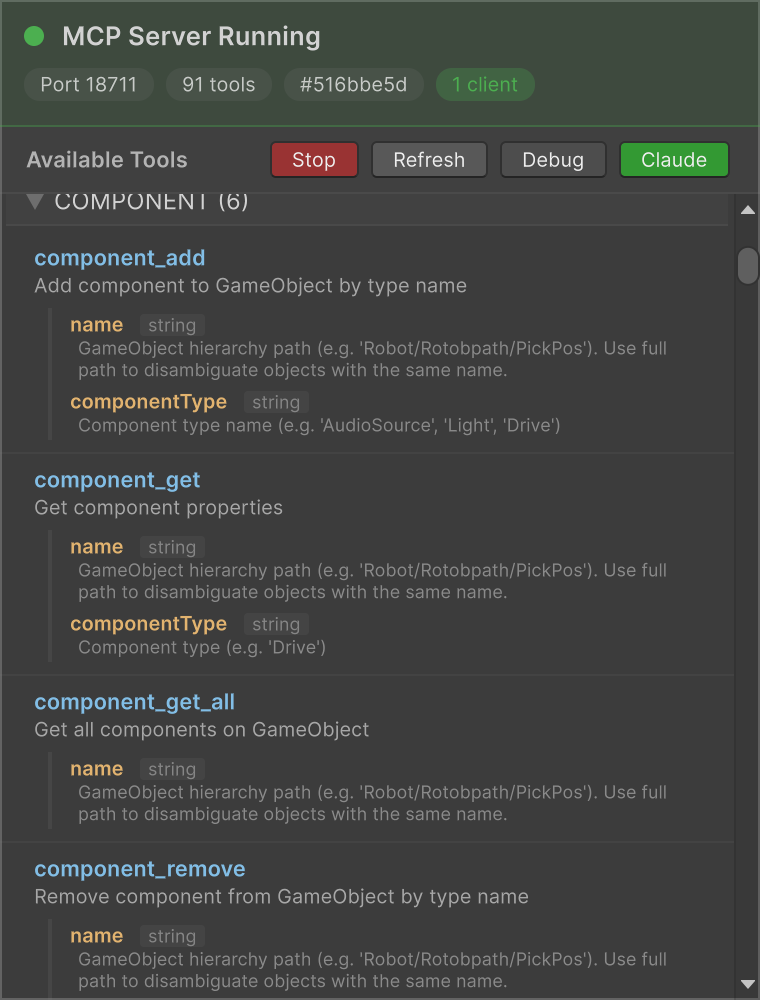
Tools panel showing available MCP tools with parameter descriptions
These tools work with any Unity project:
| Tool | Description |
|---|
sim_play | Start simulation |
sim_stop | Stop simulation |
sim_pause | Pause simulation |
sim_resume | Resume simulation |
sim_status | Get current simulation state |
sim_set_speed | Set simulation speed |
sim_reset | Reset simulation |
| Tool | Description |
|---|
scene_hierarchy | Get full scene hierarchy |
scene_find | Find GameObjects by name |
scene_get_info | Get active scene info |
scene_get_transform | Get GameObject transform |
scene_get_components | Get GameObject components |
scene_new | Create new empty scene |
scene_list | List all scene files in project |
| Tool | Description |
|---|
game_object_create | Create a new empty GameObject |
game_object_create_primitive | Create a primitive (Cube, Sphere, etc.) |
game_object_destroy | Destroy a GameObject |
game_object_duplicate | Duplicate a GameObject |
game_object_rename | Rename a GameObject |
game_object_set_active | Set active/inactive |
game_object_get_info | Get GameObject info |
game_object_set_layer | Set layer by name |
game_object_set_tag | Set tag |
| Tool | Description |
|---|
component_get | Get component properties |
component_set | Set component properties |
component_get_all | Get all components on GameObject |
component_set_all | Set properties on multiple components |
component_add | Add component by type name |
component_remove | Remove component by type name |
| Tool | Description |
|---|
transform_set_position | Set position |
transform_set_rotation | Set rotation |
transform_set_scale | Set scale |
transform_set_parent | Set parent |
transform_translate | Translate a GameObject |
transform_look_at | Make GameObject look at target |
| Tool | Description |
|---|
material_set_color | Set material color |
material_get_color | Get material color |
renderer_set_enabled | Set renderer enabled/disabled |
| Tool | Description |
|---|
physics_add_rigidbody | Add Rigidbody |
physics_add_collider | Add Collider |
physics_remove_rigidbody | Remove Rigidbody |
physics_remove_colliders | Remove all Colliders |
| Tool | Description |
|---|
prefab_instantiate | Instantiate a prefab |
prefab_find | Find prefabs by name |
prefab_open | Open prefab for editing |
prefab_save | Save current prefab |
prefab_close | Close prefab editor |
prefab_stage | Get current prefab stage info |
| Tool | Description |
|---|
editor_save_scene | Save current scene |
editor_undo | Undo last operation |
editor_select | Select GameObject in hierarchy |
editor_open_scene | Open scene by path |
editor_focus | Focus camera on GameObject |
editor_execute_menu | Execute Unity menu item |
editor_invoke_method | Invoke a static method |
editor_read_log | Read console log |
editor_write_log | Write to console log |
editor_clear_log | Clear console log |
editor_recompile | Recompile scripts |
editor_refresh_assets | Refresh assets |
editor_get_status | Get editor status |
editor_wait_ready | Wait until editor is ready |
| Tool | Description |
|---|
screenshot_editor | Capture editor window screenshot |
screenshot_game | Capture game view from camera |
screenshot_scene | Capture scene view screenshot |
When used with the realvirtual framework, additional tools are available for industrial automation:
| Tool | Description |
|---|
drive_list | List all drives in scene |
drive_to | Drive to target position |
drive_jog_forward | Jog drive forward |
drive_jog_backward | Jog drive backward |
drive_stop | Stop drive |
drive_set_speed | Set drive speed |
| Tool | Description |
|---|
sensor_list | List all sensors in scene |
sensor_get | Get sensor state |
sensor_get_occupied | Check if sensor is occupied |
| Tool | Description |
|---|
signal_list | List all signals |
signal_set_bool | Set boolean signal |
signal_set_int | Set integer signal |
signal_set_float | Set float signal |
| Tool | Description |
|---|
ik_get_state | Get robot IK state |
ik_solve_target | Solve IK for target position |
ik_verify_fk | Verify forward kinematics |
