
Folder Structure
Package Overview
Section titled “Package Overview”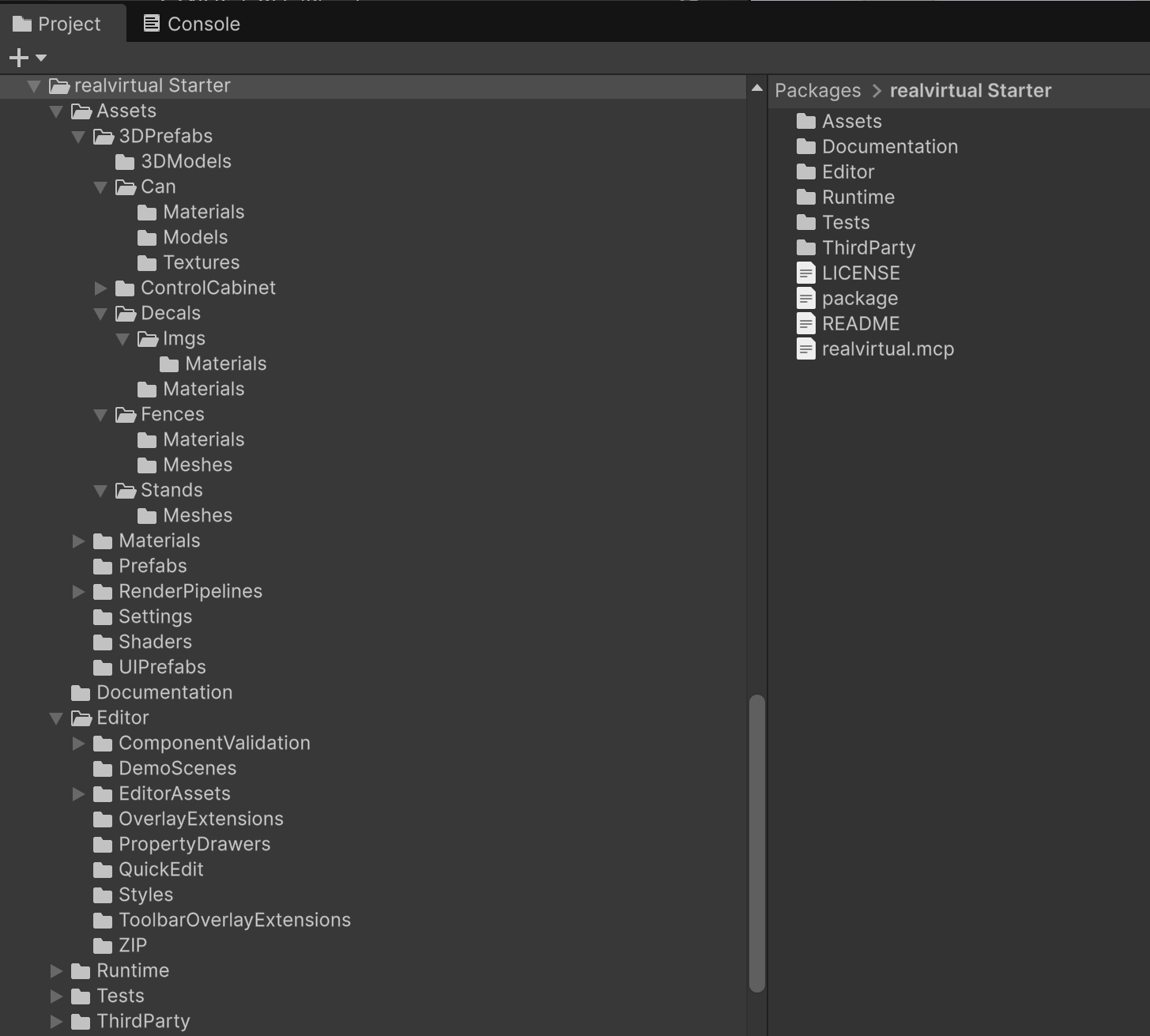
realvirtual UPM package structure
realvirtual is split into two UPM packages:
| Package | Location | Description |
|---|---|---|
| io.realvirtual.starter | Packages/io.realvirtual.starter/ | Core framework — drives, sensors, signals, transport, gripping, logic |
| io.realvirtual.professional | Packages/io.realvirtual.professional/ | Professional add-on — IK, CADLink, interfaces, multiplayer, and more |
Starter Package Layout
Section titled “Starter Package Layout”The Starter package (Packages/io.realvirtual.starter/) contains:
| Folder | Description |
|---|---|
| Assets/ | User-facing assets you drag into scenes |
| Assets/3DPrefabs/ | Industrial 3D models (conveyors, robots, boxes, fences) |
| Assets/Materials/ | Industrial materials (plastics, metals, lamp indicators) |
| Assets/Prefabs/ | Core functional prefabs (realvirtual.prefab, signal prefabs, interfaces) |
| Assets/UIPrefabs/ | Runtime UI overlay prefabs |
| Assets/Settings/ | Editor gizmo options, camera presets |
| Assets/RenderPipelines/ | URP pipeline configuration and settings |
| Runtime/ | All runtime C# scripts (components, behaviors, interfaces) |
| Editor/ | Editor tools, inspectors, and toolbar |
| Samples~/ | Demo scenes — import via Demo Scenes Browser or Package Manager |
Professional Package Layout
Section titled “Professional Package Layout”The Professional package (Packages/io.realvirtual.professional/) contains:
| Folder | Description |
|---|---|
| Runtime/ | Pro features organized by domain |
| Runtime/IK/ | Robot Inverse Kinematics + robot prefabs |
| Runtime/Interfaces/ | All Pro interfaces (OPC-UA, TwinCAT, KUKA, UR, Modbus, etc.) |
| Runtime/CADLink/ | CAD file import |
| Runtime/PathTracer/ | Motion trail visualization |
| Runtime/Statistics/ | Simulation statistics |
| Runtime/Multiplayer/ | Multi-user networking |
| Runtime/HighlightSystem/ | Object highlighting and selection |
| Runtime/DistanceSystem/ | Distance measurement and connectable objects |
| Editor/ | Pro editor tools |
| Samples~/ | Pro demo scenes (PLC Interfaces, Robotics, Robot Interfaces, Advanced Features) |
Key Asset Locations
Section titled “Key Asset Locations”When setting up scenes, you will frequently need these assets:
| What you need | Where to find it |
|---|---|
| Main framework prefab | Packages/io.realvirtual.starter/Assets/Prefabs/realvirtual.prefab |
| Industrial 3D prefabs | Packages/io.realvirtual.starter/Assets/3DPrefabs/ |
| Materials library | Packages/io.realvirtual.starter/Assets/Materials/ |
| PLC signal prefabs | Packages/io.realvirtual.starter/Assets/Prefabs/ |
| Interface prefabs (Pro) | Packages/io.realvirtual.professional/Runtime/Interfaces/<Name>/ |
| Robot prefabs (Pro) | Packages/io.realvirtual.professional/Runtime/IK/ |
| Demo scenes | Import via Demo Scenes Browser or Window > Package Manager > Samples |
Your Project Content
Section titled “Your Project Content”Place all your project files in Assets/:
- Scenes — your simulation scenes
- Scripts — custom C# scripts and behaviors
- Prefabs — your own reusable prefabs
- Materials — custom materials
- Imported CAD data — files imported via CADLink