
Recent Items (Pro)
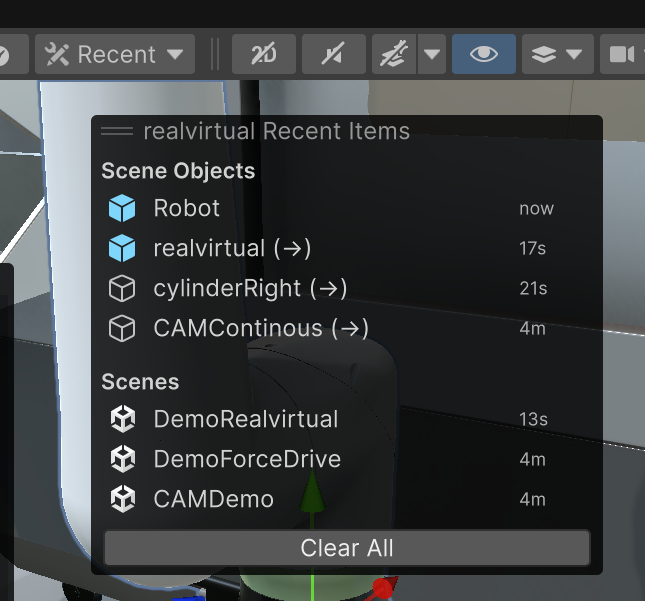
Recent Items provides quick access to recently used GameObjects, project assets, and scenes through a Scene View overlay panel.
Overview
Section titled “Overview”Recent Items automatically tracks your selection history and organizes items into three categories:
- Scene Objects: GameObjects from your scenes (shows up to 5 items)
- Project Assets: Scripts, prefabs, materials, etc. (shows up to 5 items)
- Scenes: Scene files you’ve opened (shows up to 3 items)
Objects in different scenes are marked with (→) and prompt you to switch scenes when clicked.
How to Use
Section titled “How to Use”- Click the Recent button in the realvirtual toolbar to toggle the overlay
- Click any item to navigate to it immediately
- The overlay closes automatically after selection
- Use Clear All button to remove history
Features
Section titled “Features”- Auto-tracking: Continuously monitors your selections
- Unity Icons: Each item shows its appropriate icon (blue for prefabs, etc.)
- Time Stamps: Shows when you last accessed each item (2m, 5h, 3d, etc.)
- Smart Scene Switching: Prompts before switching to different scenes
- Persistent History: Maintains history across Unity sessions
- Auto-refresh: Updates every 2 seconds when visible
Prerequisites
Section titled “Prerequisites”- Unity 6 (6000.0.28f1) or newer
- realvirtual Professional 6.0.7+
See Also
Section titled “See Also”- Quick Edit - Scene View overlay for component addition
- Move Pivot Points (Pro) - Advanced pivot tools
- Selection Window (Pro) - Advanced selection management
© 2025 realvirtual GmbH https://realvirtual.io - All rights reserved.