
UDP
UDP Interface Overview
Section titled “UDP Interface Overview”The UDP Interface provides high-performance signal communication with minimal cycle times, offering swift connectivity between applications and realvirtual.io. It supports automatic signal configuration through CSV symbol table import, making integration with PLCs and external systems quick and efficient.
Interface Properties
Section titled “Interface Properties”The UDP interface operates using separate sending and listening ports. It’s crucial to assign distinct ports for sending and listening purposes. All PLCInput signals are transmitted to the remote partner, while all PLCOutput signals are received from the remote partner.
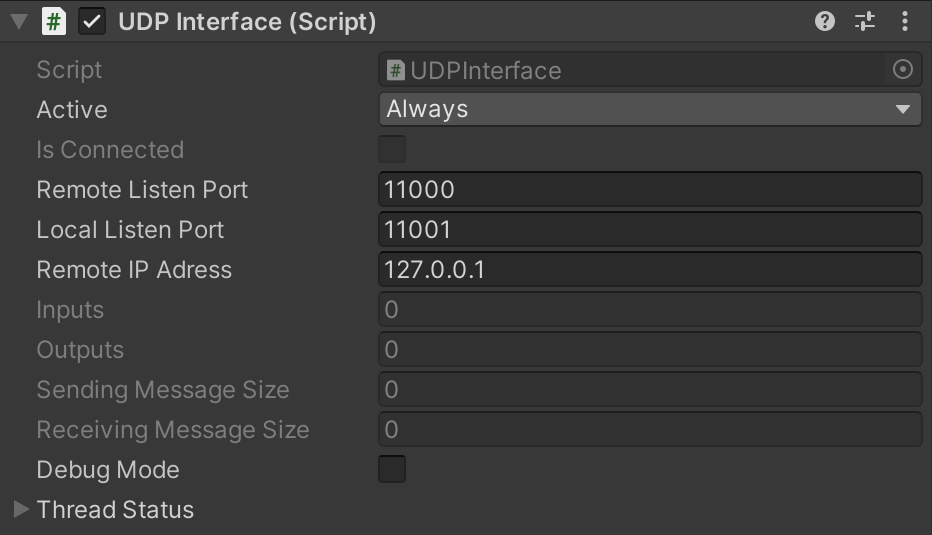
UDP Interface properties
Basic Properties
Section titled “Basic Properties”- Remote Listen Port - UDP port number on the remote machine where messages are sent (default: 11000)
- Local Listen Port - UDP port number on the local machine for receiving incoming messages (default: 11001)
- Remote IP Address - IP address of the remote machine to send UDP messages to (e.g., 127.0.0.1 for localhost)
- Debug Mode - Enables detailed logging of sent and received UDP messages for troubleshooting
CSV Symbol Table Properties
Section titled “CSV Symbol Table Properties”- Symbol Table - Path to the CSV symbol table file containing signal definitions
- Split Char - Character delimiter used to separate columns in the CSV file (typically semicolon or comma)
When using the UDP Interface, all signals are transmitted and received in the form of a byte array, ensuring the most efficient packet size. Each signal must define a value in its Name property to indicate its position in the byte array. Since there is a single sending and receiving message, the positions of inputs and outputs may overlap. Signal data sizes must adhere to the following guidelines:
- Boolean: Always occupies the first bit in one full byte (1 byte total)
- Integer: Occupies 4 bytes
- Float (REAL): Occupies 4 bytes
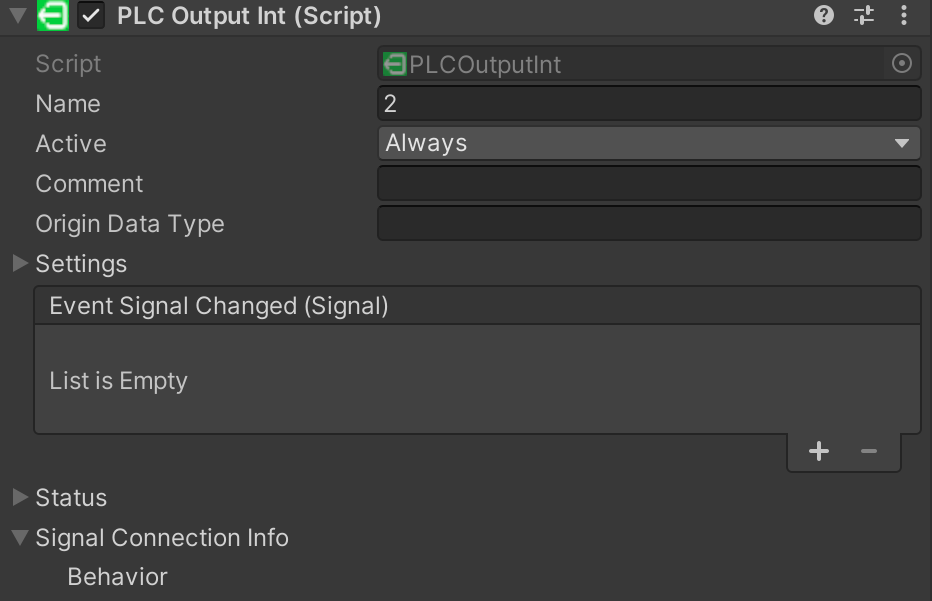
CSV Symbol Table Import
Section titled “CSV Symbol Table Import”The UDP Interface supports automatic signal configuration through CSV symbol table import. This feature allows you to quickly configure all signals by importing a CSV file exported from your PLC or SCADA system.
CSV File Format
Section titled “CSV File Format”The CSV file must contain three columns with a header row:
Name;Type;DirectionSpeedSetpoint;REAL;PLC_INCurrentSpeed;REAL;PLC_OUTStartButton;BOOL;PLC_INRunningStatus;BOOL;PLC_OUTErrorCode;INT;PLC_OUTTargetPosition;INT;PLC_INColumn Definitions:
- Name - The signal name (will be used as SymbolName in realvirtual)
- Type - Data type of the signal
BOOL- Boolean value (1 byte)INT- Integer value (4 bytes)REAL- Float value (4 bytes)TEXT,STRING,WSTRING- Text values (limited support)
- Direction - Signal direction
PLC_IN- INPUT signal (Unity → External application)PLC_OUT- OUTPUT signal (External application → Unity)
Using CSV Import
Section titled “Using CSV Import”- Export Symbol Table from your PLC/SCADA system in CSV format
- Select Symbol Table - Click the “Select symbol table” button in the Inspector to choose your CSV file
- Import - Click the “Import symbol table” button to automatically create all signals
The import process will:
- Automatically create signals for each row in the CSV
- Calculate byte positions sequentially for INPUT and OUTPUT signals separately
- Display the total number of signals imported and byte sizes for each direction
Example Console Output:
Successfully imported 6 signals from C:\symbols.csvTotal byte sizes - Inputs (Unity→PLC): 12 bytes, Outputs (PLC→Unity): 13 bytesSignal Byte Positioning
Section titled “Signal Byte Positioning”The import automatically calculates byte positions:
- INPUT signals (PLC_IN) - Byte positions start at 0 and increment based on data type size
- OUTPUT signals (PLC_OUT) - Byte positions start at 0 and increment independently from inputs
Example:
| Signal Name | Type | Direction | Byte Position | Size |
|---|---|---|---|---|
| StartButton | BOOL | PLC_IN | 0 | 1 byte |
| TargetPosition | INT | PLC_IN | 1 | 4 bytes |
| SpeedSetpoint | REAL | PLC_IN | 5 | 4 bytes |
| RunningStatus | BOOL | PLC_OUT | 0 | 1 byte |
| CurrentSpeed | REAL | PLC_OUT | 1 | 4 bytes |
| ErrorCode | INT | PLC_OUT | 5 | 4 bytes |
Total Message Sizes:
- INPUT message (Unity → PLC): 9 bytes
- OUTPUT message (PLC → Unity): 9 bytes
Common Use Cases
Section titled “Common Use Cases”- PLC Integration - Exchange data with Siemens, Beckhoff, or other PLC systems via UDP
- SCADA Communication - Connect to SCADA systems for real-time data exchange
- SEW Drive Integration - Import signal tables from SEW Eurodrive systems
- Custom Tools - Communicate with custom Python, C#, or other applications
- High-Speed Data Exchange - Minimal overhead for fast cycle times