
Performance Optimizer
The excessive use of separate meshes in Unity can significantly affect performance. To mitigate this impact, it is possible to combine these meshes into a single mesh as long as they are part of a common kinematic group and are not moving independently.
The Performance Optimizer can be applied to any Gameobject, typically at the top level of the imported CAD data. All its child meshes are taken into account during the optimization process.
The optimizer considers whether a Gameobject is part of a Group and if that group is assigned to a Kinematic. For each “Kinematic Group,” a single optimized mesh is generated and named after the group. The optimized mesh is automatically set as non-Static.
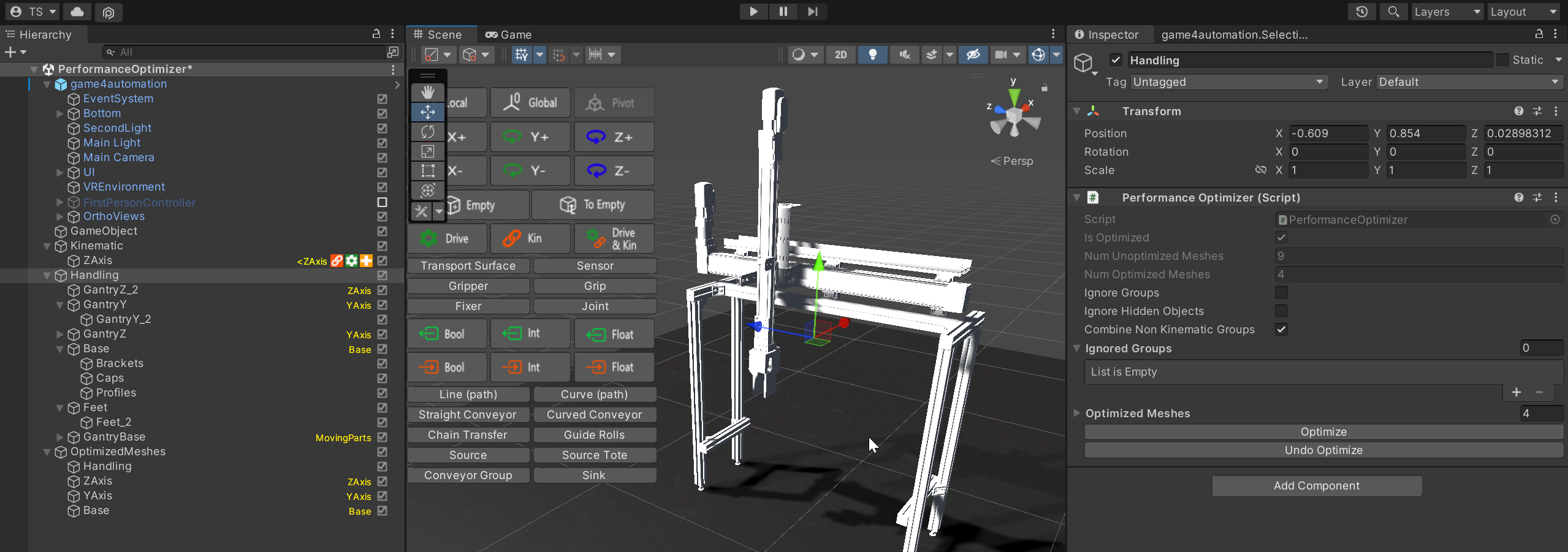
If a Gameobject is part of a group that is not used in a Kinematic and the “Combine Non-Kinematic Groups” option is turned on, a separate optimized mesh is generated. This mesh is set as Static.
Optimization is initiated by clicking the Optimize button. The combined meshes resulting from the optimization process can be found as children of the OptimizedMeshes Gameobject.
Please note that after optimization, the original meshes are deactivated but the corresponding Gameobjects remain in the hierarchy. All previously defined colliders will remain active. The optimization process can be undone by clicking the Undo Optimize button.
Properties
Section titled “Properties”IsOptimized (readonly)
Section titled “IsOptimized (readonly)”This property indicates whether the meshes have been optimized or not.
NumOptimziedMeshes (readonly)
Section titled “NumOptimziedMeshes (readonly)”This property provides the number of meshes that have been optimized as a result of the optimization process.
NumUnOptimziedMeshes (readonly)
Section titled “NumUnOptimziedMeshes (readonly)”This property provides the number of meshes that have not been optimized.
Ignore Groups
Section titled “Ignore Groups”This property allows you to specify the groups that should be ignored during the optimization process. By default, all groups are considered during the optimization process.
Ignore Hidden Object
Section titled “Ignore Hidden Object”This property allows you to ignore hidden objects during the optimization process. By default, hidden objects are considered during the optimization process. If Hidden Objects are ignored, they are not part of the resulting combined mesh.
Combine Non Kinematic Groups
Section titled “Combine Non Kinematic Groups”This property allows you to combine the meshes of groups that are not assigned to a Kinematic. By default, only the meshes of groups assigned to a Kinematic are combined.
Ignored Groups
Section titled “Ignored Groups”In this list you can define groups which should be totally ignored and not be part of the combined mesh. These Groups remain fully active inside the structure.
Keeping Meshes Out of the Optimization
Section titled “Keeping Meshes Out of the Optimization”Some parts must keep their own mesh in an optimized scene - for example because their material or visibility changes at runtime, or because a script, a highlight or a selection refers to them. The optimizer takes care of this in three ways.
Performance Optimizer Exclude (component menu realvirtual → Tools → Performance Optimizer Exclude) Add this component to every GameObject whose mesh must not be combined. The marked meshes are not baked into a combined mesh, stay visible as they are and survive Finalize Optimization. Everything else below the Performance Optimizer is combined as usual.
- Include Children (boolean) If set to true, all meshes below this GameObject are excluded as well. If set to false, only the mesh on this GameObject is excluded.
Scene Selectables The renderers a Scene Selectable refers to are excluded automatically. Selecting and highlighting these parts keeps working after the optimization and after Finalize Optimization - you do not need to add an Exclude component.
Runtime Interactables The meshes below a Runtime Interactable (for example from Runtime Metadata) are still combined, but into a separate mesh that stays below the interactable instead of being merged into the large group mesh. Highlighting and picking these parts therefore keeps working in the optimized scene.