
Responsiveness
realvirtual.io is designed to run on a variety of devices, including PCs, mobile devices, WebGL, and different screen resolutions. Achieving a responsive and adaptive UI across these platforms can be challenging. To simplify this, realvirtual.io includes special scaler scripts to handle different screen sizes and resolutions automatically. You can adopt the settings based on your special application needs.
Scaler Scripts for Responsive UI
Section titled “Scaler Scripts for Responsive UI”Toolbar Scaler
Section titled “Toolbar Scaler”The Toolbar Scaler ensures that toolbars scale properly depending on screen size and platform.
- Adjusts toolbar height and scale dynamically.
- Handles scaling for different screen resolutions, ensuring UI elements remain accessible.
- Platform-specific deactivation:
- Allows disabling elements for Linux, Windows, and WebGL when needed.
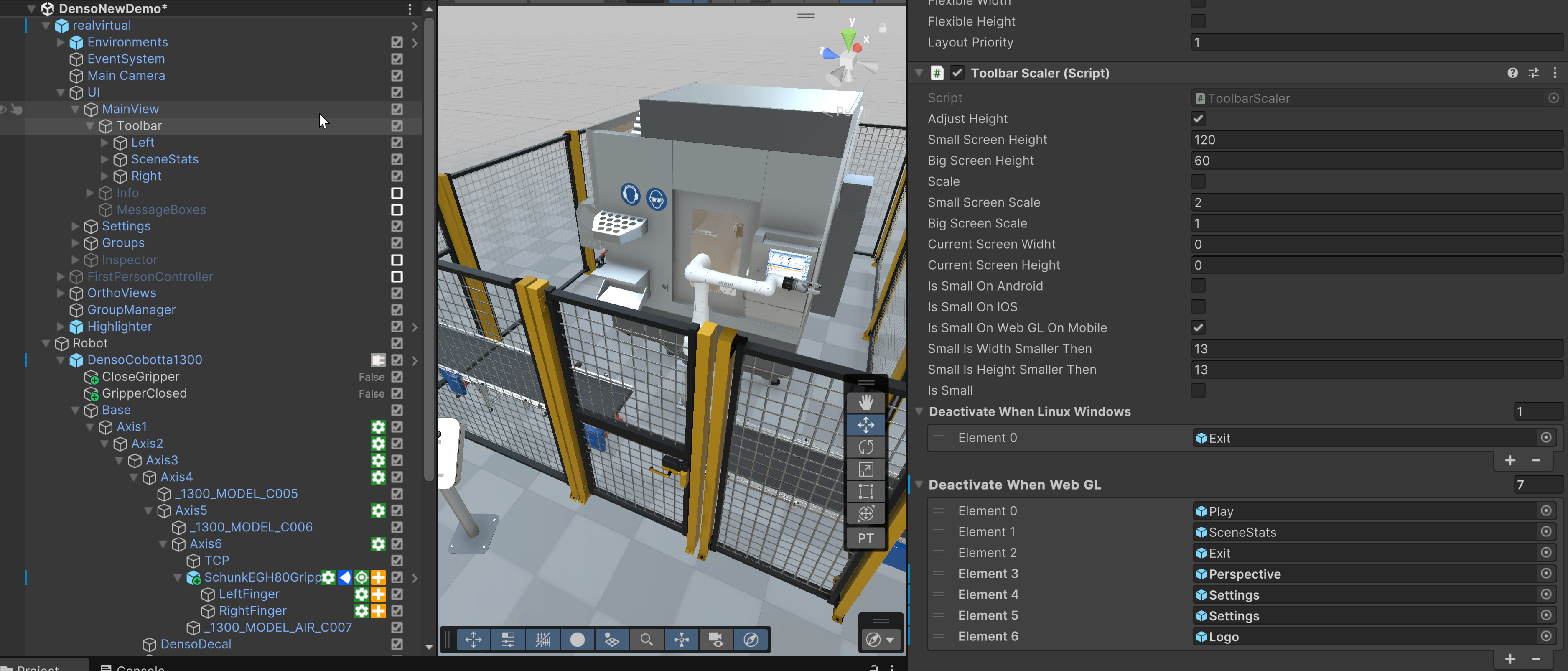
Toolbar Scaler
Overlay Button Scaler
Section titled “Overlay Button Scaler”The Overlay Button Scaler is used for the ovlerlay buttons on the right hand side.
- Dynamically scales UI buttons based on screen size.
- Custom width and height settings for different screen resolutions.
- Supports platform-based UI adjustments (e.g., different behaviors for Android, iOS, WebGL).
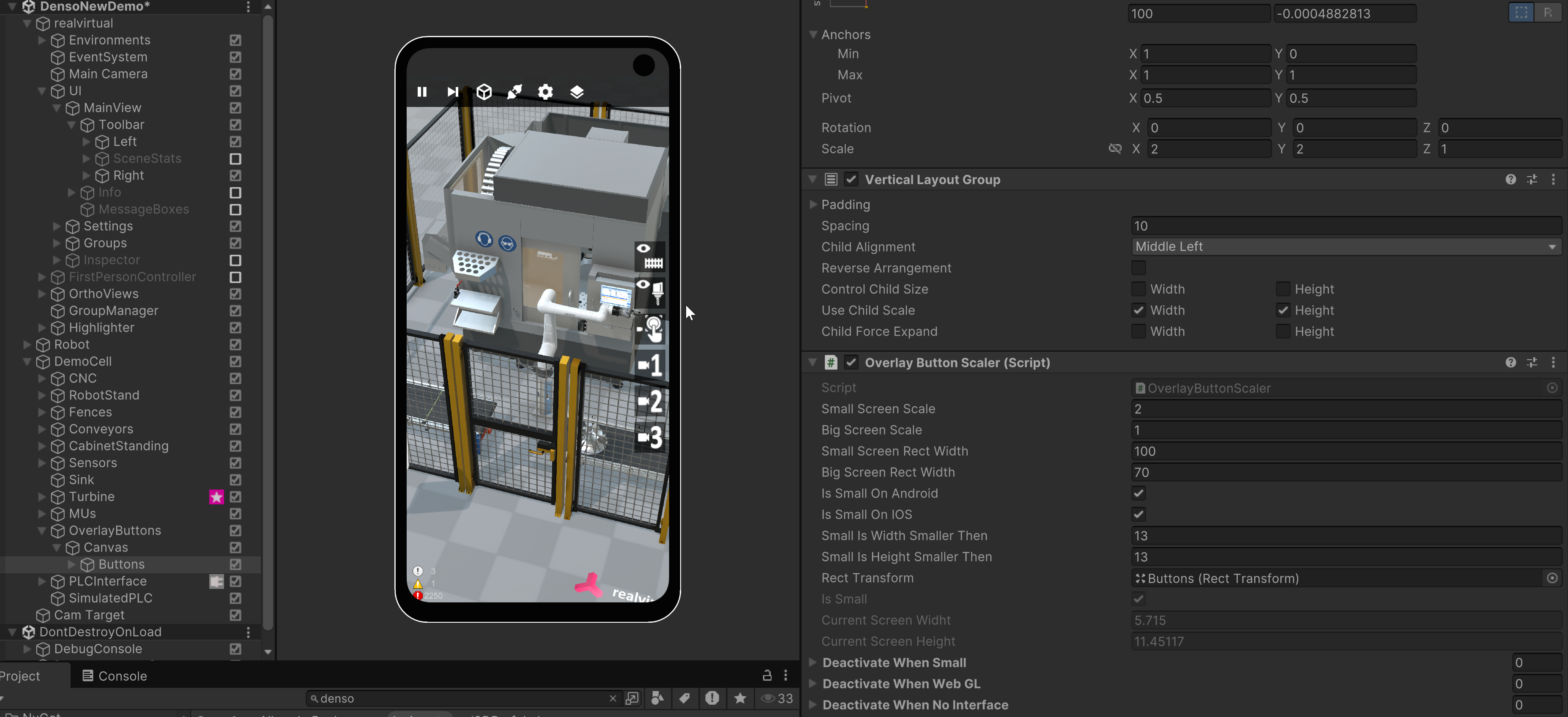
Oberlay Button Scaler