
Overview
Section titled “Overview”A FUNCTION_BLOCK keeps inputs, outputs and local state in each instance between calls and scans. Reuse the same definition for independent machines or sequences. Put shared FUNCTION and FUNCTION_BLOCK declarations in PLCLibrary components on model nodes.
Each PLCProgram has its own instances and memory. A PLCLibrary supplies definitions; it has no scan or Run state.
Properties
Section titled “Properties”| PLCLibrary property | Type | Default | Purpose |
|---|---|---|---|
| Name | string | empty | Display label |
| Code | ST source | empty | FUNCTION / FUNCTION_BLOCK declarations only |
| Active | Boolean | true | Include this source in the model-wide library set |
| Order | number, unitless | 0 | Ascending compile inventory order |
Active and Order use standard inspector editors; Name labels the source in the PLC editor title (for example CellBlocks.st). Edit opens Code in the shared
PLC editor, with autosave and undo/redo. Save the document to retain the source.
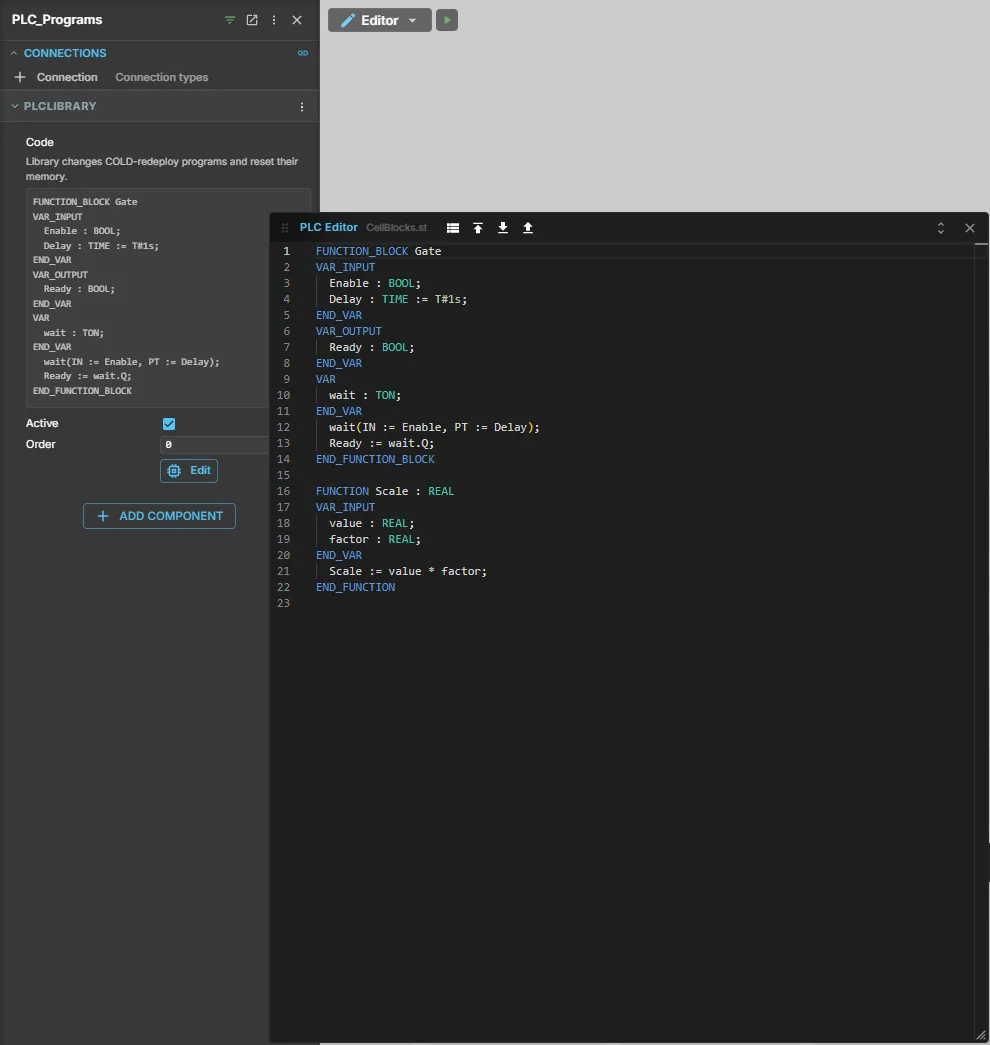
All programs see all active model libraries, including placed content. The runtime sorts by Order, then source identity, then scene path; signatures are collected before bodies, so forward references work. Order does not allow same-name overrides.
Quick start
Section titled “Quick start”- Add a PLCLibrary component to a model node and choose Edit.
- Enter this definition:
FUNCTION_BLOCK DelayCellVAR_INPUT Enable : BOOL; Delay : TIME := T#1s; END_VARVAR_OUTPUT Ready : BOOL; END_VARVAR timer : TON; END_VAR timer(IN := Enable, PT := Delay); Ready := timer.Q;END_FUNCTION_BLOCK- Add a PLCProgram and open its editor:
PROGRAM MainVAR cell : DelayCell; END_VARVAR_EXTERNAL Start : BOOL; Ready : BOOL; END_VAR cell(Enable := Start, Ready => Ready);END_PROGRAM- Deploy and Run the program. Bind Start/Ready to model signals.
The instance retains Delay = T#1s until a call supplies another value. Read
cell.Ready after a call, or copy it with Ready => Ready. Instance initialization
can override inputs, for example cell : DelayCell := (Delay := T#2s);.
Direct member assignment is unsupported; change inputs through the call.
Inputs, outputs and shared variables
Section titled “Inputs, outputs and shared variables”Use VAR_INPUT for retained input values, VAR_OUTPUT for readable outputs, VAR for private
state, and VAR_IN_OUT for references to caller variables. Calls always use named FB
parameters: := for inputs/IN_OUT, => for output copies. RETURN; exits the
current invocation. Constants use VAR CONSTANT.
Every IN_OUT argument is required on every call and must have exactly the declared type. Allowed actual variables:
- In PROGRAM: its VAR or VAR_EXTERNAL scalar.
- Inside an FB: its own VAR, VAR_OUTPUT or VAR_IN_OUT scalar, including pass-through.
Constants, expressions, literals, FB member expressions and FB inputs cannot be IN_OUT actuals. One variable cannot serve two IN_OUT parameters of the same call. References are transient; do not bind IN_OUT in an initializer. External effects propagate through nested calls and participate in signal reads, writes and conflict checks.
Use cases and limits
Section titled “Use cases and limits”Use user FBs for repeated cell logic, reusable handshakes and wrappers around standard timers/counters. Nested user and standard FB instances are independent, including reset and snapshot state. Direct/indirect recursion is rejected. MC FBs must be declared in PROGRAM, not inside user FBs.
Library type identity is the defining document + PLCLibrary NodeId + POU name, independent of display name and placement. Repeated placements of one source share its definitions; two different sources defining the same POU name cause a compile error.
Continuous simulation and DES
Section titled “Continuous simulation and DES”Libraries, your own functions and your own function blocks work in both simulation modes. The difference is when an instance runs and what it must do to be DES-ready:
| Continuous simulation | DES (event-driven) | |
|---|---|---|
| Function blocks available | Standard FBs, your own FBs and PLCopen MC_ blocks | Standard FBs and your own FBs; a program with MC_ blocks goes into error (rule D5) |
| When an instance runs | On every scan, once per simulation tick | Only when its program scans: on start, on a change of a signal it reads, at a timer deadline, or again at the same time after its own change |
| Instance state | Kept between scans | Kept between events; a change of FB state triggers another scan at the same time until the state is stable |
Timers (TON, TOF, TP) | Advance with simulation time | Advance with simulation time; the deadline wakes the program |
| Code that changes on every scan | Runs, once per tick | Never settles: finding D1, not DES-ready, experiment batches refuse the model |
| DES check | Not applicable | Walks through the bodies of your own FUNCTIONs and FBs; an FB is not DES-ready just because it compiles |
Write FB logic that reacts to edges, step changes or timers, so that another call with unchanged inputs leaves the state unchanged. The rules and examples are in Writing ST for DES.