
Chain Conveyors
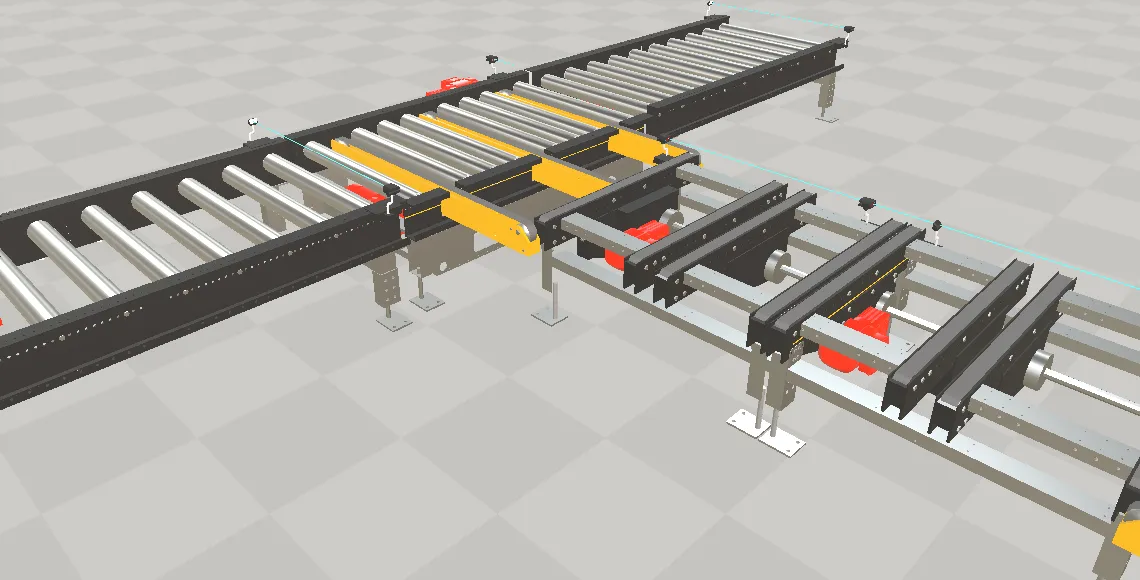
A Chain is continuous transport built from many identical elements: chain links, buckets, carriers, pallet fixtures or hooks, all riding the same curve and all moved by one drive. It is how a chain conveyor, a bucket elevator or an overhead power-and-free line is modelled — instead of one component per carrier, you configure the curve, the carrier and how many of them there are.
Two things follow from that and are worth knowing before you look for controls:
- The curve is authored in Unity and baked into the file. It arrives as a table of positions and orientations sampled at equal distances along the curve, so the viewer follows the curve Unity produced rather than recomputing one of its own. There is no curve editing in the browser.
- The carriers are built on load, not stored. The document carries one element as a template. On load the viewer clones it as many times as configured and places each clone along the curve. A file exported with a preview row of elements already in it does not end up with two sets: the generated ones replace them.
A Chain has nothing to do with an energy chain (cable carrier), which deforms a single moulded part along a path instead of repeating one.
Key properties
Section titled “Key properties”Set on the chain node:
| Property | Description |
|---|---|
| Connected Drive | The drive that moves the whole chain. Without a resolvable drive the elements are placed at their start positions and stay there. |
| Chain Element | The node used as the template for every carrier. Without it the chain does nothing at all. |
| Number Of Elements | How many carriers are built from the template. Zero builds none. |
| Name Chain Element | Base name for the generated carriers. Left empty, the template’s own name is used. |
| Start Position | Where the first carrier sits along the chain, in millimetres. |
| Calculated Delta Position | On (the default), the spacing is the chain length divided by the number of elements — add a carrier and they all redistribute. Off, Delta Position is used instead. |
| Delta Position | Manual spacing between two carriers in millimetres. Ignored while Calculated Delta Position is on. |
| Chain Orientation | Horizontal or Vertical. Vertical flips the carriers’ up direction, which is what a bucket elevator needs at the turnarounds. |
| Scaled On Fixed Length / Fixed Length | Scale motion over a stated length rather than over the real arc length of the curve — for matching a drive whose travel was defined against a nominal chain length. |
Set on the element template:
| Property | Description |
|---|---|
| Align With Chain | On, each carrier turns to follow the curve. Off, only its position is written and it keeps the template’s orientation — a bucket that must stay upright. |
| Offset To Drive Position | Shifts every carrier along the chain relative to the drive position, in millimetres. Use it to line the carriers up with a station without moving the drive’s zero. |
| Initial Position | Where this element sits along the chain in millimetres. The chain sets it for the carriers it generates. |
Quick Start
Section titled “Quick Start”- Build the chain in Unity with the
ChainandChainElementcomponents: a spline for the curve, one element as the template, and a drive. - Export the model to GLB.
- Open the document in realvirtual WEB. The carriers are built and placed on load.
- Run the drive. All carriers move together; passing the end of a closed curve continues at its start.
- To change the number of carriers or their spacing, change it in Unity and export again — the count and the curve come from the file.
When a chain does not move
Section titled “When a chain does not move”| What you see | What it means |
|---|---|
| Carriers stand at their start positions | The drive named by the chain could not be resolved. Everything else is fine. |
| No carriers at all | The element template could not be resolved, or the number of elements is zero. |
| The chain is inert and the console says so | The curve is missing from the file or has too few samples to follow. Re-export from Unity. |
See also
Section titled “See also”- Documents — the GLB that carries the chain and its curve
- Rigid-body mechanisms — drives, jerk-limited motion and travel limits
- Open Digital Twin Format — the
ChainandChainElementfield reference