Free live hour with your machine

One digital twin. From the first design to service.

Plan production systems, test controllers and support sales and service with the same 3D model. In the browser, with no installation.

/ 4

Import & Build → Share a Link

Industrial interfaces via CONNECT
27
Licences needed to view in the browser
0
Use cases, one model
5
Unity Verified Solution Partner
realvirtual · Digital TwinBrowser · Localhost · Intranetrealvirtual GmbH, Sinzheim

With realvirtual, your machine model becomes a tool for planning, engineering and operation. Simulate processes, test PLC code and attach live data and documentation to individual components.

Try five use cases in your browser

Try all five in the free Public Demo, with no account and no installation. Only the AI needs CONNECT and your own AI account. Public Demo limits →

Simulation and sizing

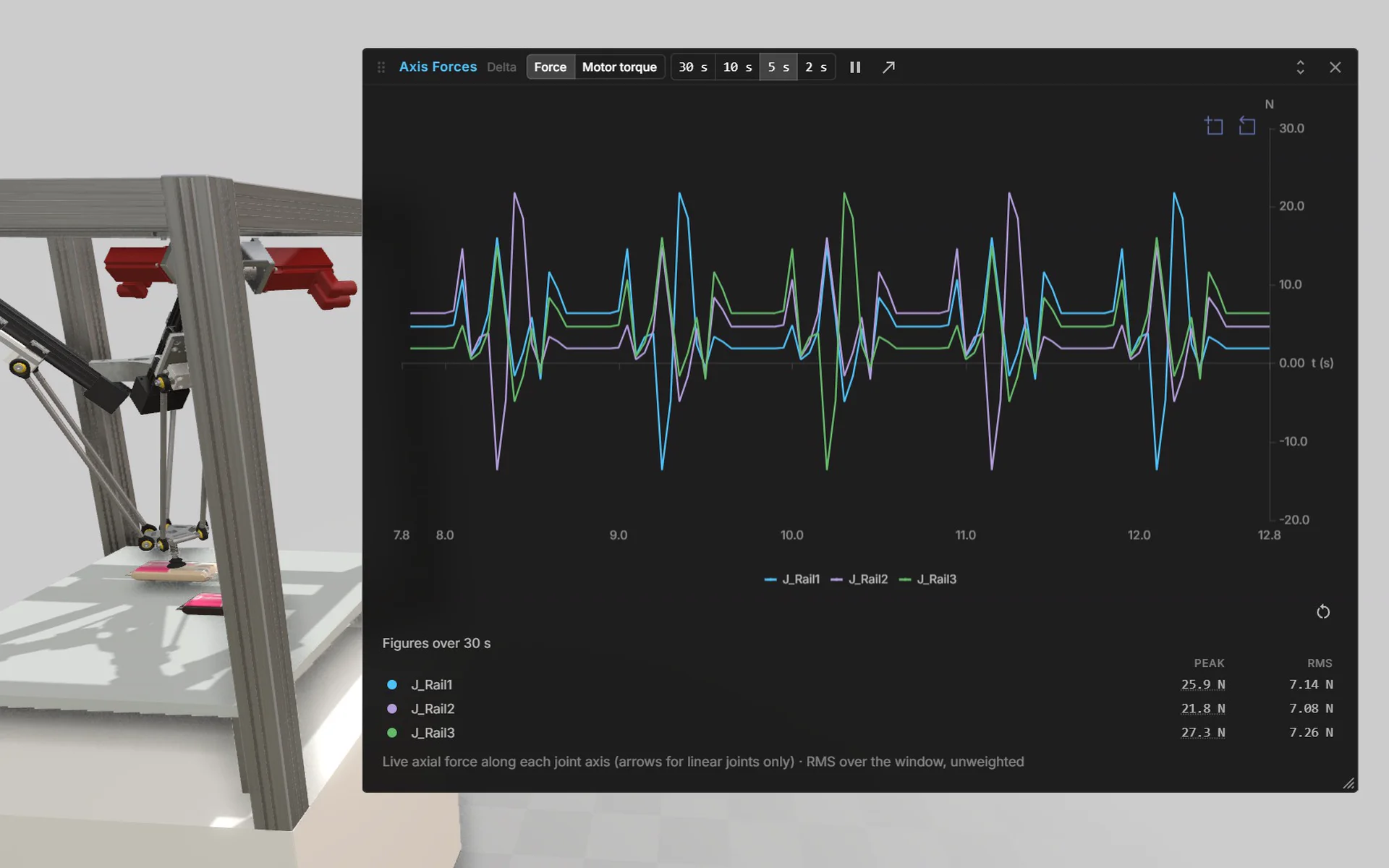
AI turns your CAD and planning data into a moving machine, straight away: kinematics and drives are set up automatically, and the AI writes the Structured Text control code along with them. You see the axis forces your drives have to deliver.

  • Check the concept before the first part is ordered
  • Size drives to fit instead of oversizing
  • Reuse the same model for virtual commissioning and operation

In the clip: a delta robot picks parts under Structured Text control. The display shows the current axis forces.

Simulation and sizingDelta robot · Structured Text

Virtual commissioning

Check your PLC program against the digital twin before the plant is built. Test signal mapping, sequences and interlocks at your desk.

  • Less time on site during commissioning
  • Find errors before they cause downtime
  • Test the PLC program against the model, not the plant

In the clip: a laser welding station runs its full cycle on a virtual PLC.

Virtual commissioningLaser welding station · virtual PLC

Layout planning and product configuration

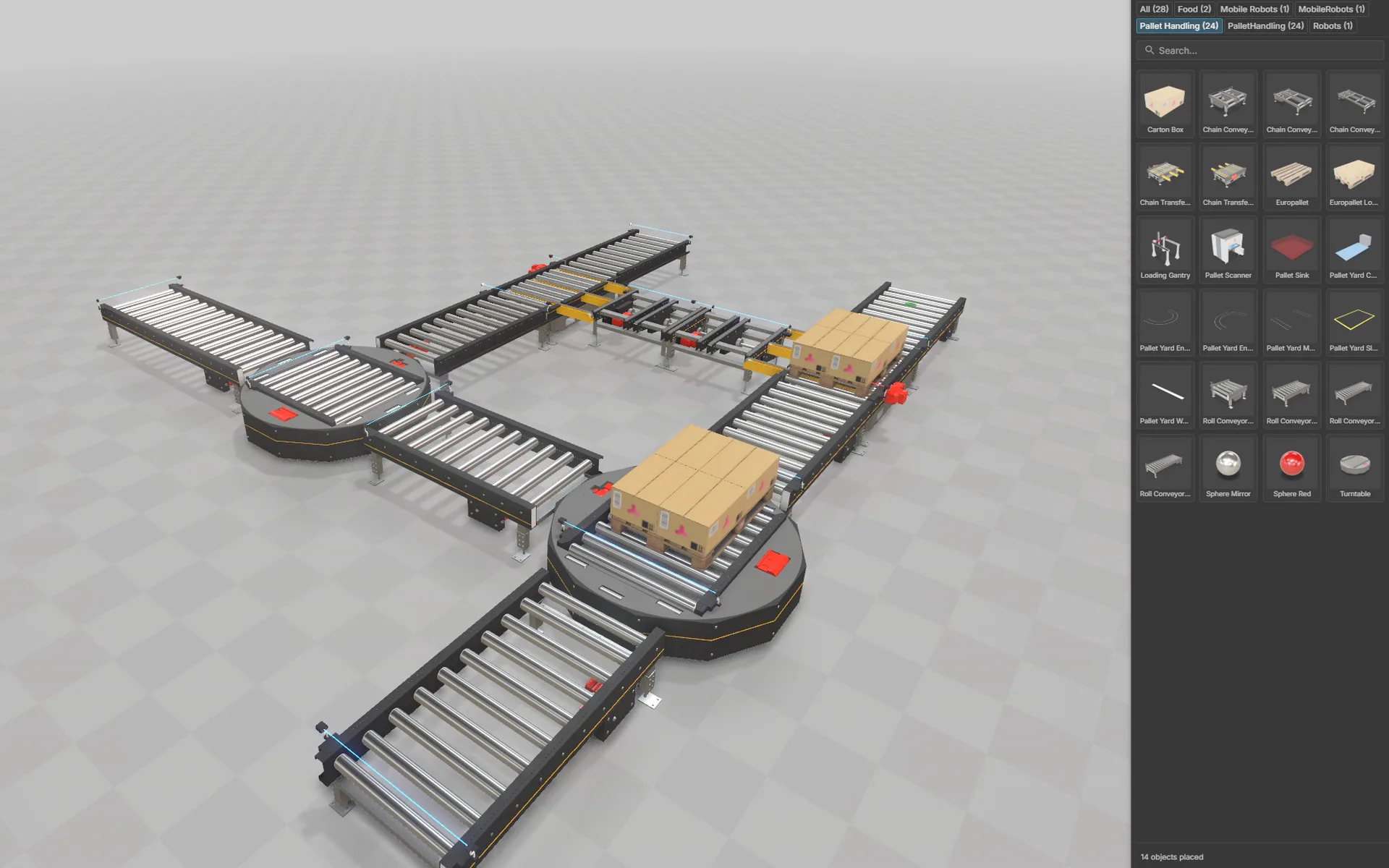
Assemble plants from library components, compare variants and let customers configure options and accessories themselves, right in the browser. Share the layout by link with planning, sales and customers.

  • Quotes with a moving 3D layout instead of a drawing
  • Customers configure variants themselves, by link
  • The layout is the starting point for simulation and virtual commissioning

In the clip: a plant takes shape in the layout planner from library parts, then a variant is reconfigured.

Layout planning and product configurationLayout planner · component library

Discrete event simulation

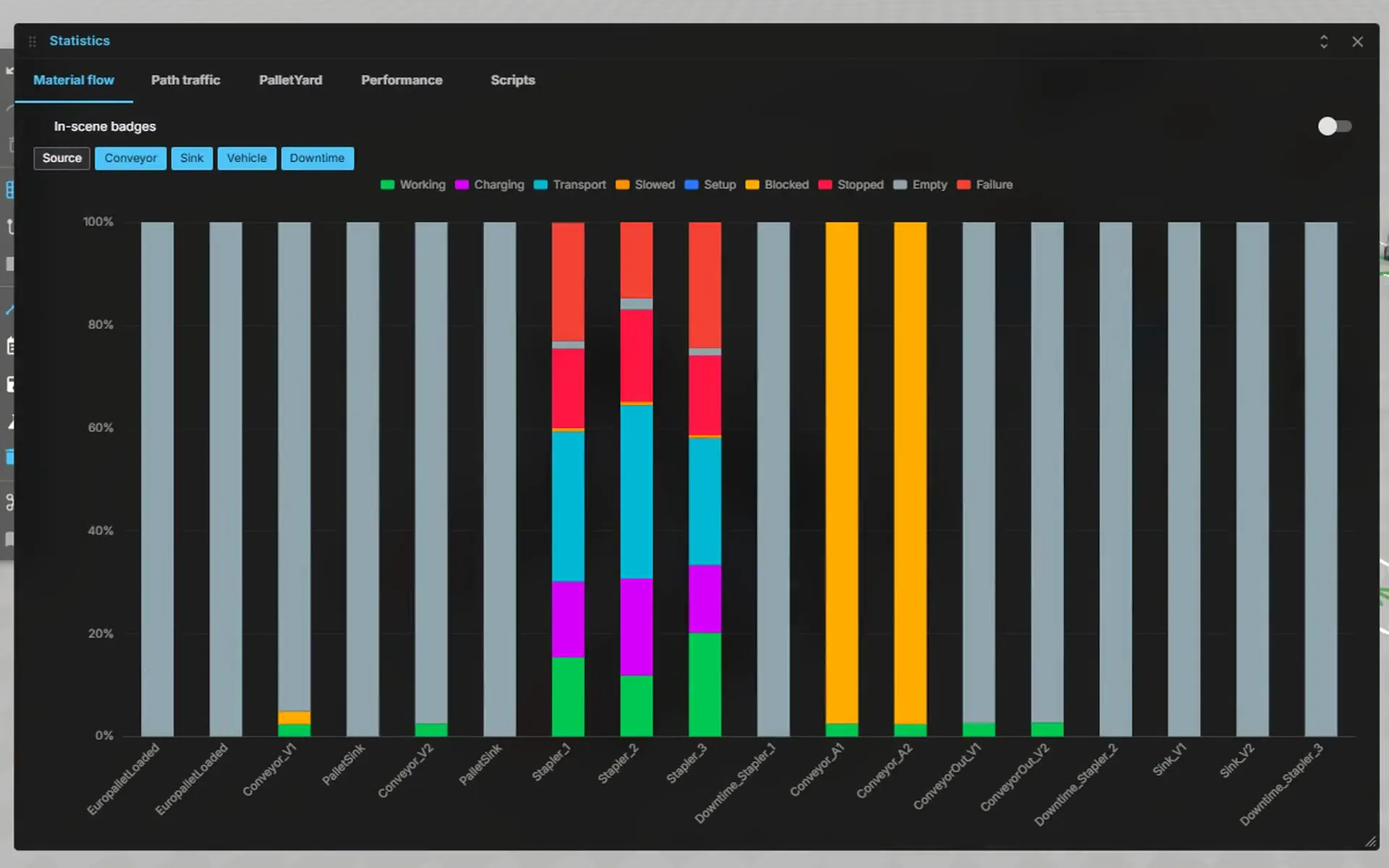
How many AGVs does the system need, and where does the material flow back up? Simulate operation at accelerated speed and read throughput, utilisation and bottlenecks straight off the model.

  • Justify AGV counts, buffers and shifts with data
  • Compare variants before anything is built
  • Plan during operation in the browser, with access for everyone involved

In the clip: a pallet yard at 50× speed, with statistics at every station.

Discrete event simulationPalletYard · event-driven

3D HMI – machine information system

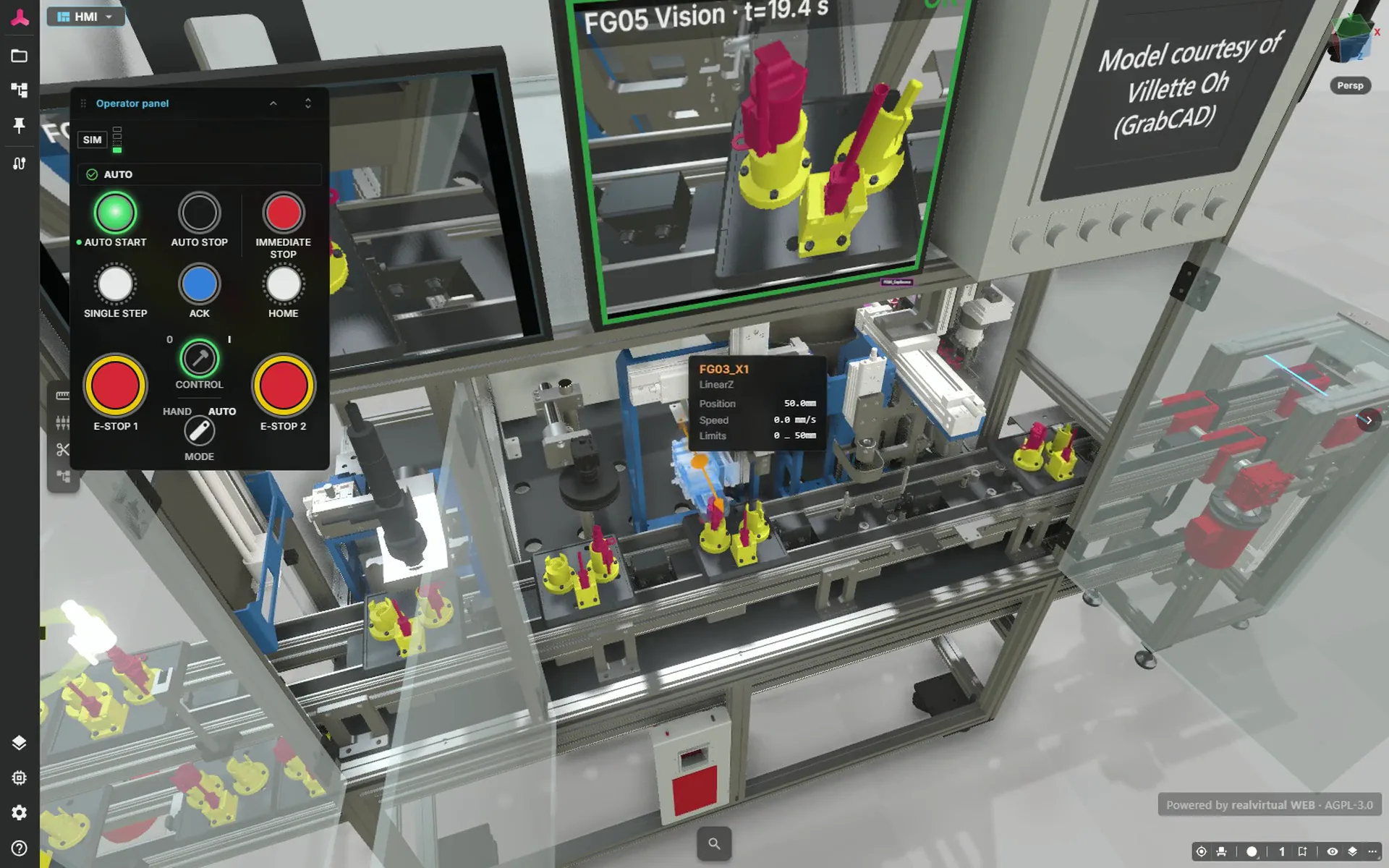
Operators and service teams see the current machine state in 3D. Status, alarms and documentation are available on each component, from sensor status to the datasheet.

  • Faster fault finding at the machine
  • Train new operators faster
  • Check sensor status in the browser while away from the machine

In the clip: a click on a sensor opens its live status, its alarms and its documentation.

3D HMI – machine information systemLive data · sensor status

Build and test your twin with your AI assistant

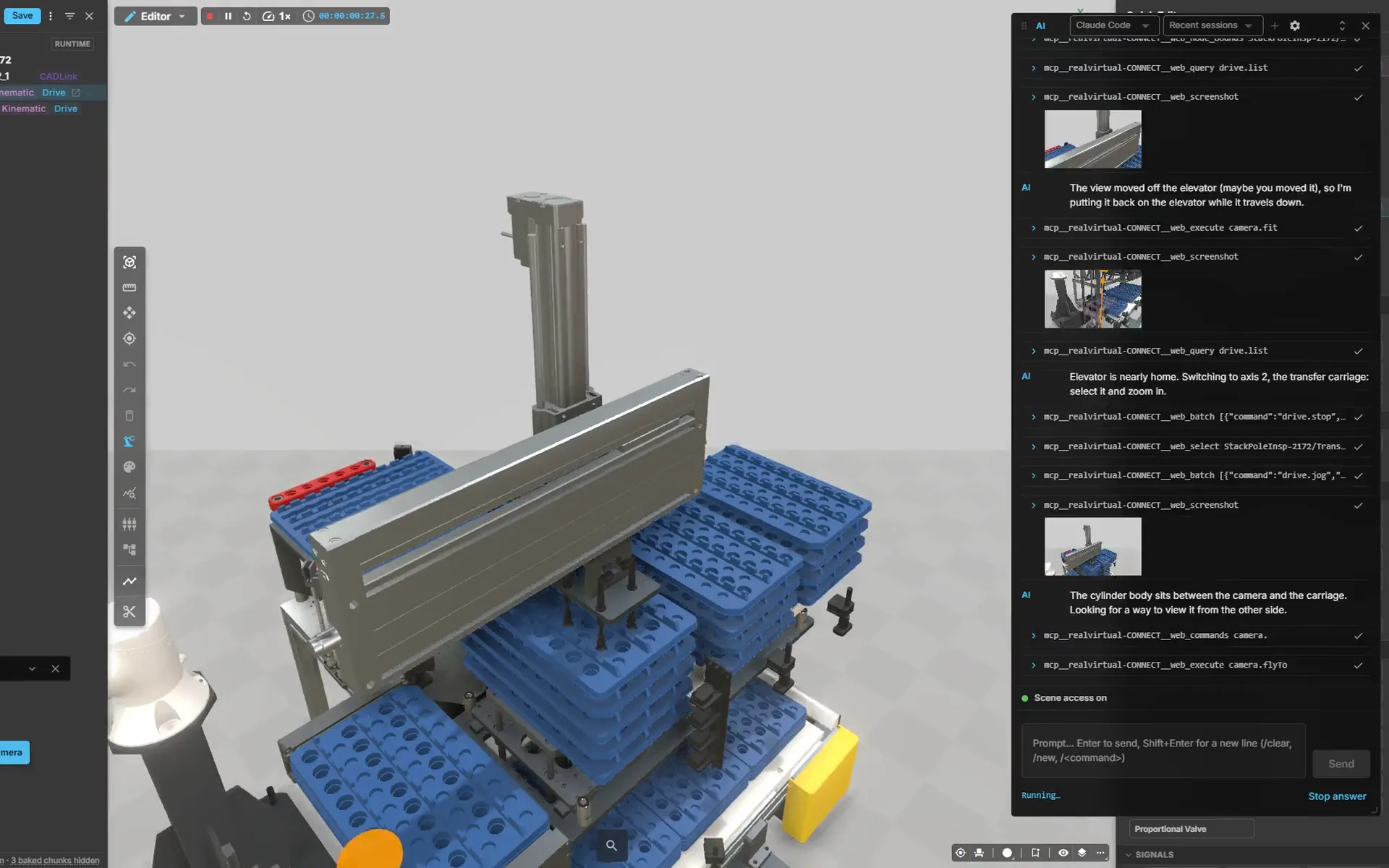
Ask the AI to add components, connect signals and write test sequences. Check the result in the 3D model. AI is optional: you can also create and edit everything yourself in the full editor.

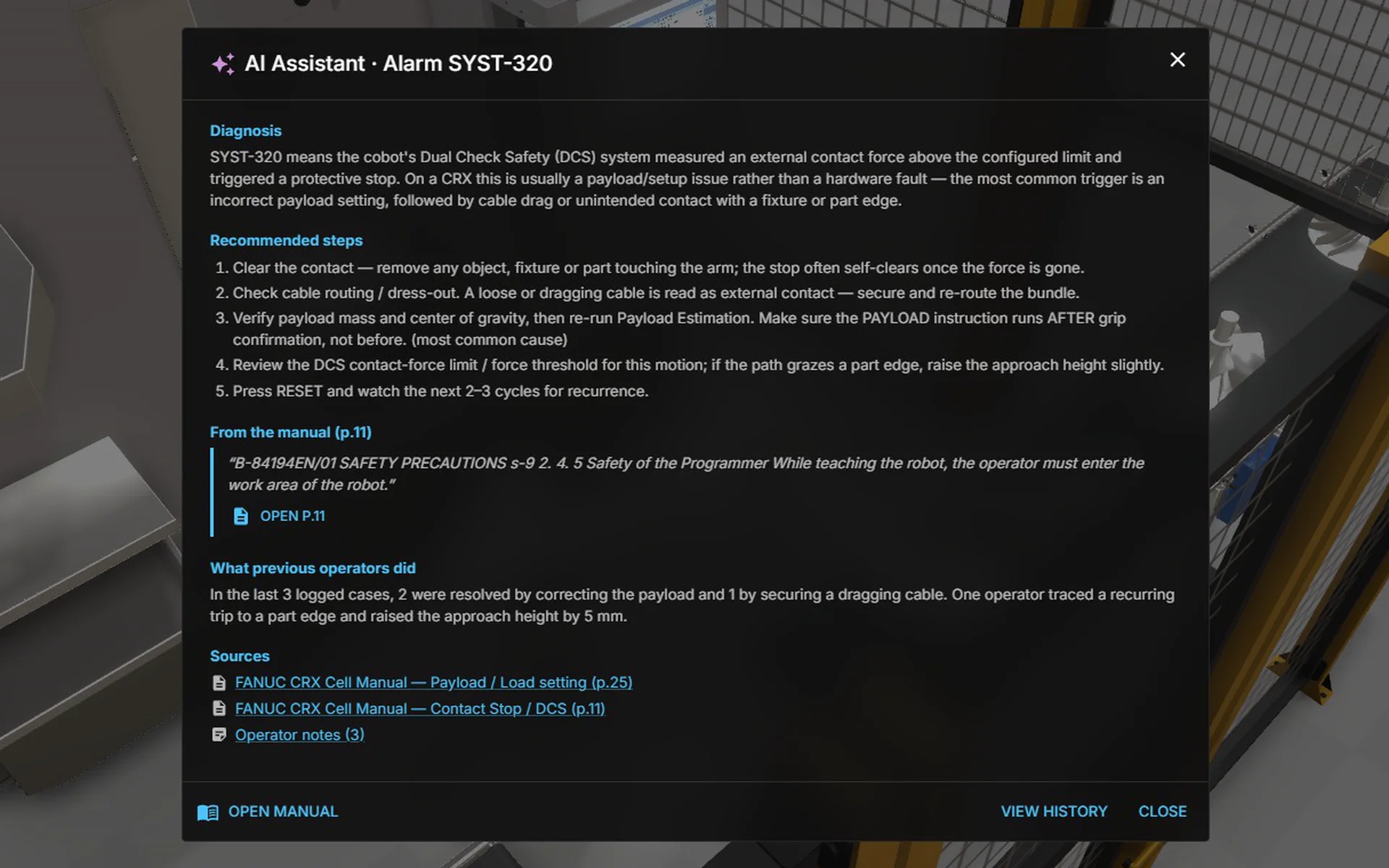
The AI window in the app

Switch the AI window on in CONNECT and sign in to Claude Code or Codex. The agent runs locally with your user rights and can send file contents to Anthropic or OpenAI.

MCP Server

Your own AI agent connects through the open MCP server. It navigates the scene, moves drives, reads sensors, writes PLC signals and runs tests. Open source and extensible.

The AI window in the app

Try it, run it yourself or license it

Try nearly everything free in the Public Demo, run the open-source core yourself under AGPL-3.0, or deploy realvirtual Commercial with every module.

Public Demo

No account
Freeright away, no installation
  • Try nearly all Commercial features
  • Editor, CAD import, kinematics and virtual PLC
  • Discrete event simulation with the experiment manager
  • Your models stay in your browser
Open Public Demo (opens in a new tab)Public Demo limits →

realvirtual Free

AGPL
Open Sourcefree under AGPL-3.0
  • 3D viewer, 3D HMI and machine information system in the browser
  • Simulation: drives, transport, sensors, logic steps
  • Discrete event simulation core (DES) and layout planner
  • One link to share, in AR and VR too
  • Live signals via WebSocket, MQTT and CONNECT
  • MCP server: AI agents build and control the twin
View on GitHub (opens in a new tab)
Deployment options and all prices →

All prices are exclusive of statutory VAT. Enterprise licenses and custom packaging available on request.

What Our Customers Say

Real voices – from the Unity Asset Store and from industry projects

"We are building our MIS on realvirtual.io. Decision was driven by its architecture: a Unity-based authoring and virtual commissioning environment, self-hosted web runtime, and structured metadata across the machine lifecycle – a combo hard to find."

Nils Maier
Nils Maier
Head of Sales & Service MMT – Mauser Packaging Solutions
5 out of 5 stars

"As a PLC programmer I'm using RV Professional now since over 1 year and I love this all-in-one-solution to create machine simulations and easily connect to PLC for virtual commissioning. It can get quite complex but you will get great support by the RV team."

AF_Automation
Professional – Unity Asset Store

"Unity’s open ecosystem makes virtual commissioning scalable. High-fidelity visualization, CAD integration, and real-time physics, helps us create realistic digital twins to optimize automation, enabling faster, safer, more efficient commissioning."

Artur Volz
Artur Volz
System Engineer – SEW-EURODRIVE Corporate Solution Center Electronics
5 out of 5 stars

"My goal has been to rebuild a full line developed in Process Simulate – a car manufacturing line for body in white, including tooling tables, robots, weld guns and material handling. My first impression of realvirtual is that it is super intuitive – the base information found online is more than enough to get someone rolling on a project. And it is open source: any issues you face can be sent to the forums or even to the developers."

isaaclegene
Professional – Unity Asset Store
5 out of 5 stars

"The whole package! This is really everything I needed to start my virtual 3D commissioning. From the capabilities of connecting many interfaces including my favorite: OPCUA, to the easy to set up drives, conveyors, robot arms and more!"

mokoolb
Professional – Unity Asset Store
5 out of 5 stars

"I started with free package some time ago and I was amazed with functionality. I purchased pro version last year and built few projects for custom machines, mainly for conveyor systems. And it is not only tool for emulation. It runs in Unity where you can easily convert your project for example into VR presentation to show it to your customers or for training purposes. Great job!"

ATC_Automation
Starter → Professional – Unity Asset Store
5 out of 5 stars

"I was able to design a prototype for my DT in just a few hours, the quality was good and the documentation helped a lot! I'm using the free version for now but it's a very good experience so far."

Nomad2088
Starter – Unity Asset Store
5 out of 5 stars

"We purchased RealVirtual.IO Professional for virtual commissioning and Digital Twin development of manufacturing machines. It is a really great tool for vendor-neutral development in a lightweight modeling environment. Moreover, we have had great support, and the how-to videos are really great too!"

ModuMach
Professional – Unity Asset Store
5 out of 5 stars

"Connecting to my Siemens S7 was a breeze – got it up and running in minutes. The Interfaces, Drives, and Sensors concept is intuitive and feels really well thought out. Plus, everything is open source, which is a game-changer."

Verified Buyer
Starter – Unity Asset Store

Strong partners for your success

Technology Partners

UnityAlgoryxSharp7RoboDKCMC Viewr

Service Partners

CMC EngineersNGEN2REEB EngineeringikazinJNE WORKS

Training and pilot projects with your machine model

realvirtual is built by engineers who use it themselves. If you want more than a license, we work with you directly.

Training

Hands-on training for your team – realvirtual in the browser and in Unity, on site or remote, ideally with your own machine model as the exercise.

Pilot projects

Your first digital twin as a one-day pilot built from your CAD and machine data: geometry, kinematics, signals, first logic – an assessable twin in a single day.

Development for your project

Missing an interface, a component or a viewer feature? We develop it on your behalf – from special protocols to custom functions, flowing back into the product wherever possible.