Layout planning and product configuration
Assemble plant layouts from library components and configure variants directly in the browser. Share a link with customers and sales, then use the layout as a starting point for simulation.
Try this use case in the free Public Demo, without an account or installation. Public Demo limits →
Make layout variants concrete during planning
During concept development and quotation, planning, sales and customers need to agree on the plant layout, options and accessories. Assemble a 3D layout from library components so everyone can discuss the same configuration.
Connect components at snap points and change the layout as requirements develop. Customers can configure variants through a shared link, while the layout remains a starting point for simulation and virtual commissioning.
From library components to a shared layout
Select components from the library
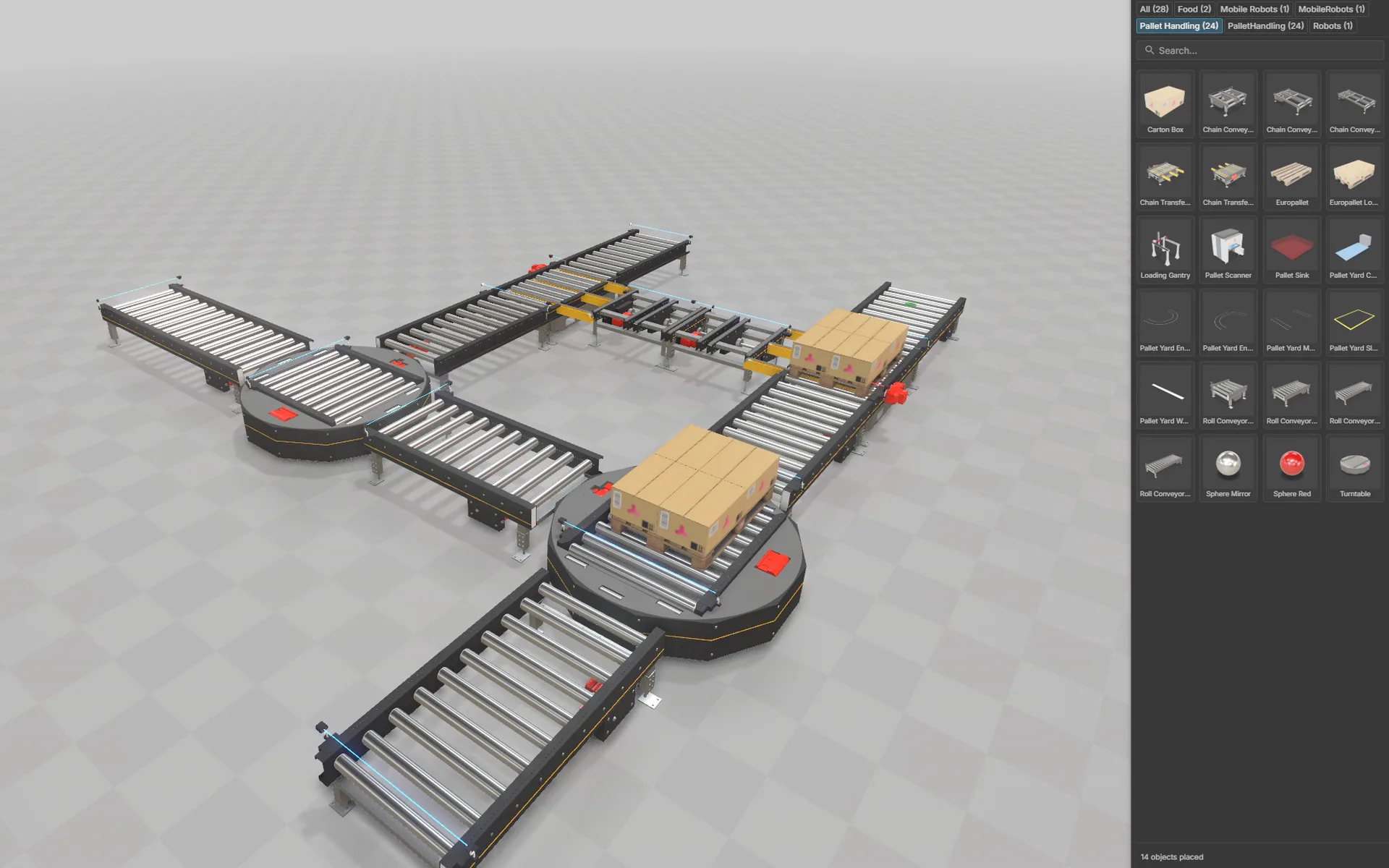
Assemble your layout from library components in the browser. You can also use components from the realvirtual Online Library.
Libraries and layout planning →Connect and change the layout
Connect components at snap points in the layout planner. Add a branch or change the arrangement to develop another variant.
Layout planner and snap points →Configure variants and share a link
Configure options and accessories, then share the layout with customers and sales through a link. Customers can configure variants directly in the browser.
Configuration and sharing →Continue with simulation
Use the layout as a starting point for simulation and discrete event simulation. Check sequences or investigate throughput and bottlenecks on the same model.
Simulation on the same model →
Demo models to try
Open the models in the Public Demo, without an account or installation.
Layout planner demo
Explore a pallet loop assembled from library conveyors, transfer units and turntables. Try connecting the components at snap points.
Open in the demo ↗ (opens in a new tab)Pallet Yard
Three AGV forklifts on a one-way route network serve two production outputs, six storage locations, two shipping lanes and two charging stations; change the yard size and cycle time in the planning window. Experiments compare the baseline of three AGVs with failures against two AGVs, four AGVs and operation without failures, each over five eight-hour runs: in this model, failures reduce throughput by around a fifth, while a fourth AGV brings no improvement because the vehicles block one another.
Open in the demo ↗ (opens in a new tab)
Frequently asked questions
Do I need to import CAD data before planning a layout?
No, you can assemble a layout from library components, including components from the realvirtual Online Library. CAD import is available in Commercial when you want to work with your own geometry.
How are components connected in the layout planner?
Library components connect at snap points. You can extend and change the layout there, for example by adding a branch to a pallet loop.
Can customers configure variants themselves?
Yes, customers can configure options and accessories directly in the browser. Share the layout through a link so planning, sales and customers can access it.
Can I reuse the layout for simulation?
Yes, the layout serves as a starting point for simulation, discrete event simulation and virtual commissioning. Discrete event simulation lets you examine throughput, utilisation and bottlenecks on the same layout.
Is the layout planner free to use?
The layout planner is part of Community. You can try it in the free Public Demo without an account or installation. Additional functions such as CAD import and the asset and kinematics editor are part of Commercial.
Build a layout in the browser
Try library components and snap points in the Public Demo. Discuss how to use layouts and product configurations for your planning and sales process.