The standard tool for virtual commissioning and precise simulation with Unity.
CAD import · Stable rigid-body kinematics · 25+ industrial interfaces · Robot IK

realvirtual for Unity Professional is the standard tool for virtual commissioning and precise simulation on Unity – officially confirmed as a Unity Verified Solution. Import CAD, define kinematics, simulate behavior, connect real controllers – and deliver the finished twin as a GLB into the browser. Full C# source code, one price, no runtime fees for the applications you ship. realvirtual Commercial includes the realvirtual for Unity Starter and Professional plugins as downloads — an option, not a prerequisite: the digital twin is authored in the browser, so Unity is not required. realvirtual for Unity Professional is also available separately, without realvirtual Commercial. The Unity Editor licence is not included and must be obtained separately from Unity Technologies.
Guide: Virtual commissioning – Made in Germany, open source, AI-ready
Built for real machines and large plants
Deterministic kinematics, robot IK, faithful drive models, LogicSteps, AI integration via MCP, 25+ interfaces, real-time performance and editor tooling – in detail.
Rigid-body kinematics that solves deterministically
Kinematics live on GameObject hierarchies – non-destructively on top of your imported CAD. For closed kinematic chains, the Kinematic Joints solver computes purely geometrically, without a physics engine: four joint types (revolute, prismatic, spherical, universal), exact constraints every FixedUpdate – no vibration, no drift, identical inputs produce identical poses. Delta robots, scissor lifts, four-bar linkages and parallel grippers run rock-solid; 100 delta kinematics with about 1,900 joints solve in roughly 8 ms per frame.
Kinematic Joints in the docs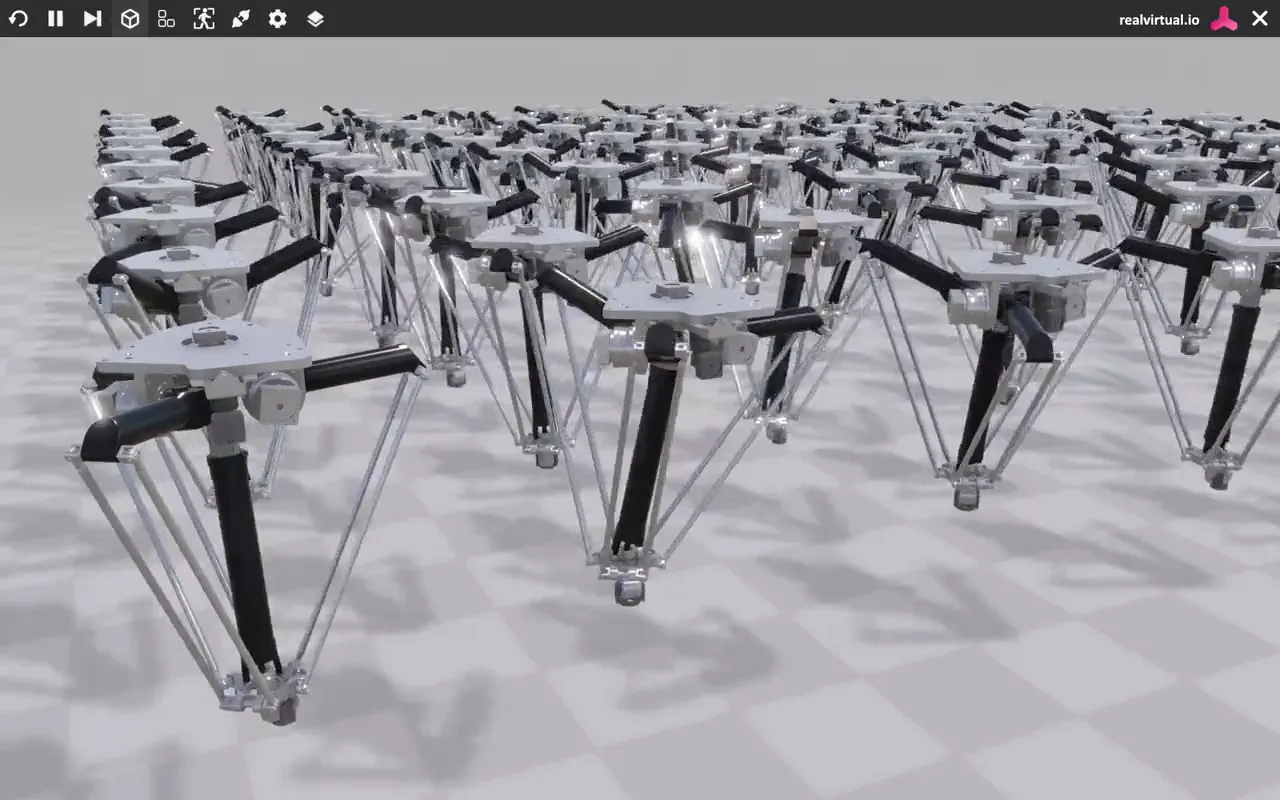
Robot inverse kinematics with diagnostics
The built-in robot IK drives six-axis kinematics to Cartesian targets – you set the world position, the solver returns the joint values. A convergence flag and residual error always show whether a pose is reachable. And for programming against the real controller, the robot interfaces talk directly to RoboDK, KUKA, Fanuc, ABB RobotStudio, Universal Robots, Denso and more.
More in the documentation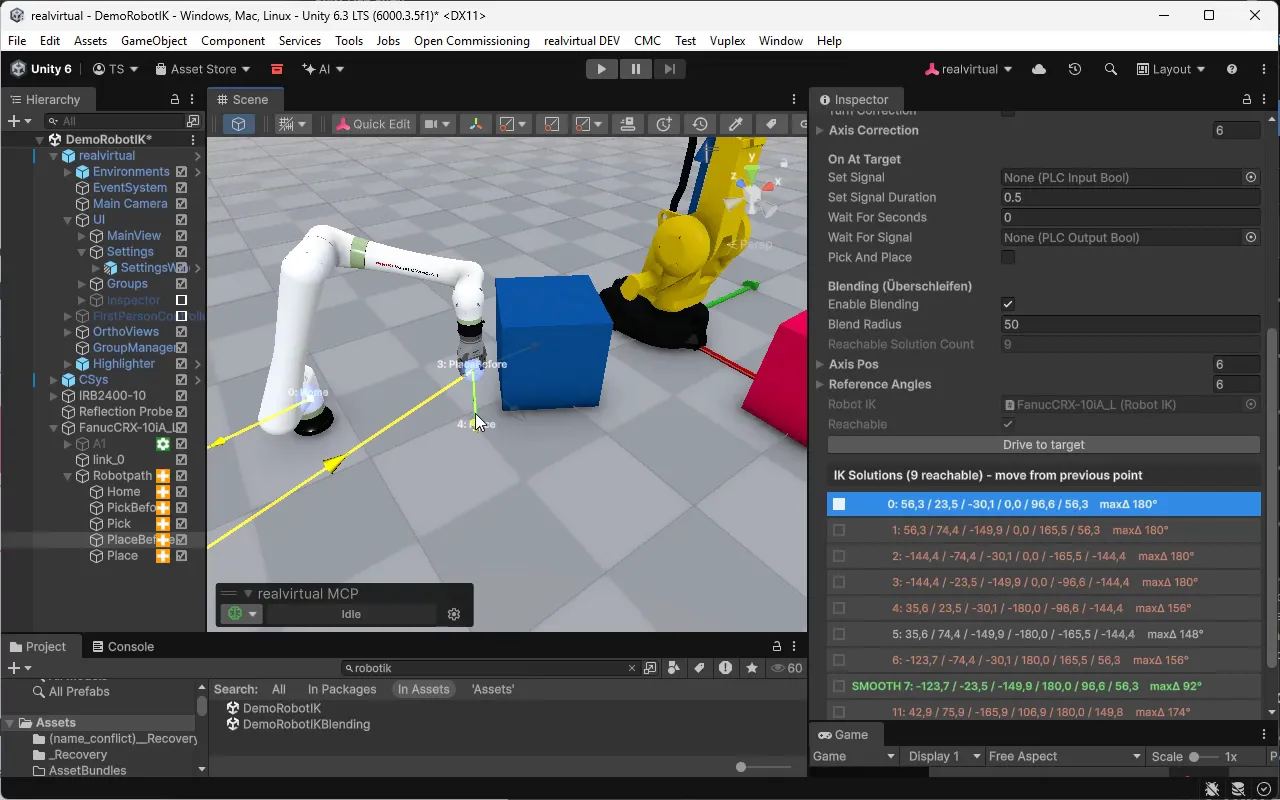
25+ interfaces – one signal architecture
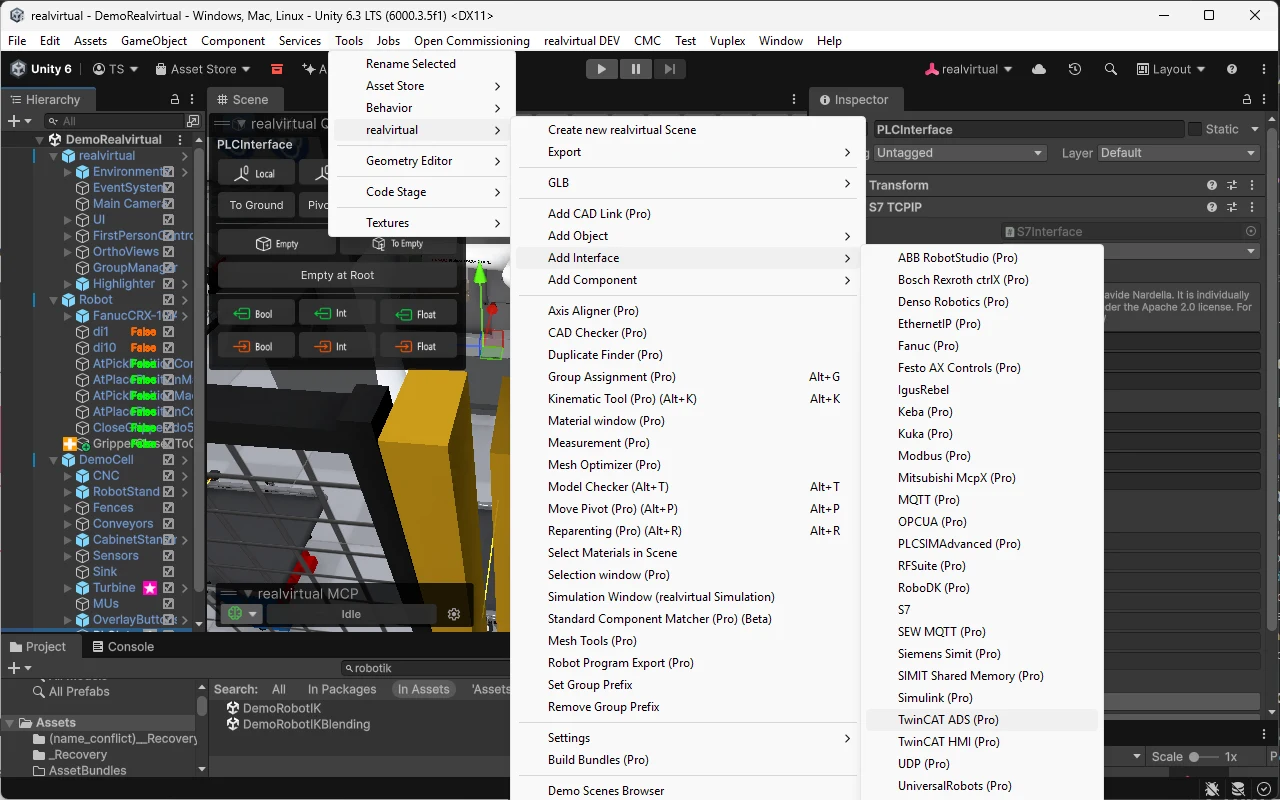
Every interface works with the same PLCInput/PLCOutput signals: wire once, swap freely. From Siemens S7 and PLCSim Advanced through Beckhoff TwinCAT ADS, OPC UA, MQTT, Modbus and EtherNet/IP to robot controllers and FMI/Simulink – the simulation talks to what actually runs in your plant.
Drive models down to the telegram level
Drives are behavior models, not keyframes: acceleration, limits, timing. Beyond simple cylinder and speed drives, Professional ships faithful controller profiles – Siemens Profidrive speed and EPOS positioning with STW1/ZSW1 control and status words, CiA 402 servos, SEW MOVILINK, Festo FHPP and proportional valves. Your PLC drives the simulation with the same control words as the real device.
Drive behavior in the docs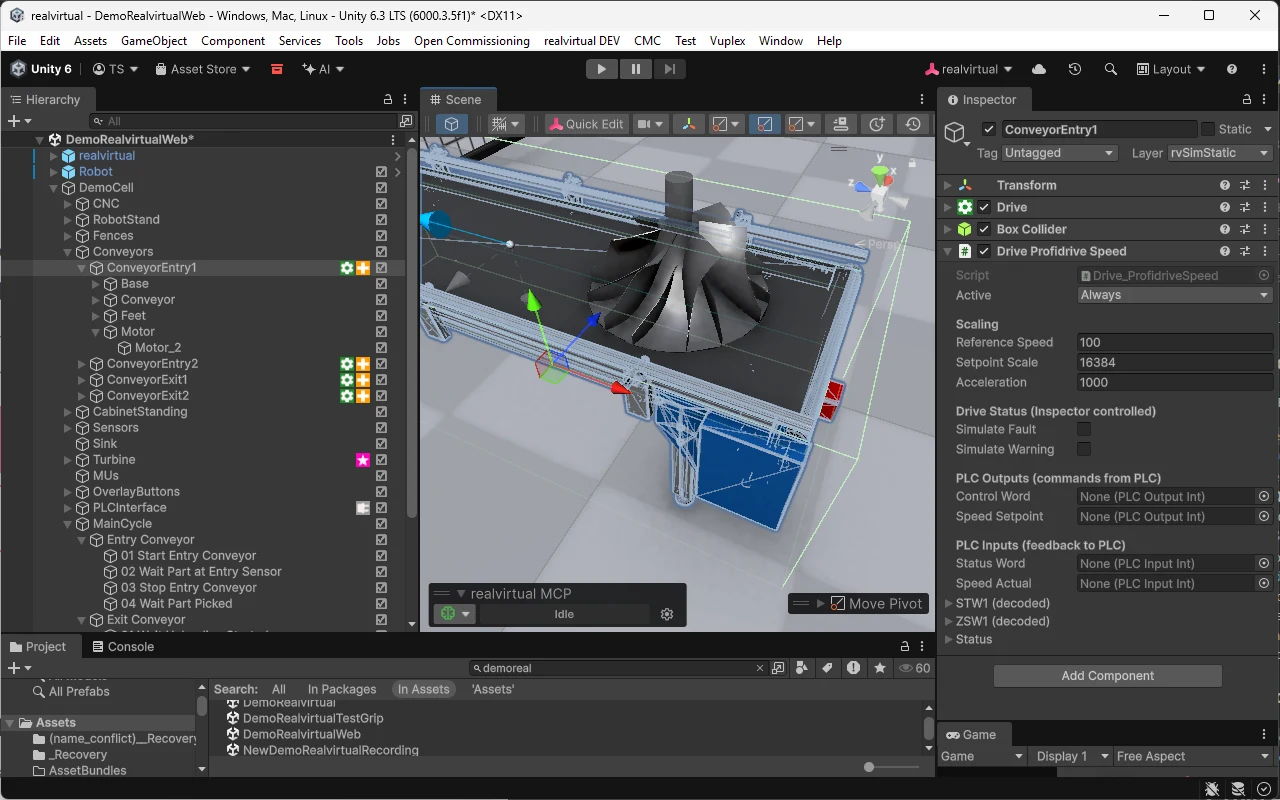
LogicSteps: PLC sequences, visually programmed
Build automation sequences without a PLC and without code: steps like Drive To, Wait for Sensor and Set Signal are components in the GameObject hierarchy, executed top to bottom – serial or parallel. Drives, sensors and signals are wired by drag and drop. Ideal for concept simulation and sales models before the first line of real PLC code exists.
LogicSteps in the docs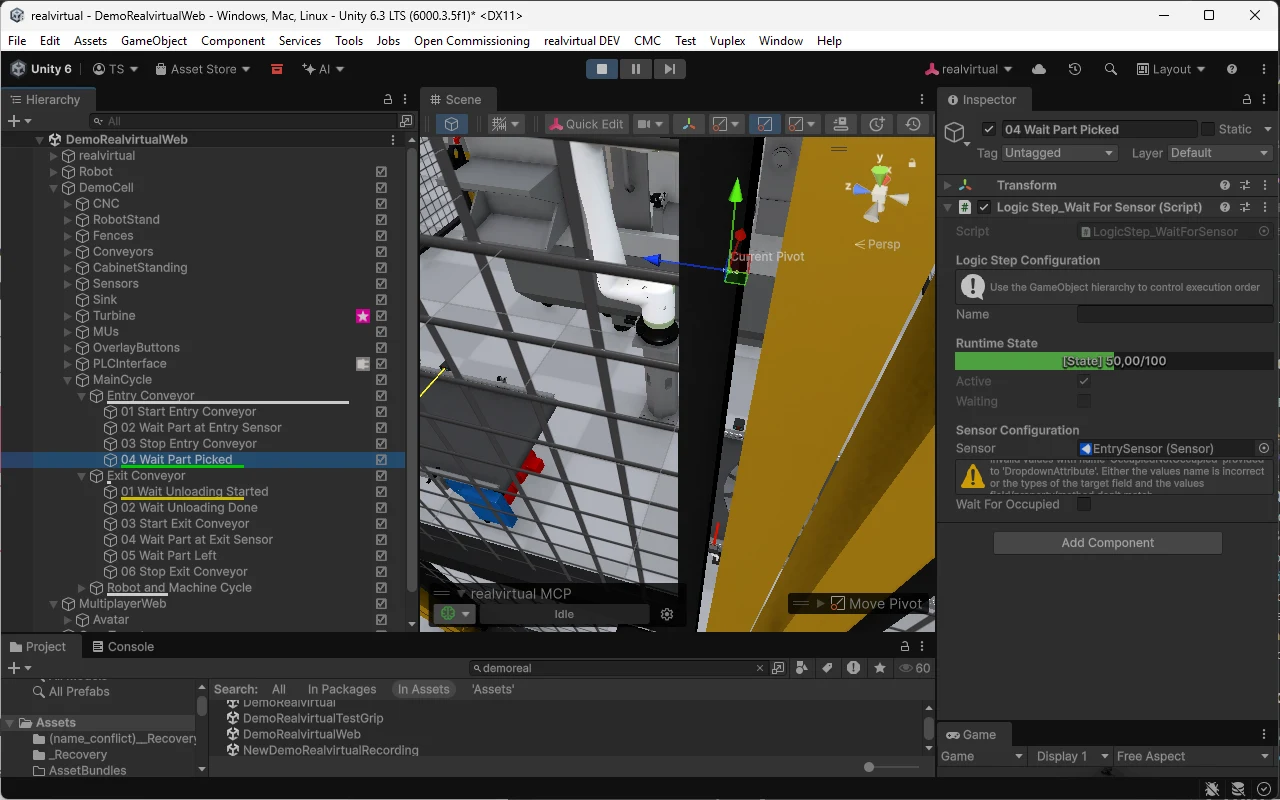
Editor extensions that do engineering work
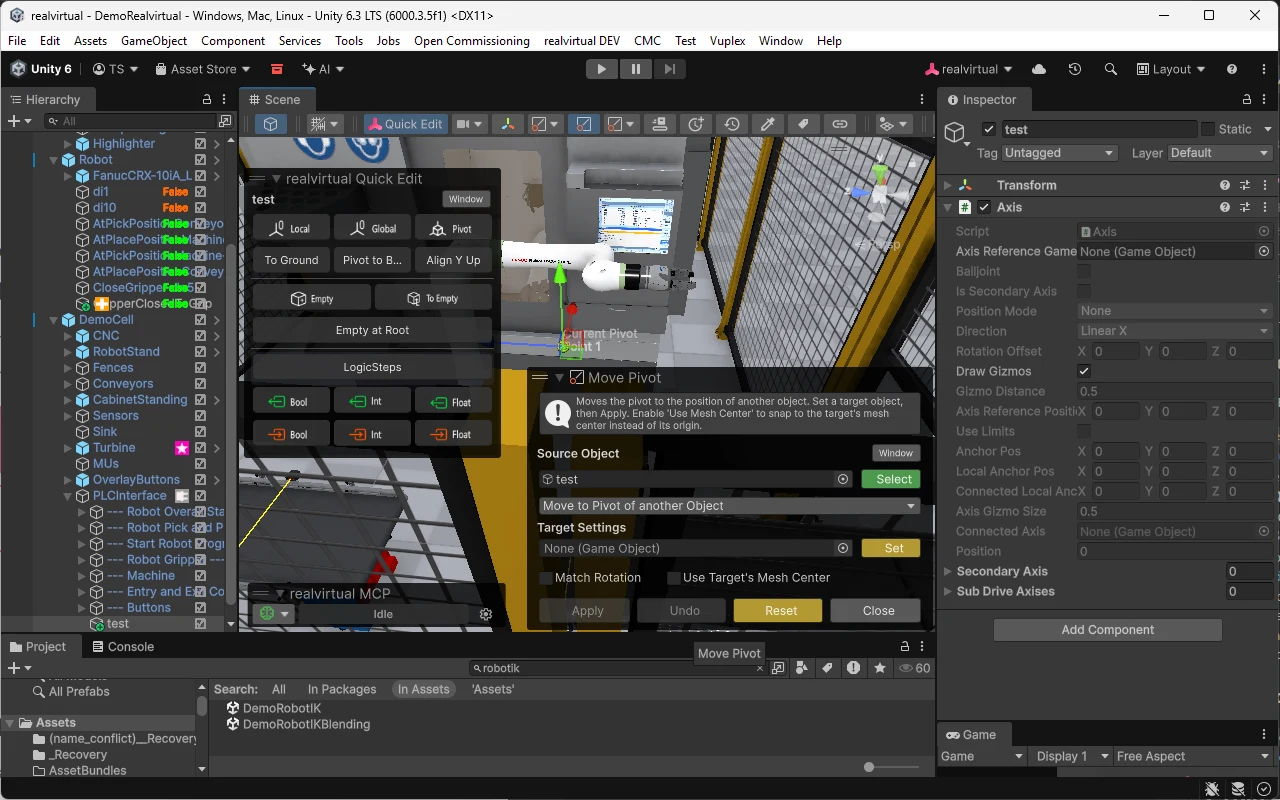
Professional turns the Unity Editor into an engineering environment: the realvirtual toolbar bundles the daily tools, QuickEdit puts kinematics and component actions right on the scene view, the Selection Window navigates large hierarchies, and the Kinematic Tool defines axes and groups without hand-editing transforms.
AI-ready – your productivity
The realvirtual AI tools are built in: the free, open-source MCP server hands AI agents like Claude or Cursor 150+ tools – move drives, read sensors, wire PLC signals, right in the Unity Editor. The twin’s knowledge is passed to the LLM in structured form, and the AI backend is yours to choose. Because Professional ships with full C# source code, the AI understands the framework from the very code you read. One [McpTool] annotation turns your own functions into AI tools. The result: a fully wired virtual commissioning model in record time instead of days.
MCP server on GitHub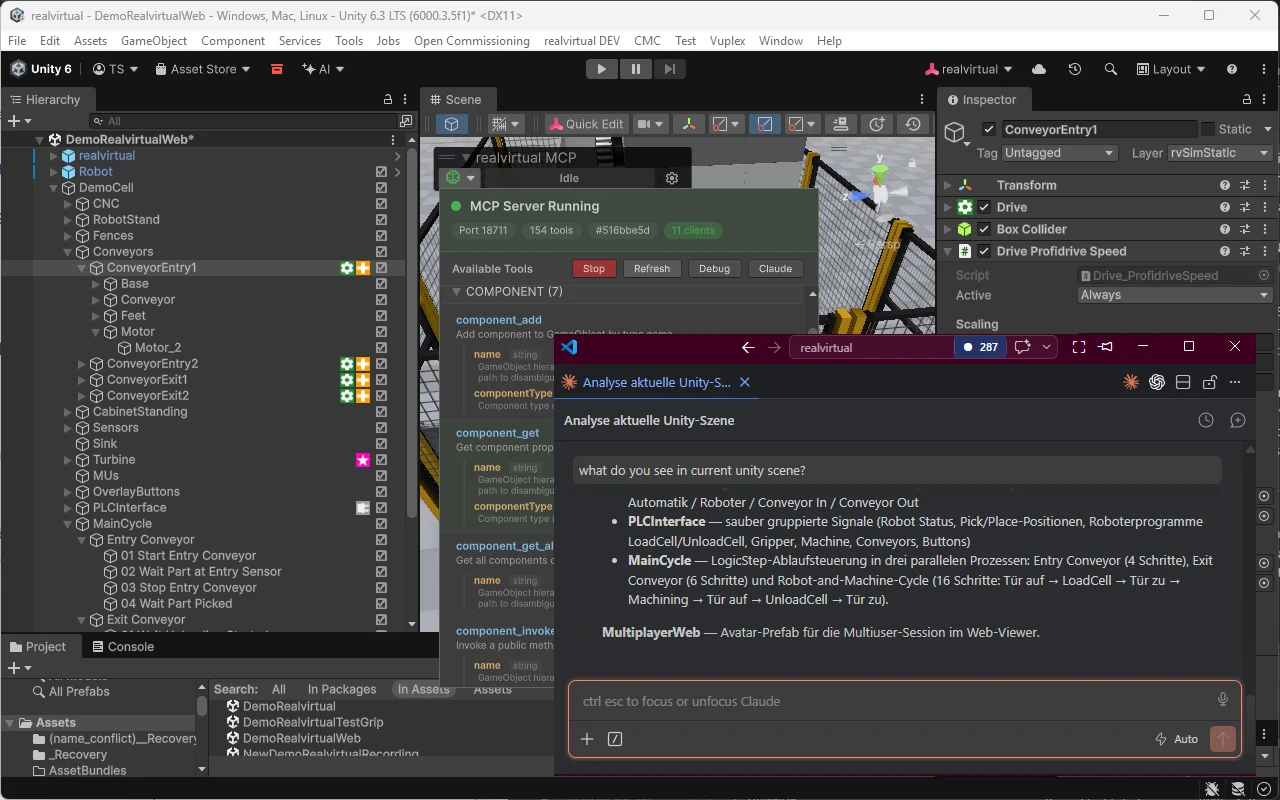
One price, full sources
Per developer working simultaneously. One major upgrade per year at 30% of list price. No trial.
Requires a valid Unity license (not included). For industrial applications, Unity requires the Unity Industry license above USD 1M annual revenue.
How Professional and the browser platform fit together
Nothing changes for you. Your licence stays perpetual, at the price you paid, with updates as before. realvirtual Commercial is the same platform with the browser runtime added: every browser module as code, and realvirtual for Unity Starter and Professional included as a download. Same component model, same GLB – hand a twin over in either direction. The Unity Editor licence itself comes from Unity Technologies and is not included in either. realvirtual for Unity Professional is also available separately, without realvirtual Commercial. realvirtual Commercial itself does not require Unity — the twin is authored in the browser.
Compare the editionsWhat Our Customers Say
Real voices – from the Unity Asset Store and from industry projects
"As a PLC programmer I'm using RV Professional now since over 1 year and I love this all-in-one-solution to create machine simulations and easily connect to PLC for virtual commissioning. It can get quite complex but you will get great support by the RV team."
"We purchased RealVirtual.IO Professional for virtual commissioning and Digital Twin development of manufacturing machines. It is a really great tool for vendor-neutral development in a lightweight modeling environment. Moreover, we have had great support, and the how-to videos are really great too!"
"My goal has been to rebuild a full line developed in Process Simulate – a car manufacturing line for body in white, including tooling tables, robots, weld guns and material handling. My first impression of realvirtual is that it is super intuitive – the base information found online is more than enough to get someone rolling on a project. And it is open source: any issues you face can be sent to the forums or even to the developers."
Still weighing the editions?
We will quote Professional for your team — seat count, upgrade path, framework agreement. Or compare first what Starter, Professional and the extensions each include.