
One digital twin. From the first design to service.
Plan production systems, test controllers and support sales and service with the same 3D model. Built in the browser or in Unity.
Import & Build → Share a Link
- Controller interfaces · Unity runtime
- 25+
- Licences needed to view in the browser
- 0
- Runtimes · one model
- 2
 Unity Verified Solution Partner
With realvirtual, your machine model becomes a tool for planning, engineering and operation. Simulate processes, test PLC code and attach live data and documentation to individual components. The browser and Unity share a component model and use GLB as an open exchange format.
What you can do with your machine model
Sales & Visualization
Show customers how the proposed machine works. Discuss variants using the interactive 3D model, then share it by link after the meeting so they can explore your solution themselves.
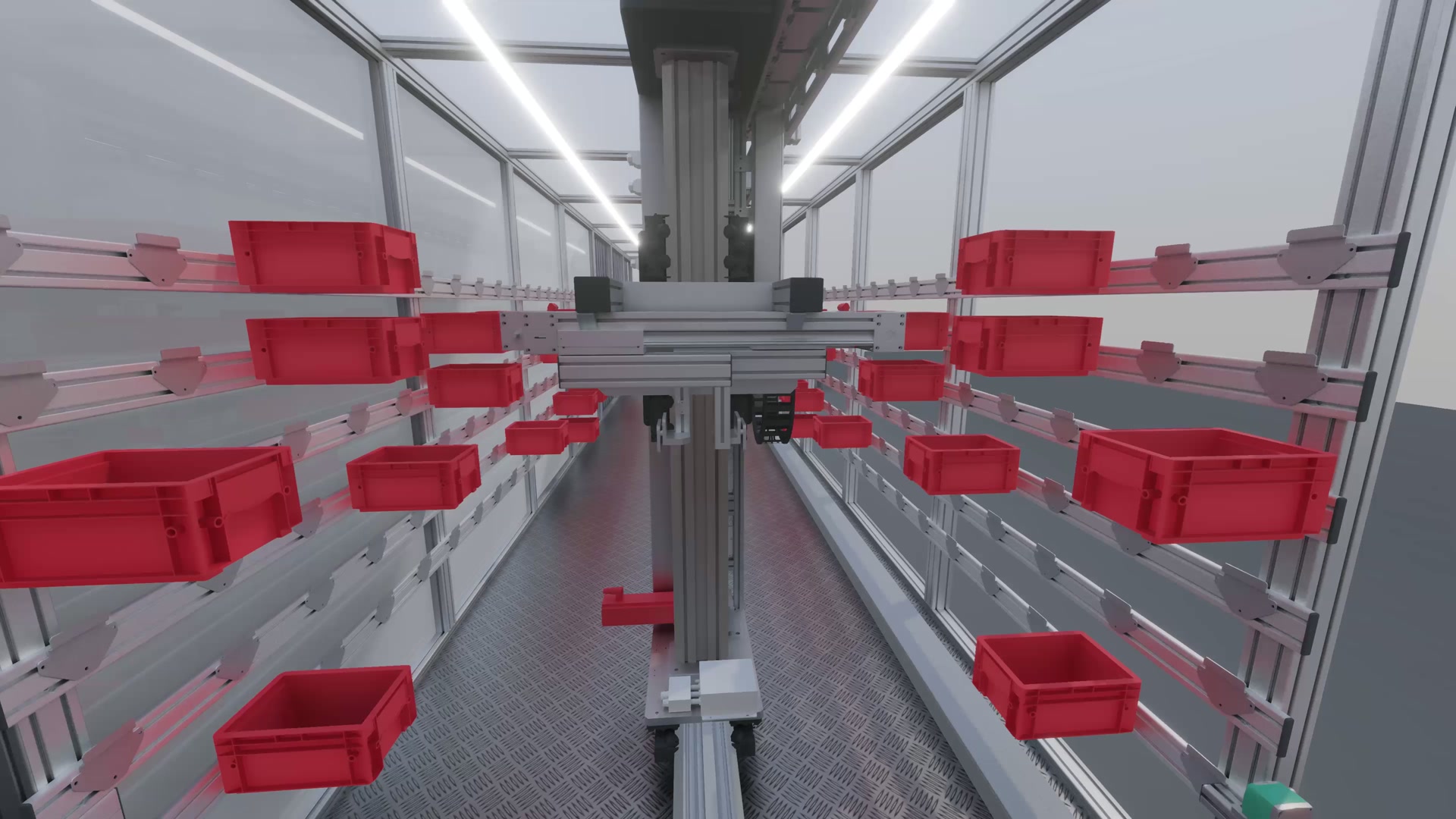
Robot & Plant Simulation
Check movements, cycle times and material flow before the system is built. Drives and sensors model the machine’s behaviour, helping you compare alternatives and find bottlenecks or collisions during planning.
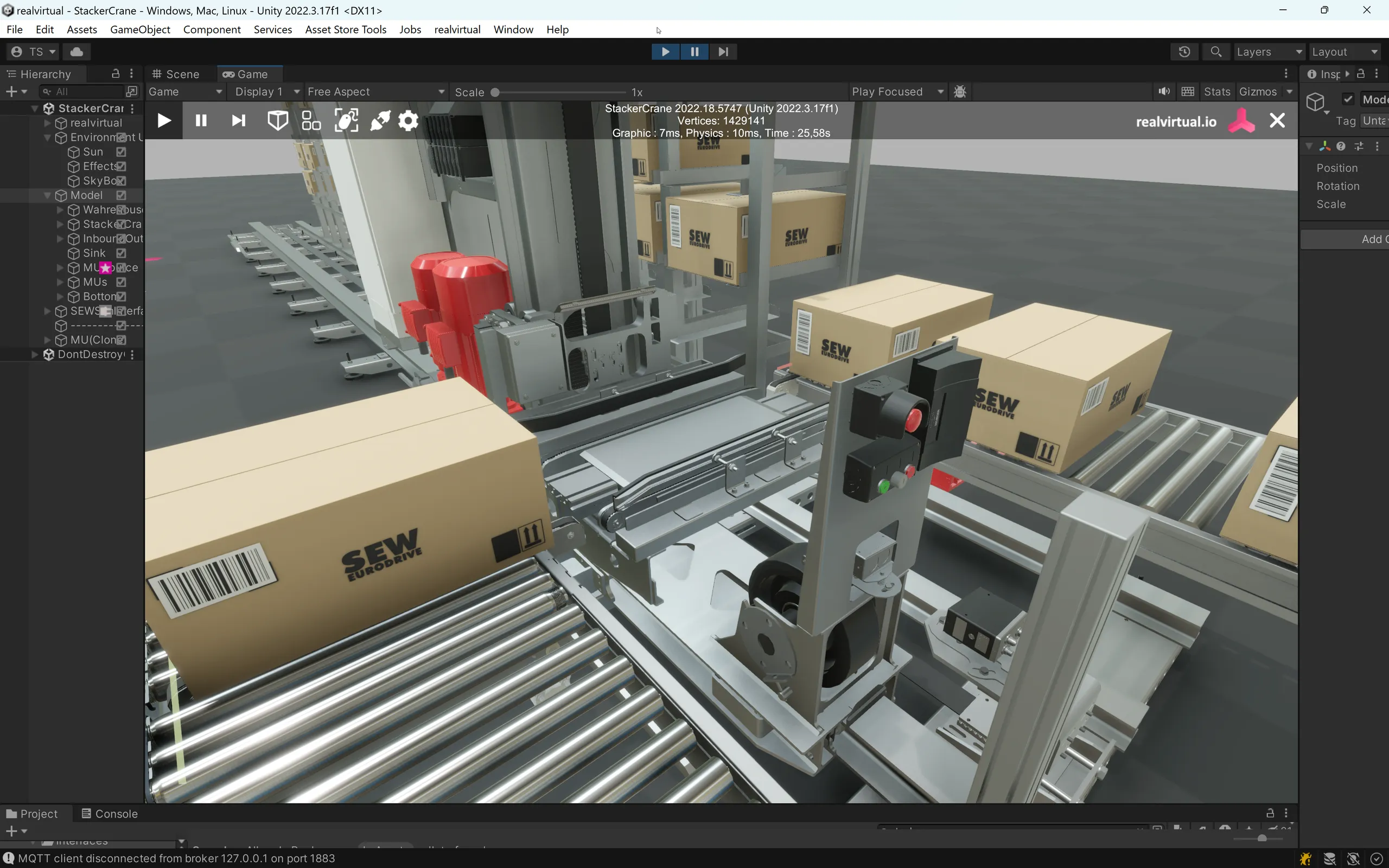
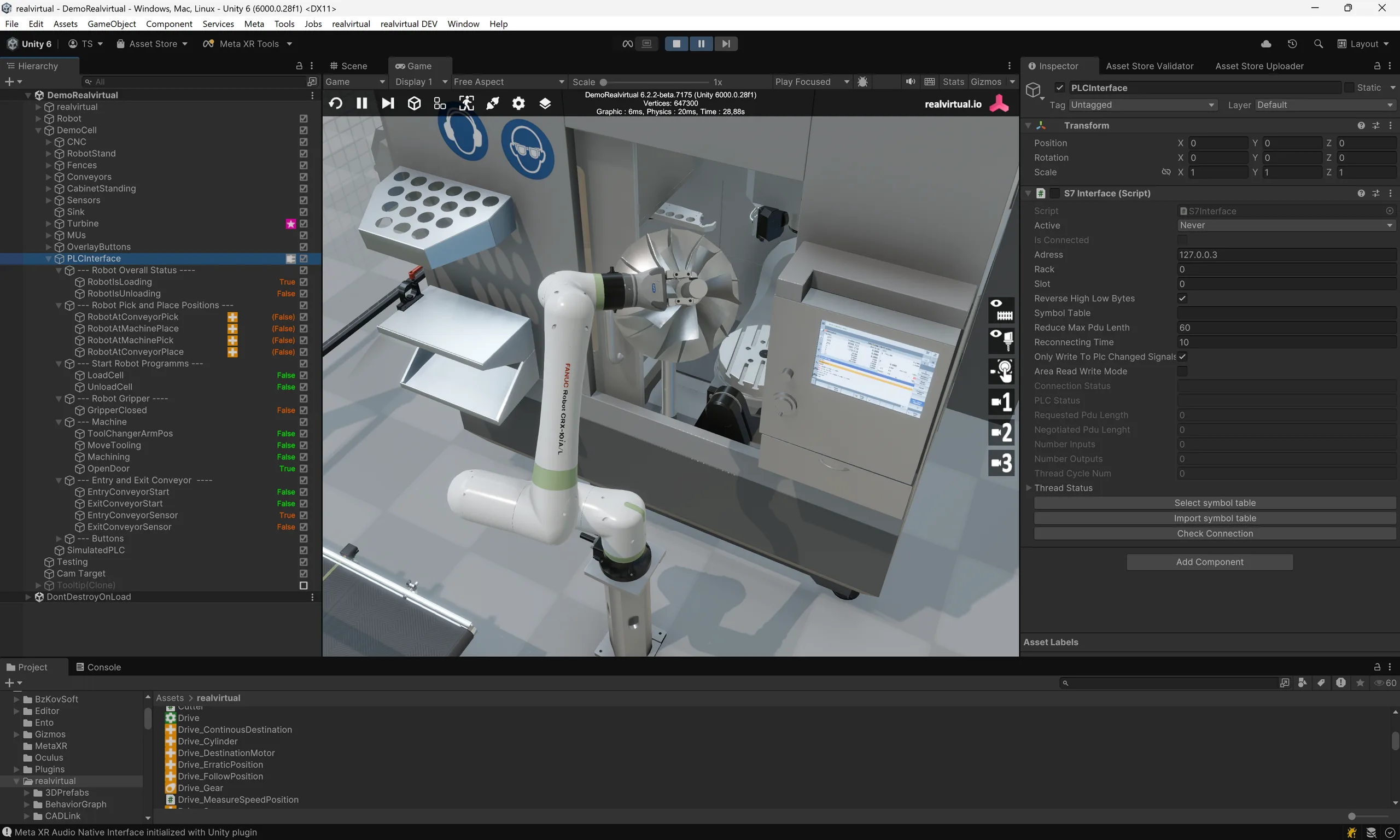
Virtual Commissioning
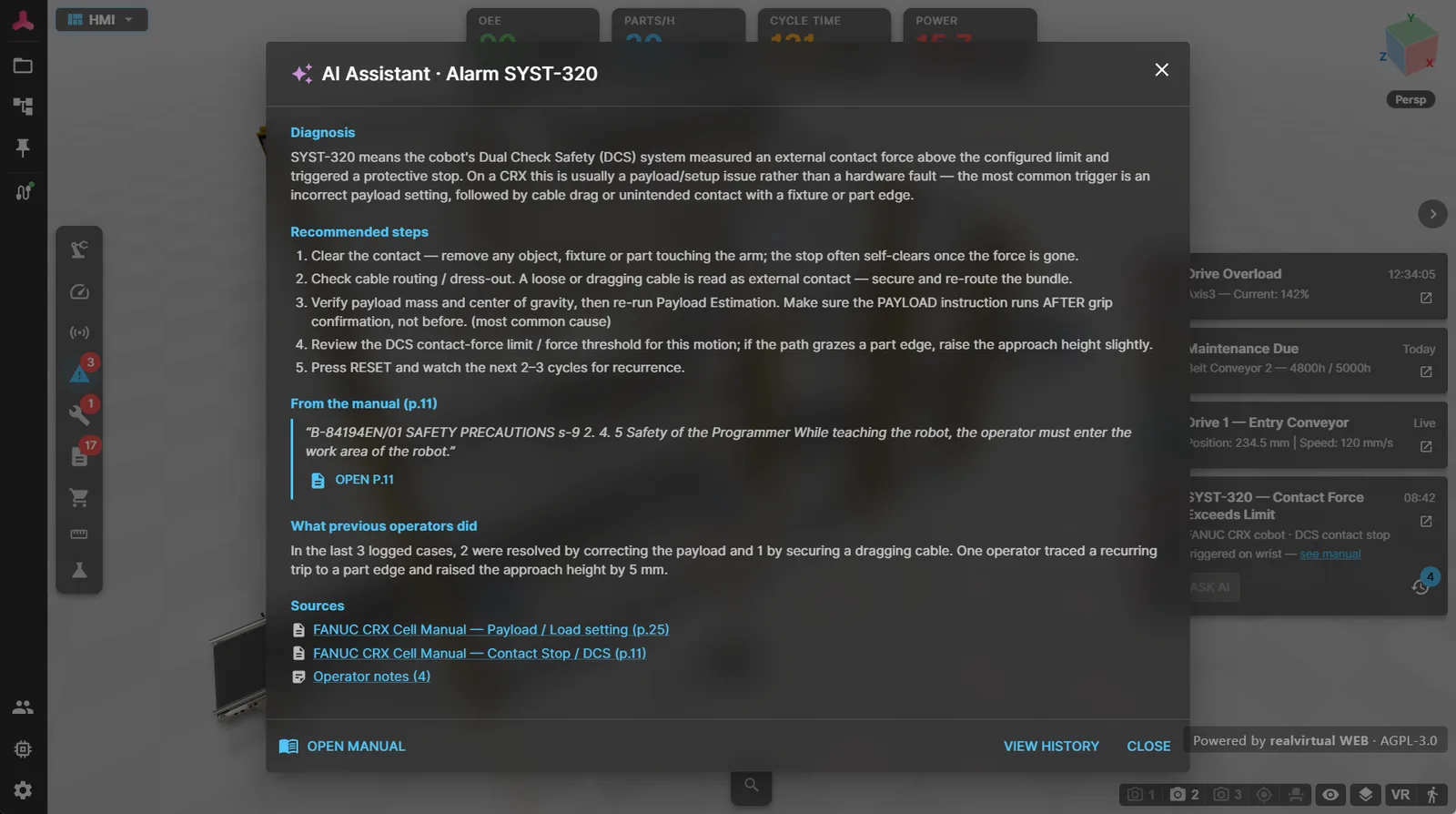
Connect PLCs and robot controllers to the digital twin. Test sequences, interlocks and fault scenarios before the machine is assembled. Move software debugging into engineering and reduce the work needed during on-site commissioning. Browser controller connections use CONNECT (beta).
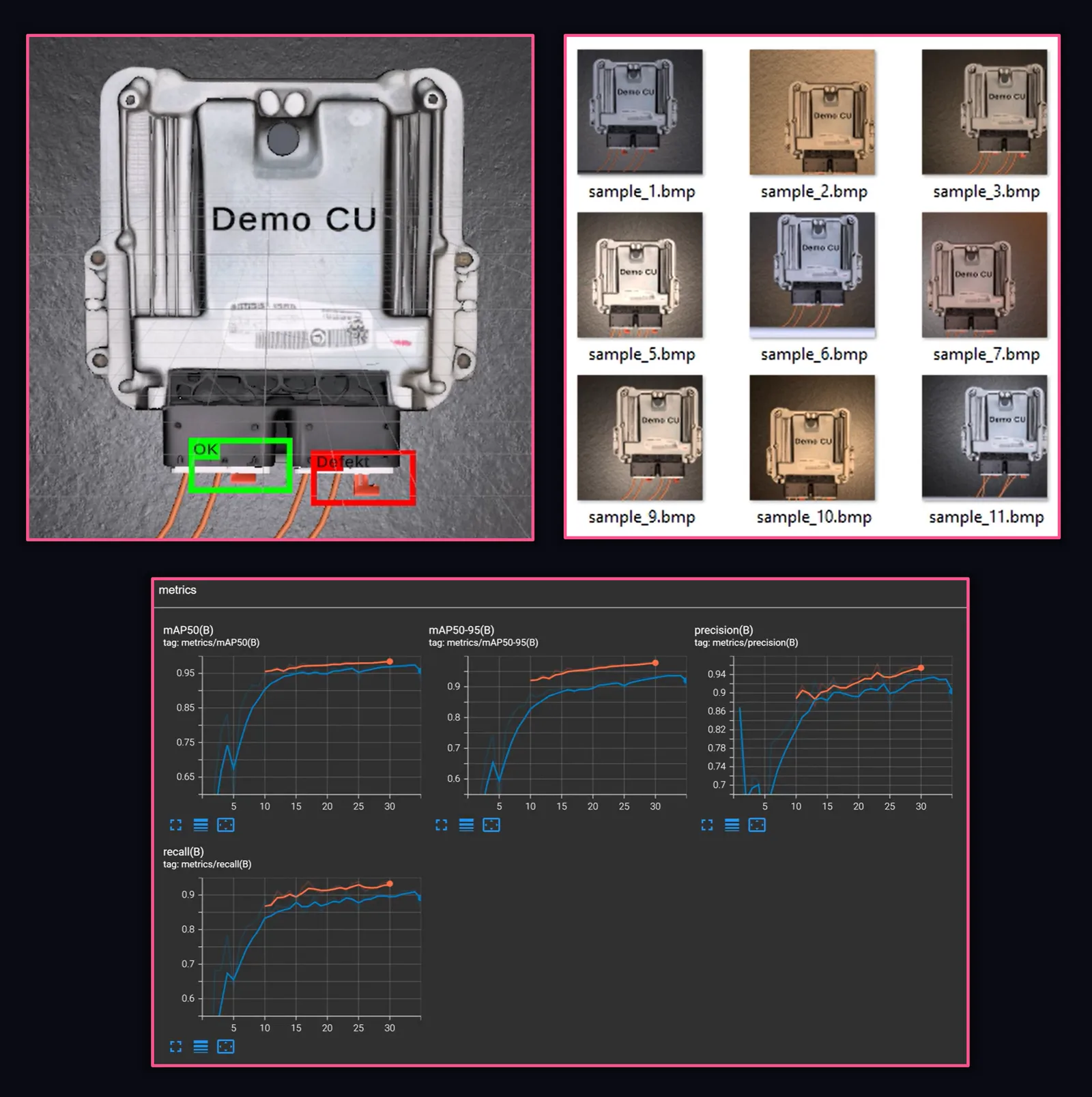
AI Training
Generate large-scale synthetic training data for industrial vision systems – object detection, classification, segmentation, and pose estimation. Train YOLO-based models with one click, test them in the running digital twin, and deploy as standard ONNX models. Your digital twin becomes the data factory for industrial AI.
3D Machine Information System
Show faults where they occur: on the affected component in the 3D model. Operators and service teams can find live values, alarms and the relevant documentation there. realvirtual CONNECT transfers controller signals to the browser (beta).
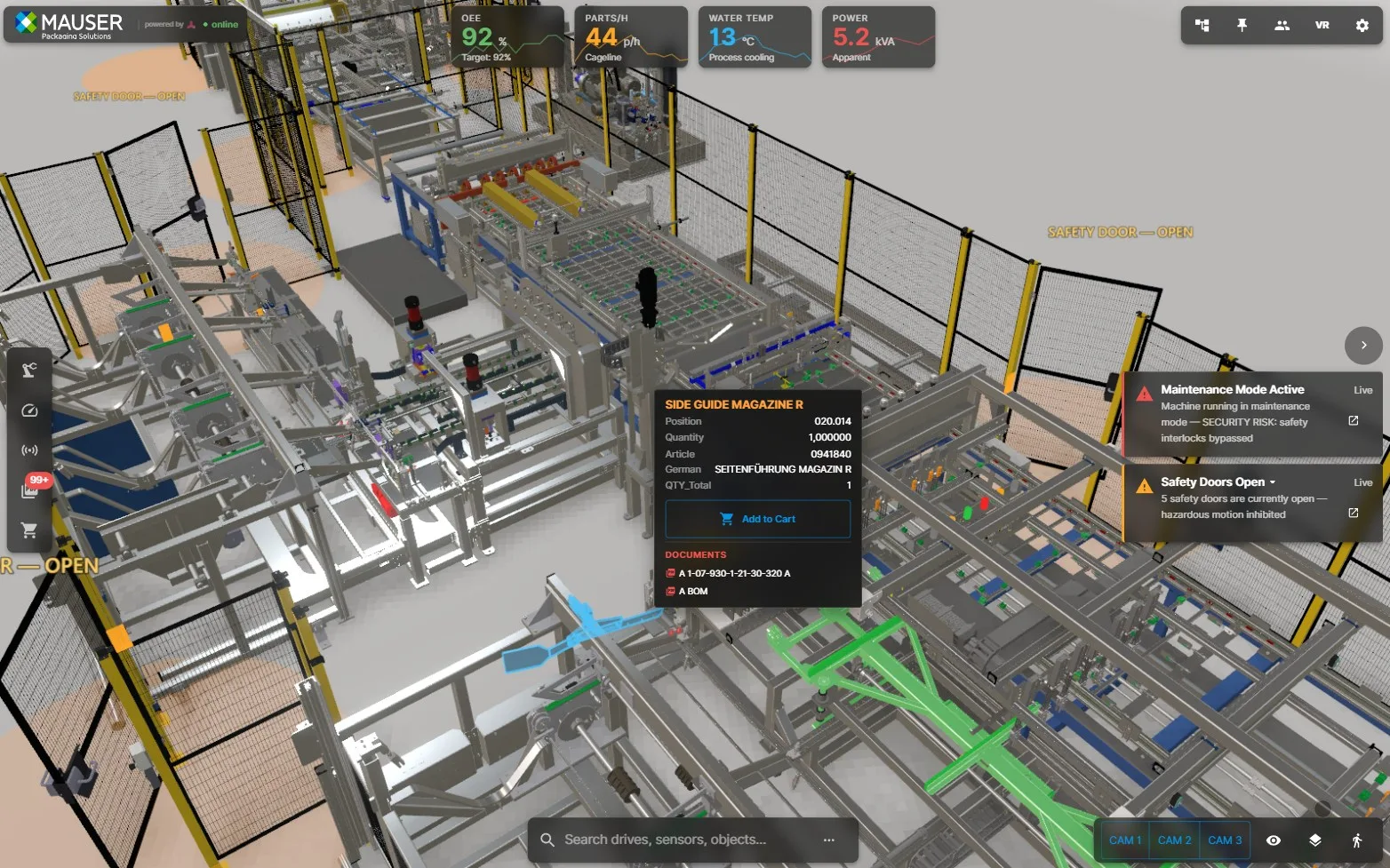
Open in the browser, local on your side
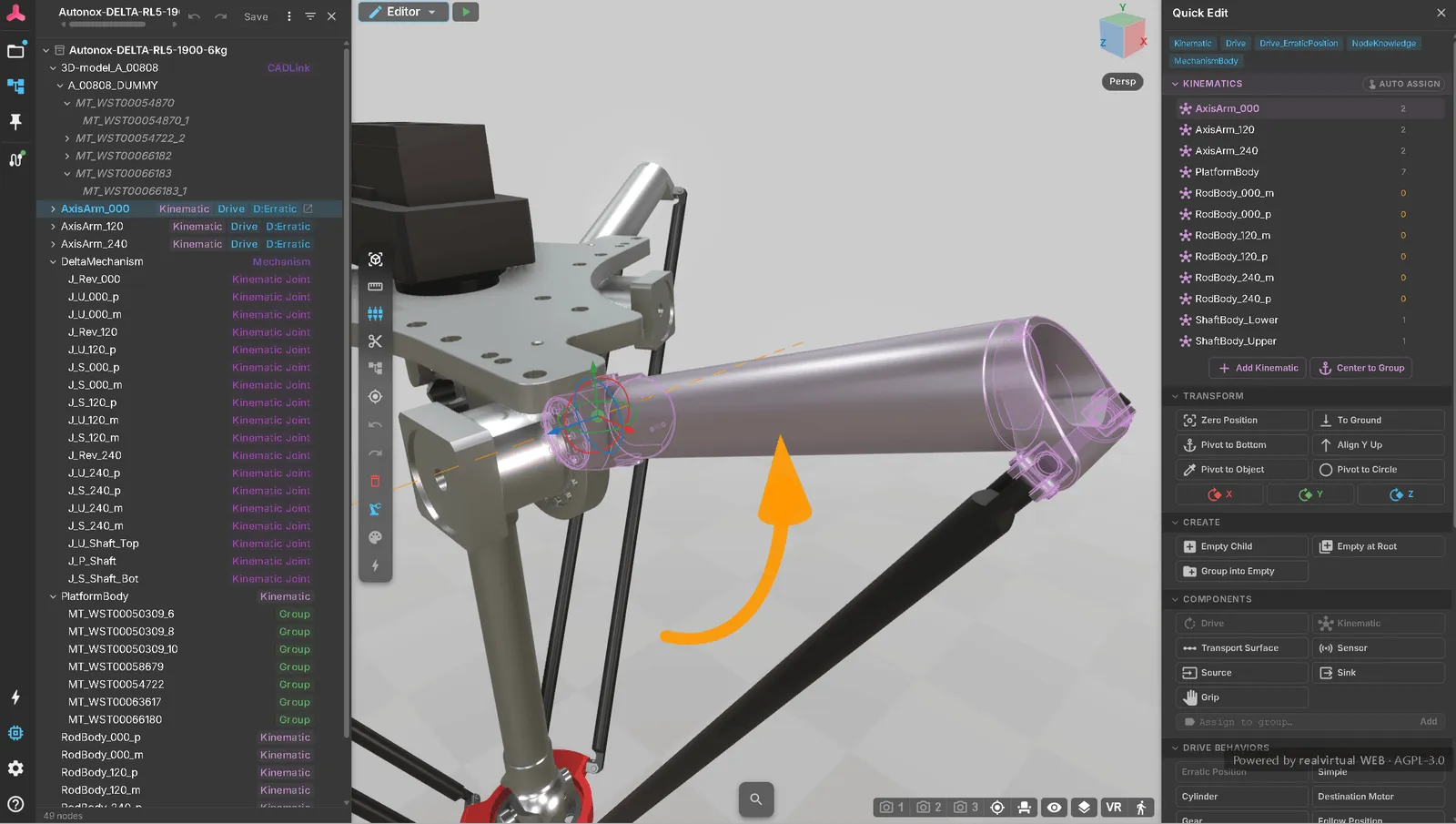
Import CAD, build kinematics and size drives: engineering starts in the browser. Add layout planning and material-flow studies (beta), test your PLC through CONNECT (beta), then use the same model for sales, 3D HMI and service.
Fully Local & Private
Run realvirtual on your own infrastructure, including isolated networks. 3D rendering runs on the client device. You decide which data to share with external AI services or through shared links.
In the browser and on WebXR devices
Use the twin on supported desktop, mobile and XR devices. Available features and performance depend on the browser and hardware.
Your customer opens the digital twin by link. Viewing does not incur an additional per-user fee.
Share models, simulation studies and machine documentation. The application can run on your own infrastructure; licensing and deployment depend on the edition you choose.
Developed in Germany – open in code, open to new technology.
How open, exactlyBuild in the browser. Use it everywhere.
Create and edit your digital twin directly in the browser. realvirtual is also available as a Unity plugin when you want to work in the Unity Editor. Use the same model for sales, commissioning, training and service, and deliver it with your machine as an interactive machine information system.
Import & Build
In the browser editor, import CAD data with realvirtual Commercial, define kinematics, and add drives and sensors. For Unity Editor projects, realvirtual is also available as a plugin.
Simulate & Commission
Size drives and check machine sequences. Material-flow studies (DES, beta) and PLC connection through CONNECT (beta) extend engineering in the browser, allowing tests before hardware ships.
Hand over as GLB
Whether built in the browser editor or in Unity, the twin is one GLB file – geometry, kinematics, signal bindings and all metadata included. Built once, opened anywhere.
Share a Link
realvirtual loads the GLB in the browser. Operators, customers, and service teams interact with the live digital twin – no Unity installation needed.
Also available as a Unity plugin
Engineering can be done directly in the browser. For projects using C#, PhysX and 25+ native controller interfaces, realvirtual is also available as a Unity Editor plugin: realvirtual for Unity Starter (free) and realvirtual for Unity Professional. Both paths – Unity and browser-based – use the same component model and GLB as their shared exchange format.
Build Once, Deploy Everywhere
Build Unity applications for supported desktop, mobile and XR platforms. Transfer the machine model to realvirtual as GLB to use it in the browser as well. Viewing there does not incur an additional per-user fee.
Source code for your own extensions
Adapt realvirtual to your application with C# source for Unity, the browser core under AGPL-3.0 and GLB as an open exchange format. The commercial browser modules also include source code.
Real-Time Performance
Simulate and visualise machines in real time. Frame rates depend on model size, simulation workload and hardware; test your model on the intended device.
Massive Ecosystem
Access thousands of Unity packages, assets, and plugins. VR/AR, AI (Sentis), physics (PhysX, Algoryx), and more – ready to integrate.
Included in realvirtual Commercial: the optional realvirtual for Unity Starter and Professional plugins. Working in the Unity Editor requires a separate Unity Editor licence. Professional is also available separately.
AI agents help build your digital twin
Through the open MCP server, AI agents work directly with the scene: adding components, connecting signals, moving drives and creating test sequences. You review the result in the browser or Unity Editor.
MCP Server
150+ built-in tools let AI agents control realvirtual in the browser and in the Unity Editor in real time – navigate the scene, drive actuators, read sensors, write PLC signals, and automate testing. Open source and extensible.
Build with an AI agent
Ask your AI coding agent to add a conveyor, connect a PLC signal, debug a sensor, or generate a test sequence – in plain language. The MCP Server connects to realvirtual in the browser and to realvirtual for Unity in the Editor. Your digital twin responds in real time.
Try it free. Choose the licence for your project.
Try the public browser demo or start with realvirtual for Unity Starter. For your own browser projects, choose Community under AGPL-3.0 or Commercial with the editor, CAD import and additional simulation modules.
realvirtual Community
Browser · AGPL- 3D viewer, 3D HMI and machine information system in the browser
- Simulation: drives, transport, sensors, logic steps
- Material flow in real time and layout planner (beta)
- One link to share – WebGL, WebGPU, WebXR
- Live signals via WebSocket, MQTT and CONNECT
- MCP server: AI agents build and control the twin
realvirtual Commercial
Browser · all modules as code- Editor and CAD import (STEP via OCCT, locally in the browser)
- DES, virtual PLC and inverse kinematics (beta) as code in your deployment
- Proprietary models, plugins and white-label – no copyleft
- Self-hosting, offline and air-gapped delivery – perpetual per machine
- Commercial support
Show all features
- TypeScript SDK for your own components and build integration
- Perpetual fallback after 12 paid months – stop paying, keep the last release
Included in realvirtual Commercial: the optional realvirtual for Unity Starter and Professional plugins. Working in the Unity Editor requires a separate Unity Editor licence. Professional is also available separately.
Quote for realvirtual CommercialDeployment fees
realvirtual for Unity Professional
Unity plugin · Asset Store- 25+ interfaces: OPC UA, TwinCAT/ADS, MQTT, KUKA, Fanuc, ABB and many more
- CADLink CAD interface (STEP, 3MF) and PIXYZ support
- Kinematic tool, inverse kinematics, performance optimizer
- Export to realvirtual as GLB – opens in the browser
- Personal support (mail & Teams)
Show all features
- Standalone runtimes for Windows, Linux, macOS, iOS, Android, WebGL, Meta Quest, HoloLens, Apple Vision Pro
- MCP server: AI agents control the Unity Editor
- Starter edition free on the Asset Store: base framework, Siemens S7, SIMIT, igus REBEL
Professional is available separately as a Unity Editor plugin with a perpetual licence. It is also included in realvirtual Commercial. Obtain the Unity Editor licence separately from Unity; it is not needed for the browser application.
All prices are exclusive of statutory VAT. Enterprise licenses and custom packaging available on request.
What Our Customers Say
Real voices – from the Unity Asset Store and from industry projects
"We are building our MIS on realvirtual.io. Decision was driven by its architecture: a Unity-based authoring and virtual commissioning environment, self-hosted web runtime, and structured metadata across the machine lifecycle – a combo hard to find."

"As a PLC programmer I'm using RV Professional now since over 1 year and I love this all-in-one-solution to create machine simulations and easily connect to PLC for virtual commissioning. It can get quite complex but you will get great support by the RV team."
"Unity’s open ecosystem makes virtual commissioning scalable. High-fidelity visualization, CAD integration, and real-time physics, helps us create realistic digital twins to optimize automation, enabling faster, safer, more efficient commissioning."

"My goal has been to rebuild a full line developed in Process Simulate – a car manufacturing line for body in white, including tooling tables, robots, weld guns and material handling. My first impression of realvirtual is that it is super intuitive – the base information found online is more than enough to get someone rolling on a project. And it is open source: any issues you face can be sent to the forums or even to the developers."
"The whole package! This is really everything I needed to start my virtual 3D commissioning. From the capabilities of connecting many interfaces including my favorite: OPCUA, to the easy to set up drives, conveyors, robot arms and more!"
"I started with free package some time ago and I was amazed with functionality. I purchased pro version last year and built few projects for custom machines, mainly for conveyor systems. And it is not only tool for emulation. It runs in Unity where you can easily convert your project for example into VR presentation to show it to your customers or for training purposes. Great job!"
"I was able to design a prototype for my DT in just a few hours, the quality was good and the documentation helped a lot! I'm using the free version for now but it's a very good experience so far."
"We purchased RealVirtual.IO Professional for virtual commissioning and Digital Twin development of manufacturing machines. It is a really great tool for vendor-neutral development in a lightweight modeling environment. Moreover, we have had great support, and the how-to videos are really great too!"
"Connecting to my Siemens S7 was a breeze – got it up and running in minutes. The Interfaces, Drives, and Sensors concept is intuitive and feels really well thought out. Plus, everything is open source, which is a game-changer."













Training and pilot projects with your machine model
realvirtual is built by engineers who use it themselves. If you want more than a license, we work with you directly.
Training
Hands-on training for your team – realvirtual in the browser and in Unity, on site or remote, ideally with your own machine model as the exercise.
Pilot projects
Your first digital twin as a one-day pilot built from your CAD and machine data: geometry, kinematics, signals, first logic – an assessable twin in a single day.
Development for your project
Missing an interface, a component or a viewer feature? We develop it on your behalf – from special protocols to custom functions, flowing back into the product wherever possible.