Lately we keep getting asked what happens to realvirtual Unity now that realvirtual runs in the browser. The answer is simple: we’re continuing to develop both.
Why there are two products
Over the last few projects we’ve learned that some applications need things Unity doesn’t offer. A 3D HMI on the machine or a machine information system comes with different requirements:
- ready to run in the browser right away, with no installation and no large build download
- user interfaces built with standard web UI technologies
- machine documentation and PDFs right on the 3D model
- sharing via a link with operators, service teams and end customers
On top of that, not everyone wants or needs to learn an engine like Unity. For many users, a lean editor in the browser is faster and more efficient. That will matter even more as digital twins and simulation models are increasingly created by AI. What counts then is being able to review and adjust the result easily.
Where we’re focusing on the browser
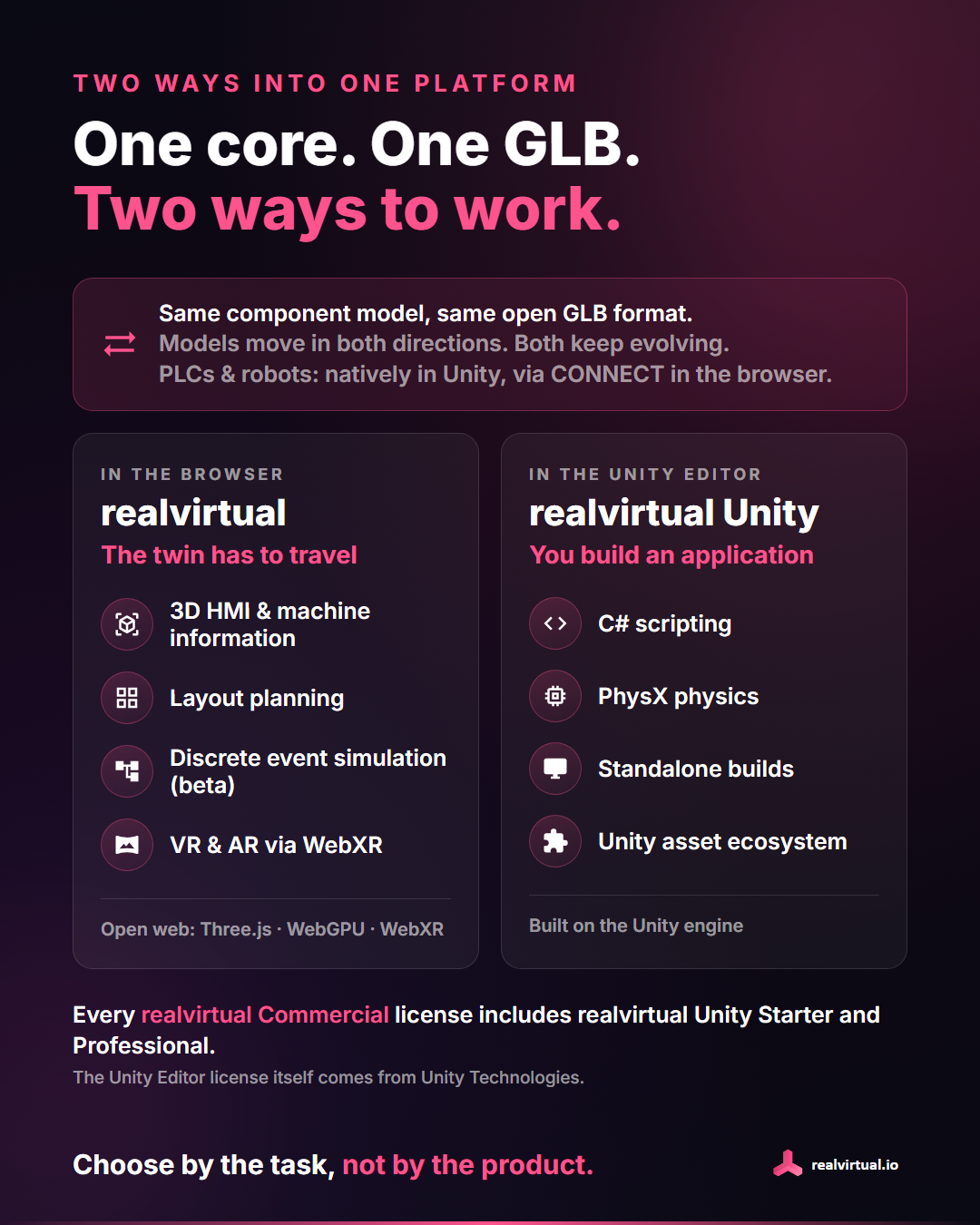
We’re being transparent here: there are a few areas we will no longer develop further in Unity. These are our simulation library, layout planning, discrete-event simulation (beta) and VR/XR. New features in these areas will come only to realvirtual in the browser.
For simulation and planning, the people doing the work are often planners and sales engineers rather than developers, and for them a web editor is simply the better tool. For VR and AR, we’re going all in on lightweight WebXR: open a link and the twin runs on Meta Quest, Apple Vision Pro, PC VR or as AR on a phone or tablet. No app, no build, no deployment per device.
What already exists in Unity keeps working.
Only in Unity
Unity remains the right choice when you’re building your own application: C#, PhysX, standalone builds and the entire Unity ecosystem.
And what about performance?
It comes up almost every time. There’s no clear performance difference between the two. realvirtual in the browser is our own development. Its core contains no Unity technology, only open web technology: Three.js with WebGL, WebGPU and WebXR, Rapier for physics, TypeScript. Large plant models run smoothly with it, right in the browser.
What this means in practice
- Both products continue to be maintained, and most new core features come to both.
- Same core, same open GLB format. Models move in both directions.
- Your realvirtual Unity Professional keeps working just as before.
- Every realvirtual Commercial license (with full source code) includes realvirtual Unity Starter and Professional as a download. You can use both and switch freely between them. (The license for the Unity Editor itself still comes from Unity Technologies.)
Choose by the task, not by the product.
Questions? Get in touch with us directly.