
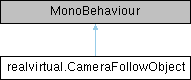
Controls camera following of a specific GameObject, can be triggered by buttons or other UI elements. More...
Public Member Functions | |
| void | StartFollowing () |
| Starts continuous camera following of the target object. | |
| void | StopFollowing () |
| Stops continuous camera following. | |
| void | FocusOnObject () |
| Performs a one-time camera movement to focus on the target object. | |
| void | ToggleFollowing () |
| Toggles between following and not following. | |
| bool | IsFollowing () |
| Returns true if currently following the target object. | |
| void | SetObjectToFollow (GameObject obj, bool startImmediately=false) |
| Sets the target object to follow and optionally starts following immediately. | |
| void | SetLerpSpeed (float speed) |
| Sets the lerp speed for camera following (can be called during runtime) Lower values (0.1-0.5) create smooth cinematic motion Medium values (0.5-2.0) provide balanced tracking Higher values (2.0-10.0) create tight, responsive tracking. | |
Public Attributes | |
| GameObject | ObjectToFollow |
| The GameObject to follow or focus on. | |
| bool | UseCustomDistance |
| If true, uses the specified Distance value instead of auto-calculating based on bounds. | |
| float | Distance |
| Camera distance from the object in meters. | |
| bool | UseCustomViewAngle |
| If true, uses the specified ViewAngle instead of auto-selecting. | |
| Vector3 | ViewAngle |
| Camera rotation in degrees. | |
| bool | AllowRotation |
| If true, user can orbit camera around the object while keeping it centered. | |
| bool | AllowZoom |
| If true, user can adjust distance from the object while following. | |
| bool | AutoStartFollowing |
| If true, automatically starts following on enable. | |
| float | LerpSpeed |
| Lerp speed multiplier for smooth camera motion. | |
| bool | SmoothStart |
| Enable smooth transition when starting to follow. | |
| bool | StopOnMouseClick |
| Stop following when user clicks any mouse button. | |
| bool | ShowStopButton |
| Show UI button to stop camera focus during following. | |
| GameObject | StopButtonPrefab |
| Optional custom prefab for stop button, if null uses default from Resources. | |
| PLCInputBool | PLCSignalStartFollowing |
| PLC signal to control following (true = follow, false = stop) | |
| bool | FollowActive |
| Public bool to control following state. | |
Detailed Description
Controls camera following of a specific GameObject, can be triggered by buttons or other UI elements.
Provides both one-time focus and continuous following modes with optional user control over rotation and zoom. The camera follows the object's pivot point (transform.position) for predictable behavior. When distance is auto-calculated, it uses the object's bounds to ensure the entire object fits in view.
Usage:
- Attach to a UI button or any GameObject
- Set the ObjectToFollow property to the target GameObject
- Configure follow options (distance, rotation, zoom)
- Call StartFollowing(), StopFollowing(), or FocusOnObject() from button events
Member Function Documentation
◆ FocusOnObject()
| void realvirtual.CameraFollowObject.FocusOnObject | ( | ) |
Performs a one-time camera movement to focus on the target object.
The camera will move to view the object's pivot point but will not continuously track it. Distance is calculated from object bounds if not specified to ensure the whole object fits in view. Can be called directly from button OnClick events.
◆ IsFollowing()
| bool realvirtual.CameraFollowObject.IsFollowing | ( | ) |
Returns true if currently following the target object.
◆ SetLerpSpeed()
| void realvirtual.CameraFollowObject.SetLerpSpeed | ( | float | speed | ) |
Sets the lerp speed for camera following (can be called during runtime) Lower values (0.1-0.5) create smooth cinematic motion Medium values (0.5-2.0) provide balanced tracking Higher values (2.0-10.0) create tight, responsive tracking.
◆ SetObjectToFollow()
| void realvirtual.CameraFollowObject.SetObjectToFollow | ( | GameObject | obj, |
| bool | startImmediately = false |
||
| ) |
Sets the target object to follow and optionally starts following immediately.
◆ StartFollowing()
| void realvirtual.CameraFollowObject.StartFollowing | ( | ) |
Starts continuous camera following of the target object.
The camera will follow the object's pivot point (transform.position) and keep it centered. Distance is calculated from object bounds if not specified to ensure the whole object fits in view. Can be called directly from button OnClick events.
◆ StopFollowing()
| void realvirtual.CameraFollowObject.StopFollowing | ( | ) |
Stops continuous camera following.
Camera returns to normal user-controlled navigation. Can be called directly from button OnClick events.
◆ ToggleFollowing()
| void realvirtual.CameraFollowObject.ToggleFollowing | ( | ) |
Toggles between following and not following.
If currently following, stops. If not following, starts. Useful for toggle buttons.
Member Data Documentation
◆ AllowRotation
| bool realvirtual.CameraFollowObject.AllowRotation |
If true, user can orbit camera around the object while keeping it centered.
◆ AllowZoom
| bool realvirtual.CameraFollowObject.AllowZoom |
If true, user can adjust distance from the object while following.
◆ AutoStartFollowing
| bool realvirtual.CameraFollowObject.AutoStartFollowing |
If true, automatically starts following on enable.
◆ Distance
| float realvirtual.CameraFollowObject.Distance |
Camera distance from the object in meters.
◆ FollowActive
| bool realvirtual.CameraFollowObject.FollowActive |
Public bool to control following state.
◆ LerpSpeed
| float realvirtual.CameraFollowObject.LerpSpeed |
Lerp speed multiplier for smooth camera motion.
◆ ObjectToFollow
| GameObject realvirtual.CameraFollowObject.ObjectToFollow |
The GameObject to follow or focus on.
◆ PLCSignalStartFollowing
| PLCInputBool realvirtual.CameraFollowObject.PLCSignalStartFollowing |
PLC signal to control following (true = follow, false = stop)
◆ ShowStopButton
| bool realvirtual.CameraFollowObject.ShowStopButton |
Show UI button to stop camera focus during following.
◆ SmoothStart
| bool realvirtual.CameraFollowObject.SmoothStart |
Enable smooth transition when starting to follow.
◆ StopButtonPrefab
| GameObject realvirtual.CameraFollowObject.StopButtonPrefab |
Optional custom prefab for stop button, if null uses default from Resources.
◆ StopOnMouseClick
| bool realvirtual.CameraFollowObject.StopOnMouseClick |
Stop following when user clicks any mouse button.
◆ UseCustomDistance
| bool realvirtual.CameraFollowObject.UseCustomDistance |
If true, uses the specified Distance value instead of auto-calculating based on bounds.
◆ UseCustomViewAngle
| bool realvirtual.CameraFollowObject.UseCustomViewAngle |
If true, uses the specified ViewAngle instead of auto-selecting.
◆ ViewAngle
| Vector3 realvirtual.CameraFollowObject.ViewAngle |
Camera rotation in degrees.