
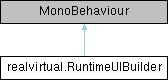
Public Member Functions | |
| void | MoveCursorTo (rvUIContent content) |
| Moves the cursor to a specific UI content element. | |
| void | MoveCursor (int n) |
| Moves the cursor by n steps in the tree hierarchy. | |
| void | StepIn () |
| Steps into the current container by moving cursor to its first child. | |
| void | StepOut () |
| Steps out of the current container by moving cursor to the parent container. | |
| void | RefreshFromCursor () |
| Refreshes layout from cursor to root using bottom-up approach. | |
| void | Add (ContentType type) |
| Adds a new UI content element at the cursor position and updates cursor to the new element. | |
| rvUIToggleGroup | AddToggleGroup (bool allowSwitchOff=false, bool autoassignButtons=false) |
| rvUIToggleGroup | AddToggleGroup (rvUIContent content, bool allowSwitchOff=false, bool autoassignButtons=false) |
| void | Clear () |
| Clears all content from the container where cursor is located. | |
| rvUIFloatingMenuPanel | AddSubMenu (SubMenuType subMenuType, realvirtual.rvUIRelativePlacement.Placement placement, float margin=10f) |
| Creates a submenu (rvUIFloatingMenuPanel) for the current cursor content. | |
| rvUIMenuButton | AddButton (string text) |
| Creates a button with the specified text and returns it for event wiring. | |
| rvUIDropdown | AddDropdown () |
| rvUITooltip | AddTooltip (string text, RectTransform parent, rvUIRelativePlacement.Placement placement) |
| rvUIToggleDropdown | AddToggleDropdown () |
| rvUIGenericInputField | AddInputField (TMP_InputField.ContentType contentType) |
| rvUIMenuSpacing | AddSpace () |
| rvUIMenuButton | AddButton (string text, Sprite icon, rvUIToggleGroup toggleGroup=null) |
| Creates a button with the specified text and icon and returns it for event wiring. | |
| rvUIMenuButton | AddButton (string text, string materialIcon, rvUIToggleGroup toggleGroup=null) |
| rvUIText | AddText (string text, bool keepRefreshing=true) |
| Creates a text element with the specified content and returns it. | |
| rvUIContainer | AddContainer (ContentType type) |
| Creates a container and returns it for adding children. | |
| rvUIFloatingMenuPanel | AddVerticalBox () |
| rvUIFloatingMenuPanel | AddHorizontalBox () |
| EnumField< T > | AddEnumField< T > (string label, T initialValue, bool useHorizontalLayout=true) |
| Creates a generic enum field with button group for selecting values. | |
| rvUIMenuWindow | AddMenuWindow (rvUIMenuSettings settings) |
| Creates an adaptive menu window that can switch between horizontal, vertical, and window styles. | |
Public Attributes | |
| rvUIMenuButton | ButtonPrefab |
| Prefab for creating button UI elements. | |
| rvUIDropdown | DropdownPrefab |
| Prefab for creating dropdown menu UI elements. | |
| rvUIMenuSpacing | SpacingPrefab |
| Prefab for creating spacing elements between UI components. | |
| rvUIText | TextPrefab |
| Prefab for creating text label UI elements. | |
| rvUIToggleDropdown | ToggleDropdownPrefab |
| rvUIGenericInputField | InputFieldPrefab |
| rvUITooltip | TooltipPrefab |
| rvUIMenuWindow | WindowPrefab |
| Prefab for creating menu window containers with title bar and styling. | |
| rvUIFloatingMenuPanel | EmptyWindowPrefab |
| Prefab for creating empty floating window containers. | |
| rvUIFloatingMenuPanel | EmptyHorizontalPrefab |
| Prefab for creating horizontal layout containers. | |
| rvUIFloatingMenuPanel | EmptyVerticalPrefab |
| Prefab for creating vertical layout containers. | |
| ColorScheme | colorScheme |
| rvUIContent | cursor |
| Current cursor position in the UI tree. | |
Properties | |
| static RuntimeUIBuilder | Instance [get] |
| Singleton instance of the RuntimeUIBuilder. | |
Member Function Documentation
◆ Add()
| void realvirtual.RuntimeUIBuilder.Add | ( | ContentType | type | ) |
Adds a new UI content element at the cursor position and updates cursor to the new element.
Automatically triggers layout refresh from the new content to root. Works in both edit mode and play mode.
- Parameters
-
type The type of content to create
◆ AddButton() [1/2]
| rvUIMenuButton realvirtual.RuntimeUIBuilder.AddButton | ( | string | text | ) |
Creates a button with the specified text and returns it for event wiring.
- Parameters
-
text The button text
- Returns
- The created button component
◆ AddButton() [2/2]
| rvUIMenuButton realvirtual.RuntimeUIBuilder.AddButton | ( | string | text, |
| Sprite | icon, | ||
| rvUIToggleGroup | toggleGroup = null |
||
| ) |
Creates a button with the specified text and icon and returns it for event wiring.
- Parameters
-
text The button text icon The button icon sprite
- Returns
- The created button component
◆ AddContainer()
| rvUIContainer realvirtual.RuntimeUIBuilder.AddContainer | ( | ContentType | type | ) |
Creates a container and returns it for adding children.
- Parameters
-
type The type of container to create
- Returns
- The created container
◆ AddEnumField< T >()
| EnumField< T > realvirtual.RuntimeUIBuilder.AddEnumField< T > | ( | string | label, |
| T | initialValue, | ||
| bool | useHorizontalLayout = true |
||
| ) |
Creates a generic enum field with button group for selecting values.
Returns EnumField for event wiring and value management.
- Template Parameters
-
T Enum type
- Parameters
-
label Label text initialValue Initial enum value useHorizontalLayout True for horizontal layout, false for vertical
- Returns
- The created EnumField instance
- Type Constraints
-
T : System.Enum
◆ AddMenuWindow()
| rvUIMenuWindow realvirtual.RuntimeUIBuilder.AddMenuWindow | ( | rvUIMenuSettings | settings | ) |
Creates an adaptive menu window that can switch between horizontal, vertical, and window styles.
Content is preserved when switching styles.
- Parameters
-
initialStyle The initial style for the window
- Returns
- The created rvUIMenuWindow instance
◆ AddSubMenu()
| rvUIFloatingMenuPanel realvirtual.RuntimeUIBuilder.AddSubMenu | ( | SubMenuType | subMenuType, |
| realvirtual::rvUIRelativePlacement::Placement | placement, | ||
| float | margin = 10f |
||
| ) |
Creates a submenu (rvUIFloatingMenuPanel) for the current cursor content.
The submenu is placed in the top-level root container and uses rvUIRelativePlacement to position itself relative to the cursor content.
- Parameters
-
subMenuType The type of submenu panel to create placement The relative placement type (Above, Below, Left, Right, Horizontal, Vertical) margin The margin distance from the target
- Returns
- The created submenu container, or null if creation failed
◆ AddText()
| rvUIText realvirtual.RuntimeUIBuilder.AddText | ( | string | text, |
| bool | keepRefreshing = true |
||
| ) |
Creates a text element with the specified content and returns it.
- Parameters
-
text The text content
- Returns
- The created text component
◆ Clear()
| void realvirtual.RuntimeUIBuilder.Clear | ( | ) |
Clears all content from the container where cursor is located.
If cursor is a container, clears its children. Otherwise, clears siblings in parent container. After clearing, moves cursor to the container.
◆ MoveCursor()
| void realvirtual.RuntimeUIBuilder.MoveCursor | ( | int | n | ) |
Moves the cursor by n steps in the tree hierarchy.
Negative values move backward (previous siblings/parent), positive values move forward (next siblings/children).
- Parameters
-
n Number of steps to move (+ or -)
◆ MoveCursorTo()
| void realvirtual.RuntimeUIBuilder.MoveCursorTo | ( | rvUIContent | content | ) |
Moves the cursor to a specific UI content element.
- Parameters
-
content The target UI content to move cursor to
◆ RefreshFromCursor()
| void realvirtual.RuntimeUIBuilder.RefreshFromCursor | ( | ) |
Refreshes layout from cursor to root using bottom-up approach.
This ensures layout changes propagate correctly from modified elements up to the root container. Each node in the path is refreshed individually without re-refreshing children (avoids redundant work).
◆ StepIn()
| void realvirtual.RuntimeUIBuilder.StepIn | ( | ) |
Steps into the current container by moving cursor to its first child.
Only works if cursor is a container with children.
◆ StepOut()
| void realvirtual.RuntimeUIBuilder.StepOut | ( | ) |
Steps out of the current container by moving cursor to the parent container.
Member Data Documentation
◆ ButtonPrefab
| rvUIMenuButton realvirtual.RuntimeUIBuilder.ButtonPrefab |
Prefab for creating button UI elements.
◆ cursor
| rvUIContent realvirtual.RuntimeUIBuilder.cursor |
Current cursor position in the UI tree.
All Add operations insert content at this location.
◆ DropdownPrefab
| rvUIDropdown realvirtual.RuntimeUIBuilder.DropdownPrefab |
Prefab for creating dropdown menu UI elements.
◆ EmptyHorizontalPrefab
| rvUIFloatingMenuPanel realvirtual.RuntimeUIBuilder.EmptyHorizontalPrefab |
Prefab for creating horizontal layout containers.
◆ EmptyVerticalPrefab
| rvUIFloatingMenuPanel realvirtual.RuntimeUIBuilder.EmptyVerticalPrefab |
Prefab for creating vertical layout containers.
◆ EmptyWindowPrefab
| rvUIFloatingMenuPanel realvirtual.RuntimeUIBuilder.EmptyWindowPrefab |
Prefab for creating empty floating window containers.
◆ SpacingPrefab
| rvUIMenuSpacing realvirtual.RuntimeUIBuilder.SpacingPrefab |
Prefab for creating spacing elements between UI components.
◆ TextPrefab
| rvUIText realvirtual.RuntimeUIBuilder.TextPrefab |
Prefab for creating text label UI elements.
◆ WindowPrefab
| rvUIMenuWindow realvirtual.RuntimeUIBuilder.WindowPrefab |
Prefab for creating menu window containers with title bar and styling.
Property Documentation
◆ Instance
|
staticget |
Singleton instance of the RuntimeUIBuilder.
Only one instance should exist in the scene.