
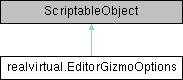
Configures visual appearance and behavior settings for editor gizmos across realvirtual components. More...
Public Attributes | |
| bool | EnableDriveGizmoArrowClicking |
| If true, allows clicking on drive gizmo arrows to jog drives in play mode or change direction in edit mode. | |
| Color | DriveDirectionColor |
| Color for main direction arrow (default: bright blue) | |
| Color | DriveInactiveColor |
| Color for inactive direction arrows (default: light gray) | |
| Color | DriveRunningForwardColor |
| Color for running forward (default: bright green) | |
| Color | DriveRunningReverseColor |
| Color for running in reverse (default: orange-red) | |
| Color | DriveStoppedColor |
| Color for stopped/ready state (default: golden yellow) | |
| Color | DriveLimitsColor |
| Color for limit indicators and arc (default: blue) | |
| Color | DriveLimitWarningColor |
| Color for limit warning (default: bright orange) | |
| float | DriveConeSize |
| Size multiplier for cone-shaped direction arrows (default: 0.36) | |
| float | DriveCubeSize |
| Size multiplier for cube-shaped position markers (default: 0.24) | |
| float | DriveDistanceCenter |
| Distance offset from center for positioning gizmo elements (default: 0.18) | |
| float | DriveArcSize |
| Arc radius multiplier for rotational drive limits (default: 0.96) | |
| float | DriveFontSize |
| Font size for drive position and status labels (default: 14) | |
| Color | MovePivotCurrentColor |
| Color for visualizing the current pivot position (default: green) | |
| Color | MovePivotPreviewColor |
| Color for visualizing the preview pivot position (default: yellow) | |
| Color | MovePivotVertexHighlightColor |
| Color for highlighting vertices when hovering (default: red) | |
| Color | MovePivotPoint1Color |
| Color for the first selected point (default: dark blue) | |
| Color | MovePivotPoint2Color |
| Color for the second selected point (default: medium blue) | |
| Color | MovePivotPoint3Color |
| Color for the third selected point (default: light blue) | |
| Color | DuplicateFinderWireframeColor |
| Color for wireframe visualization of duplicate objects (default: yellow) | |
| Color | DuplicateFinderOutlineColor |
| Color for persistent outlines of identical objects (default: cyan) | |
| Color | DuplicateFinderPingColor |
| Color for ping/flash effect when locating objects (default: yellow) | |
| Color | MaterialWindowWireframeColor |
| Color for wireframe visualization in material preview (default: yellow) | |
| Color | ActiveButtonBackground |
| Background color for active buttons in kinematic tool dialogs. | |
| Color | DefaultColorSelectionSphere |
| Default color for the selection sphere in kinematic tool. | |
| Color | KT_HoverMeshColor |
| Color applied to meshes when hovering in kinematic tool. | |
| Color | KT_SelectedMeshColor |
| Color applied to selected meshes in kinematic tool. | |
| Color | AxisColor |
| Color for primary axis direction visualization lines. | |
| Color | AxisColorSecondaryAxis |
| Color for secondary axis direction lines on child objects. | |
| Color | MeshColorConnectedAxis |
| Color for meshes connected to the active axis. | |
| Color | MeshColorUpperAxis |
| Color for meshes on upper hierarchy axes. | |
| Color | KT_Point1Color |
| Color for Point 1 in radius center selection (default: yellow) | |
| Color | KT_Point2Color |
| Color for Point 2 in radius center selection (default: gray) | |
| Color | KT_Point3Color |
| Color for Point 3 in radius center selection (default: orange) | |
| Color | KT_CenterPointColor |
| Color for the calculated center point (default: red) | |
| List< MeshGizmo > | SelectedMeshes |
| Internal list of currently selected meshes with their gizmo settings. | |
Detailed Description
Configures visual appearance and behavior settings for editor gizmos across realvirtual components.
This ScriptableObject stores preferences for various editor visualization tools including drive handles, kinematic tools, and move pivot functionality. Settings are accessed through realvirtualController and control both visual appearance and interaction behavior of scene gizmos.
Key Features:
- Drive gizmo interaction settings (arrow clicking, visual feedback)
- Move pivot tool color schemes for selection states
- Kinematic tool visualization colors and styles
Configuration:
- Created via Assets > Create > realvirtual > Add EditorGizmoOptions
- Referenced by realvirtualController for global settings
- Settings apply immediately to all editor gizmos in the scene
Member Data Documentation
◆ ActiveButtonBackground
| Color realvirtual.EditorGizmoOptions.ActiveButtonBackground |
Background color for active buttons in kinematic tool dialogs.
◆ AxisColor
| Color realvirtual.EditorGizmoOptions.AxisColor |
Color for primary axis direction visualization lines.
◆ AxisColorSecondaryAxis
| Color realvirtual.EditorGizmoOptions.AxisColorSecondaryAxis |
Color for secondary axis direction lines on child objects.
◆ DefaultColorSelectionSphere
| Color realvirtual.EditorGizmoOptions.DefaultColorSelectionSphere |
Default color for the selection sphere in kinematic tool.
◆ DriveArcSize
| float realvirtual.EditorGizmoOptions.DriveArcSize |
Arc radius multiplier for rotational drive limits (default: 0.96)
◆ DriveConeSize
| float realvirtual.EditorGizmoOptions.DriveConeSize |
Size multiplier for cone-shaped direction arrows (default: 0.36)
◆ DriveCubeSize
| float realvirtual.EditorGizmoOptions.DriveCubeSize |
Size multiplier for cube-shaped position markers (default: 0.24)
◆ DriveDirectionColor
| Color realvirtual.EditorGizmoOptions.DriveDirectionColor |
Color for main direction arrow (default: bright blue)
◆ DriveDistanceCenter
| float realvirtual.EditorGizmoOptions.DriveDistanceCenter |
Distance offset from center for positioning gizmo elements (default: 0.18)
◆ DriveFontSize
| float realvirtual.EditorGizmoOptions.DriveFontSize |
Font size for drive position and status labels (default: 14)
◆ DriveInactiveColor
| Color realvirtual.EditorGizmoOptions.DriveInactiveColor |
Color for inactive direction arrows (default: light gray)
◆ DriveLimitsColor
| Color realvirtual.EditorGizmoOptions.DriveLimitsColor |
Color for limit indicators and arc (default: blue)
◆ DriveLimitWarningColor
| Color realvirtual.EditorGizmoOptions.DriveLimitWarningColor |
Color for limit warning (default: bright orange)
◆ DriveRunningForwardColor
| Color realvirtual.EditorGizmoOptions.DriveRunningForwardColor |
Color for running forward (default: bright green)
◆ DriveRunningReverseColor
| Color realvirtual.EditorGizmoOptions.DriveRunningReverseColor |
Color for running in reverse (default: orange-red)
◆ DriveStoppedColor
| Color realvirtual.EditorGizmoOptions.DriveStoppedColor |
Color for stopped/ready state (default: golden yellow)
◆ DuplicateFinderOutlineColor
| Color realvirtual.EditorGizmoOptions.DuplicateFinderOutlineColor |
Color for persistent outlines of identical objects (default: cyan)
◆ DuplicateFinderPingColor
| Color realvirtual.EditorGizmoOptions.DuplicateFinderPingColor |
Color for ping/flash effect when locating objects (default: yellow)
◆ DuplicateFinderWireframeColor
| Color realvirtual.EditorGizmoOptions.DuplicateFinderWireframeColor |
Color for wireframe visualization of duplicate objects (default: yellow)
◆ EnableDriveGizmoArrowClicking
| bool realvirtual.EditorGizmoOptions.EnableDriveGizmoArrowClicking |
If true, allows clicking on drive gizmo arrows to jog drives in play mode or change direction in edit mode.
◆ KT_CenterPointColor
| Color realvirtual.EditorGizmoOptions.KT_CenterPointColor |
Color for the calculated center point (default: red)
◆ KT_HoverMeshColor
| Color realvirtual.EditorGizmoOptions.KT_HoverMeshColor |
Color applied to meshes when hovering in kinematic tool.
◆ KT_Point1Color
| Color realvirtual.EditorGizmoOptions.KT_Point1Color |
Color for Point 1 in radius center selection (default: yellow)
◆ KT_Point2Color
| Color realvirtual.EditorGizmoOptions.KT_Point2Color |
Color for Point 2 in radius center selection (default: gray)
◆ KT_Point3Color
| Color realvirtual.EditorGizmoOptions.KT_Point3Color |
Color for Point 3 in radius center selection (default: orange)
◆ KT_SelectedMeshColor
| Color realvirtual.EditorGizmoOptions.KT_SelectedMeshColor |
Color applied to selected meshes in kinematic tool.
◆ MaterialWindowWireframeColor
| Color realvirtual.EditorGizmoOptions.MaterialWindowWireframeColor |
Color for wireframe visualization in material preview (default: yellow)
◆ MeshColorConnectedAxis
| Color realvirtual.EditorGizmoOptions.MeshColorConnectedAxis |
Color for meshes connected to the active axis.
◆ MeshColorUpperAxis
| Color realvirtual.EditorGizmoOptions.MeshColorUpperAxis |
Color for meshes on upper hierarchy axes.
◆ MovePivotCurrentColor
| Color realvirtual.EditorGizmoOptions.MovePivotCurrentColor |
Color for visualizing the current pivot position (default: green)
◆ MovePivotPoint1Color
| Color realvirtual.EditorGizmoOptions.MovePivotPoint1Color |
Color for the first selected point (default: dark blue)
◆ MovePivotPoint2Color
| Color realvirtual.EditorGizmoOptions.MovePivotPoint2Color |
Color for the second selected point (default: medium blue)
◆ MovePivotPoint3Color
| Color realvirtual.EditorGizmoOptions.MovePivotPoint3Color |
Color for the third selected point (default: light blue)
◆ MovePivotPreviewColor
| Color realvirtual.EditorGizmoOptions.MovePivotPreviewColor |
Color for visualizing the preview pivot position (default: yellow)
◆ MovePivotVertexHighlightColor
| Color realvirtual.EditorGizmoOptions.MovePivotVertexHighlightColor |
Color for highlighting vertices when hovering (default: red)
◆ SelectedMeshes
| List<MeshGizmo> realvirtual.EditorGizmoOptions.SelectedMeshes |
Internal list of currently selected meshes with their gizmo settings.